

I can't change the approval flow for an employee's Time Off requests (Content reflects a previous update. For up-to-date details, see last comment)

  • May 2, 2023 4:27 PM UTC
  • Aug 16, 2025 11:59 AM UTC
  • 2 replies
  • 241 views
  • Translate All

It looks like you have a custom approval flow setup that needs to be removed. You can select the Employees Approval flow. That will default to the Approval flow chosen in Time > Time Off Settings > Approvers:
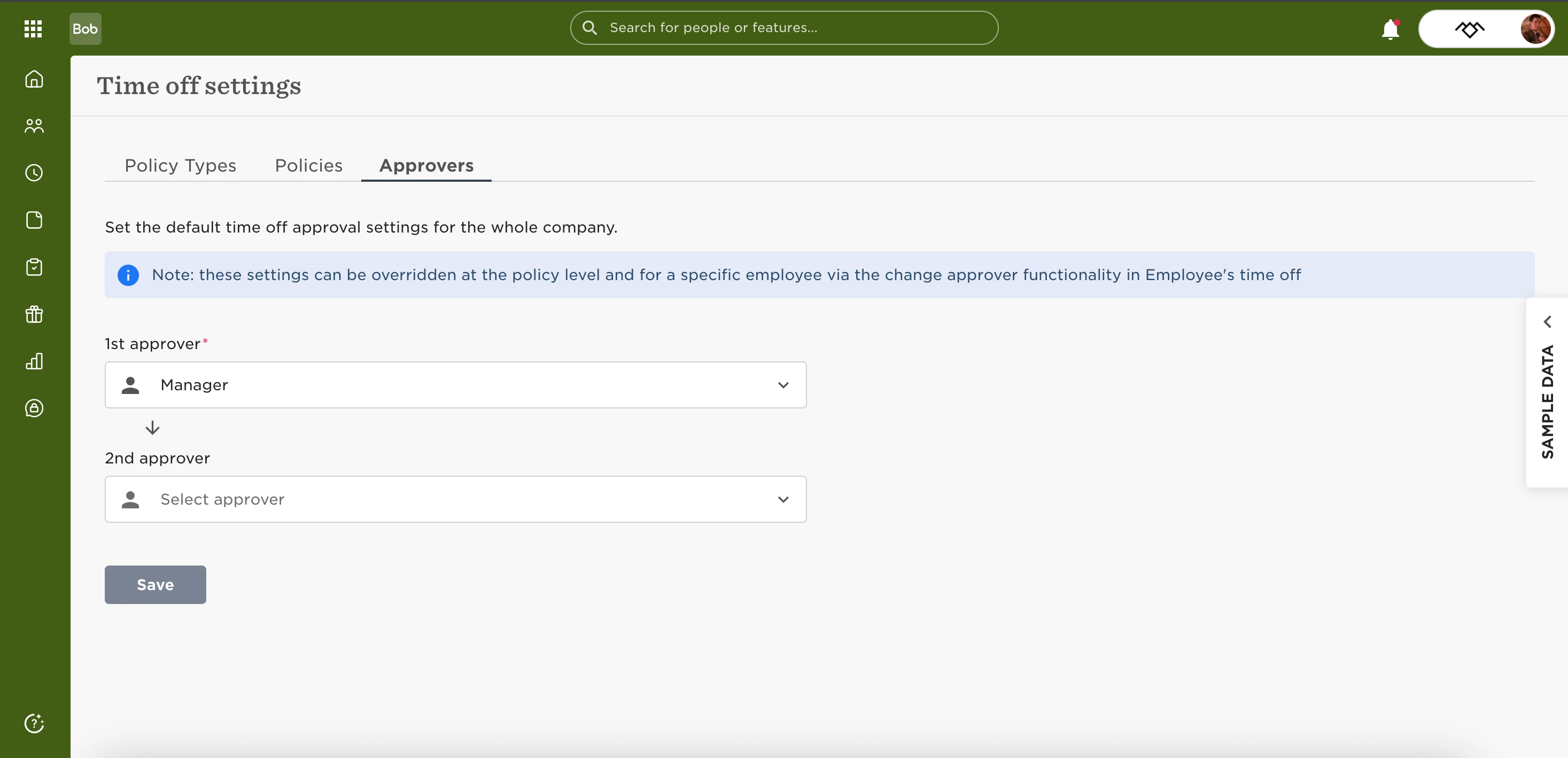


This will then allow you to alter the approvers in specific scenarios where you don’t want the default flow to apply.

This topic has been closed for replies.

2 replies

Lucija Zeljko

@Hannington Morgan 

Is there a way (or a plan to be able) to add a group of people as 2nd level approver? Eg. everyone with the same role (HR Admin or HRBP) vs just the assigned one, in case one person is away? 


Translate

Hi everyone!
This article is out of date. For the latest on Time off approval, check out Unable to change your approval flow.
 

Translate