F.A.Q.

Unable to change your approval flow

  • Oct 21, 2024 6:47 AM UTC
  • 4 replies
  • 240 views
  • Translate All

It’s likely you have a custom flow setup that needs to be removed.

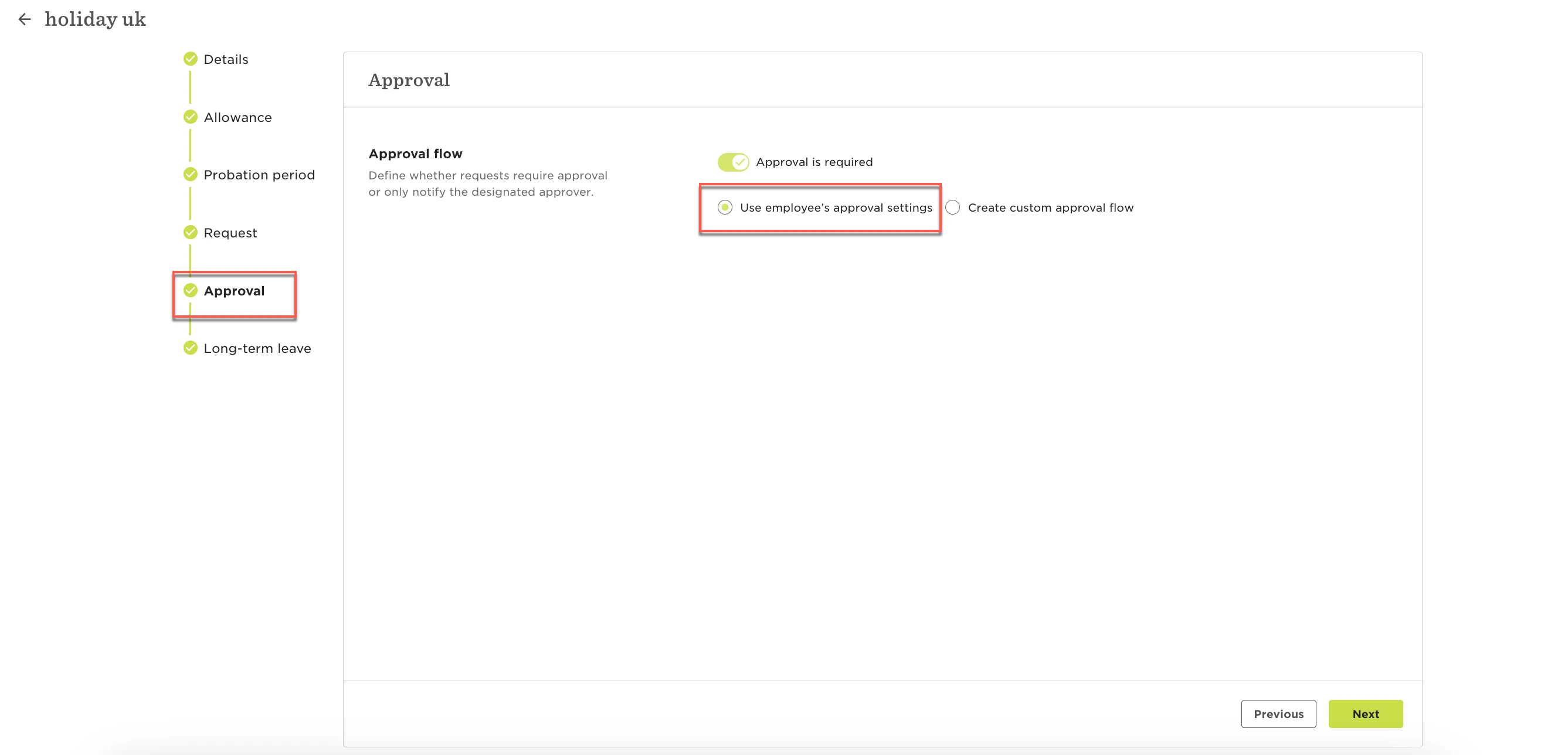
Head to Time Off Settings > Policies > Select the policy in question Actions > Edit > Approval. There you’ll see that there’s a custom flow selected. You’ll want to select the ‘Use employee’s approval settings’. You can select the Employees Approval flow. That will default to the settings here in time > TIme Off settings > Approvers. See image attached:
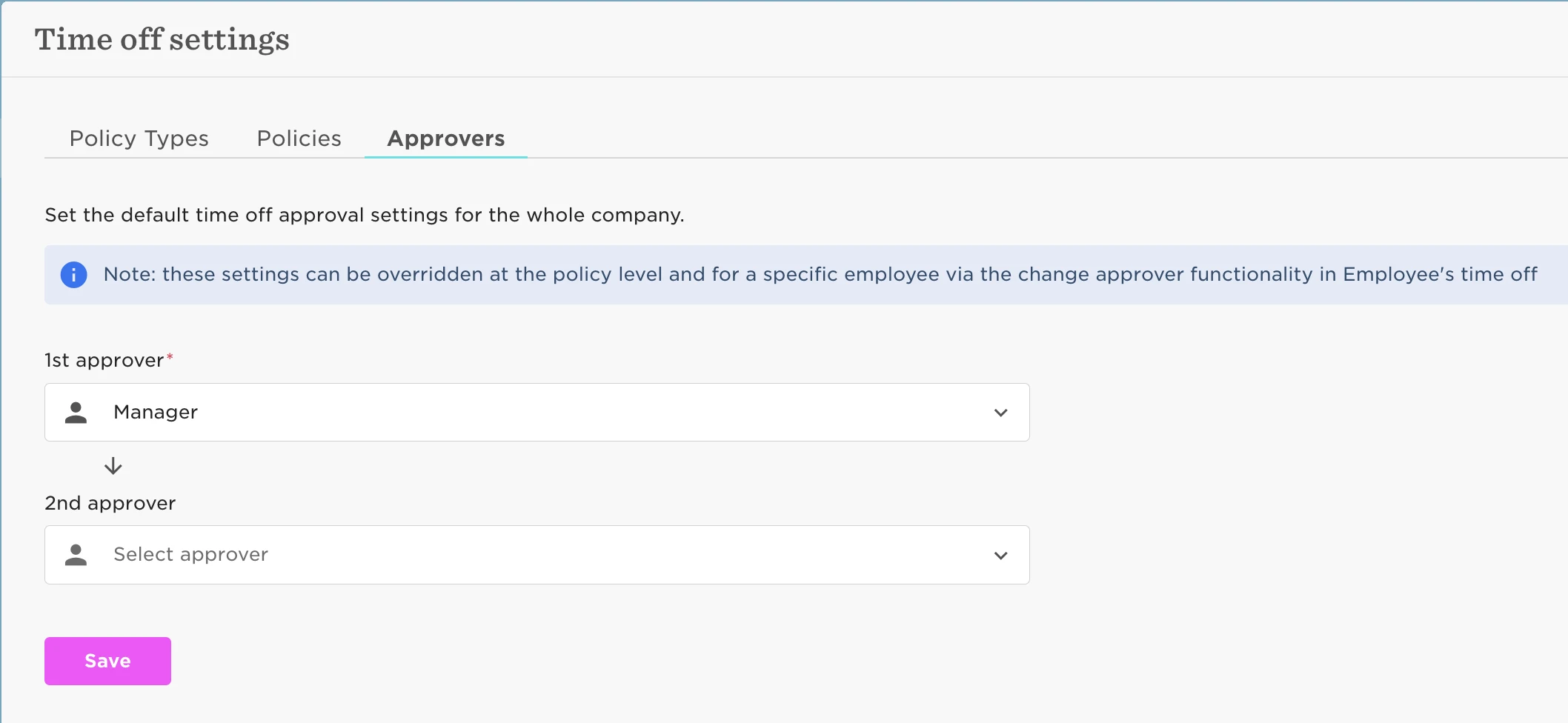
This will then allow you to alter the approvers in specific scenarios where you don’t want the default flow to apply 😁️


To do this you will want to head to Time > People's Time Off > Policy Balances > select the Employee and then Actions > Change Approver.

4 replies

SandraL
  • Jun 12, 2025 7:45 AM UTC

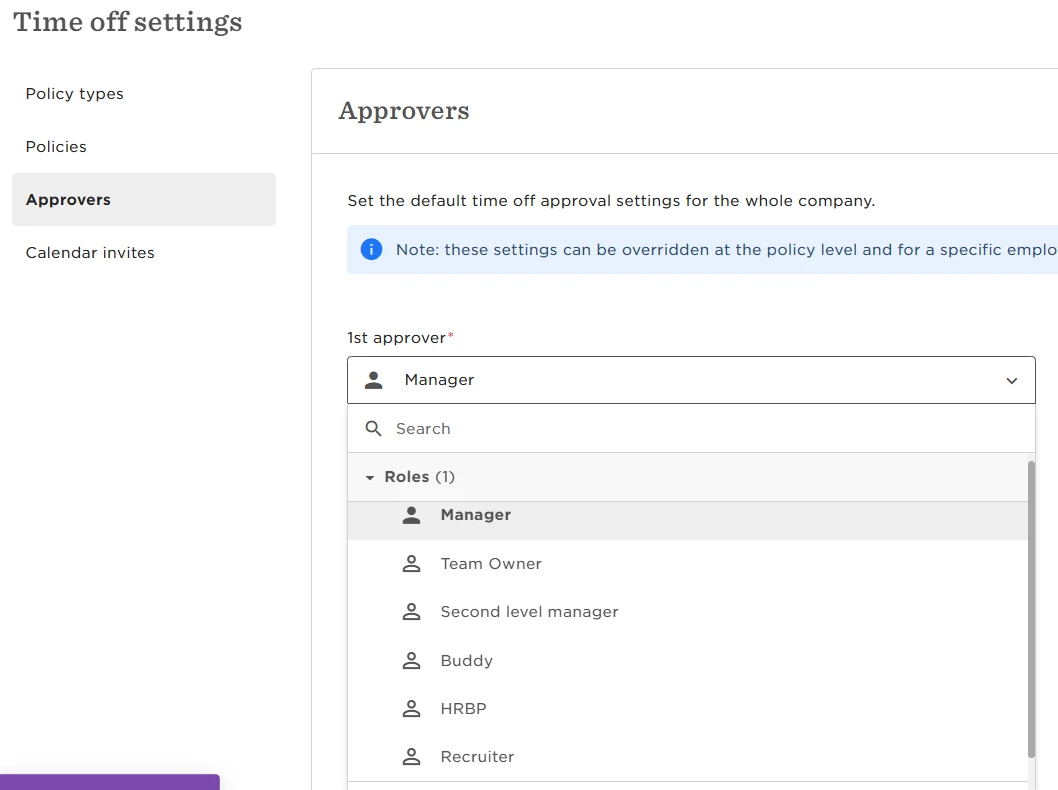
​@Hannington Morgan Sorry, but in your picture (and also on the site) I cannot find “Use employee’s approval settings’. There is only the mandatory field for 1st Approver, where only these roles can be chosen:


Please help me! I don’t want to approve my CEO’s vacation!

Thanks

Translate

Jessica Lane
Bobber

Hi ​@SandraL 👋🏻

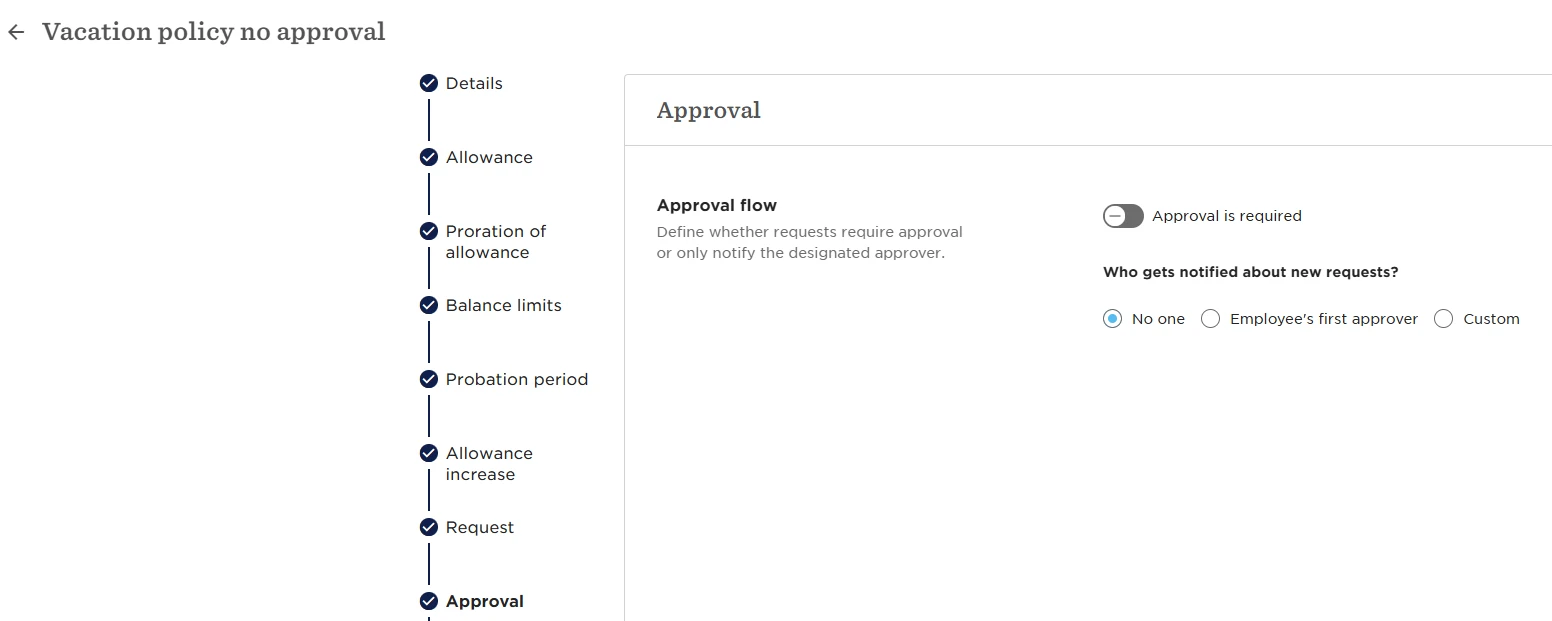
The ‘Use employees approval settings’ option can be found within the time off policy itself:


Translate

SandraL
  • Jun 23, 2025 11:11 AM UTC

Yes, but of course I chose NO APPROVAL! Do you mean I need to turn on the toggle “approval is required”, although I do not want any approval? And then choose “Use employee’s approval settings”?

And if you mean that: Can you explain to me, why there is a turn off/ turn on - toggle at all?


Thank you

Best,

Sandra


Translate

Jessica Lane
Bobber

Hi ​@SandraL 

With the approval is toggled off in the time off policy, then no approval should be needed for requests made on that policy.

As a result, you would not need to approve your CEO’s time off if they are requesting time off on a policy set up with no approval. 

Translate