

Step 1: Create a full-time working pattern
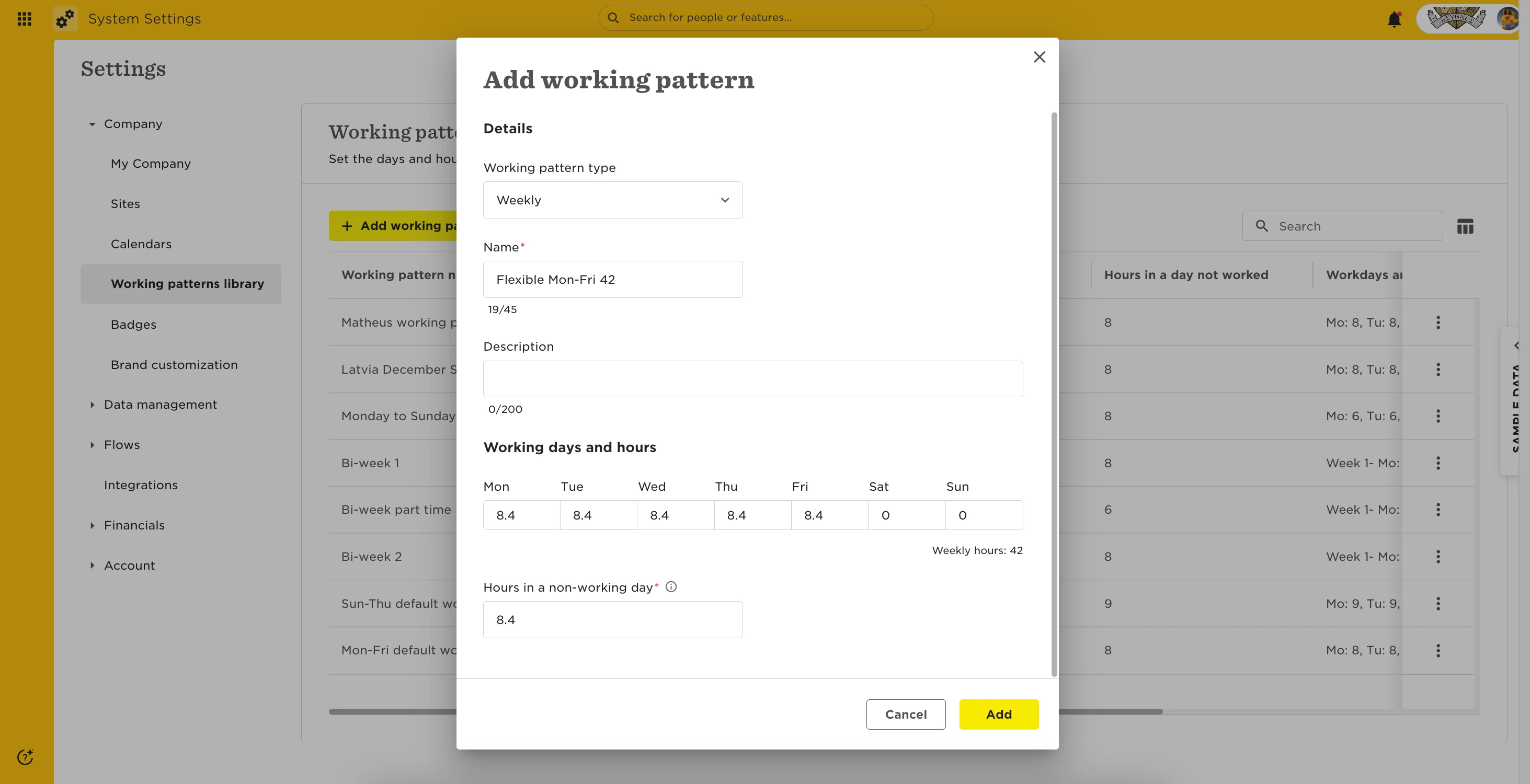
First, add a base full-time pattern to your library. This pattern should:
-
Cover every potential day the employee may work.
-
Sum up to the weekly hours at 100% FTE.
-
Include hours per day (these become irrelevant once “Flexible hours” is toggled on).
👉 Go to Settings > Working Patterns Library to create or manage patterns.
📌 Note: You must also enter a value for Hours in a non-working day. If it’s not relevant to your policies, just enter 0.
Example:
If an employee will work 37.8 hours/week (90% FTE), then the base full-time pattern must sum to 42 hours/week. How you divide those hours depends on the potential days:
-
Monday–Friday → 8.4 hours/day
-
Monday–Saturday → 7 hours/day
-
Monday–Sunday → 6 hours/day
🔗 For more detail on creating patterns, see Create and manage working patterns.
🔗 For a community overview, see Set up a working pattern.
Step 2: Assign the flexible pattern to the employee
-
Go to the employee’s profile and open the Employment table.
-
Add or edit a row.
-
Select Adjusts for part-time or different hours.
-
Under Full-time working pattern, choose the one you created.
-
Under Personal working pattern, select Flexible hours.
-
Enter the employee’s FTE %. Bob calculates the actual weekly hours automatically.
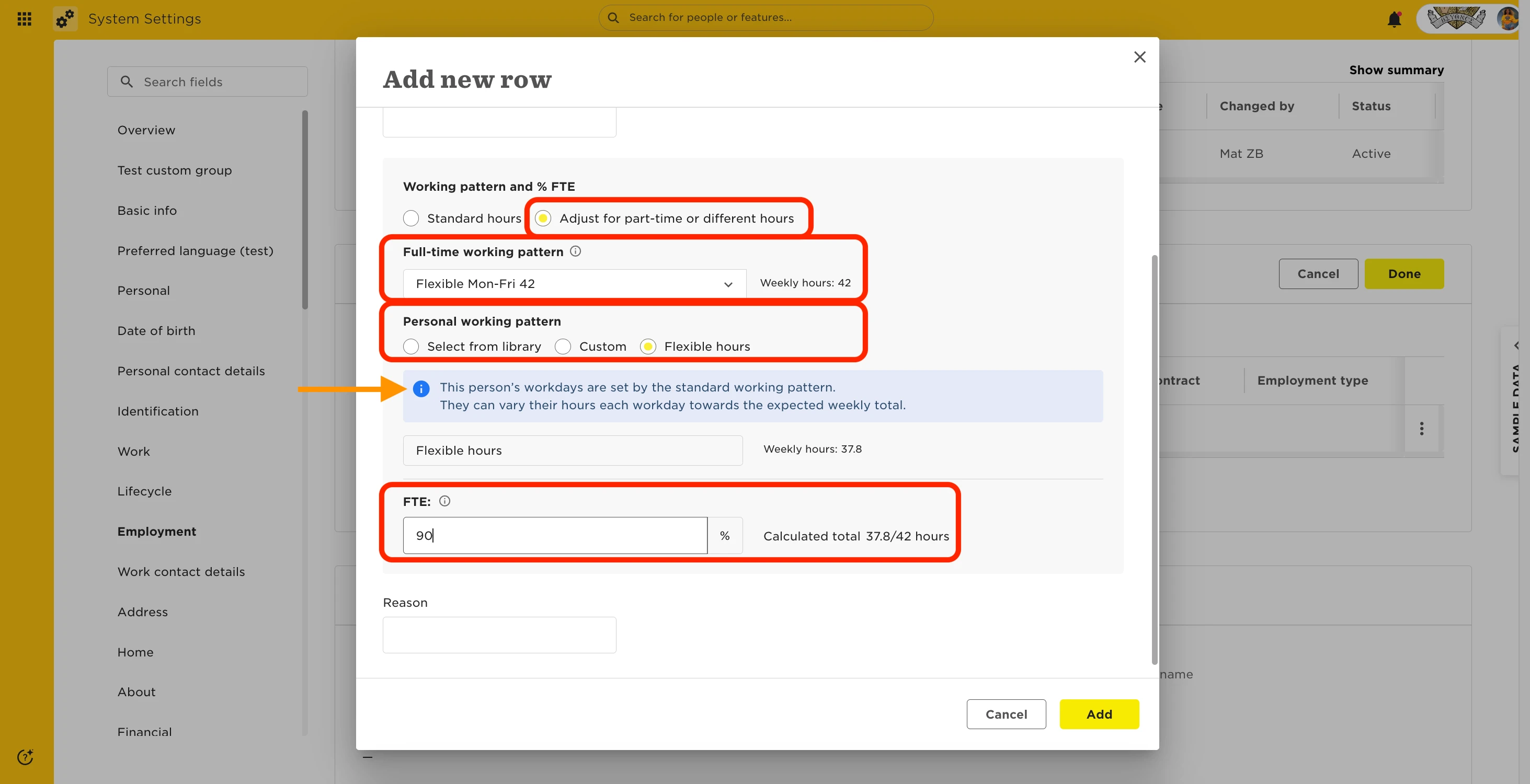
This setup allows employees to work any hours on their potential working days, as long as they reach their weekly FTE hours.
Flexible patterns & Attendance
-
If an Attendance policy calculates overtime based on potential hours, flexible patterns aren’t supported—it uses the base full-time pattern.
-
Use Fixed threshold and Weekly overtime instead.
-
Consider separate Attendance policies for flexible employees, with different thresholds as needed.
-
Allowing incomplete timesheets can also help in flexible scenarios.
Flexible patterns & Time Off
-
Time Off relies on the base full-time pattern to determine working days.
-
If a Time Off policy prorates allowance or requests by FTE%, the employee’s FTE% will apply.
-
Editing the Employment table retroactively updates Time Off within the current cycle only. Past and locked cycles stay unchanged.
-
Adding a new row with a future effective date will apply changes only from that date forward.