


What Are Working Patterns?
A working pattern sets the expected working hours per day for a weekly or bi-weekly period.
You can create multiple patterns to match different roles, sites, and employment types.
Use working patterns to:
-
Set a default per site
-
Assign different patterns to different employee groups (e.g., marketing vs. support)
-
Define part-time hours and calculate FTE %
-
Change a pattern when updating employment info in a profile
How to Create a Working Pattern
-
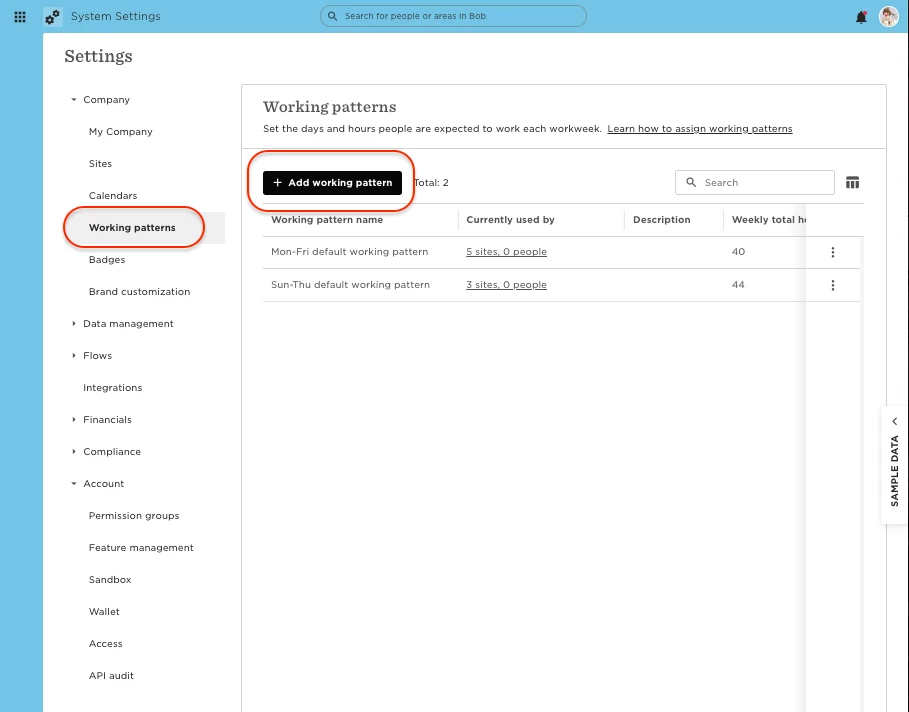
Go to Bob Products > System settings
-
In the left menu, click Company > Working patterns
-
Click + Add working pattern
-
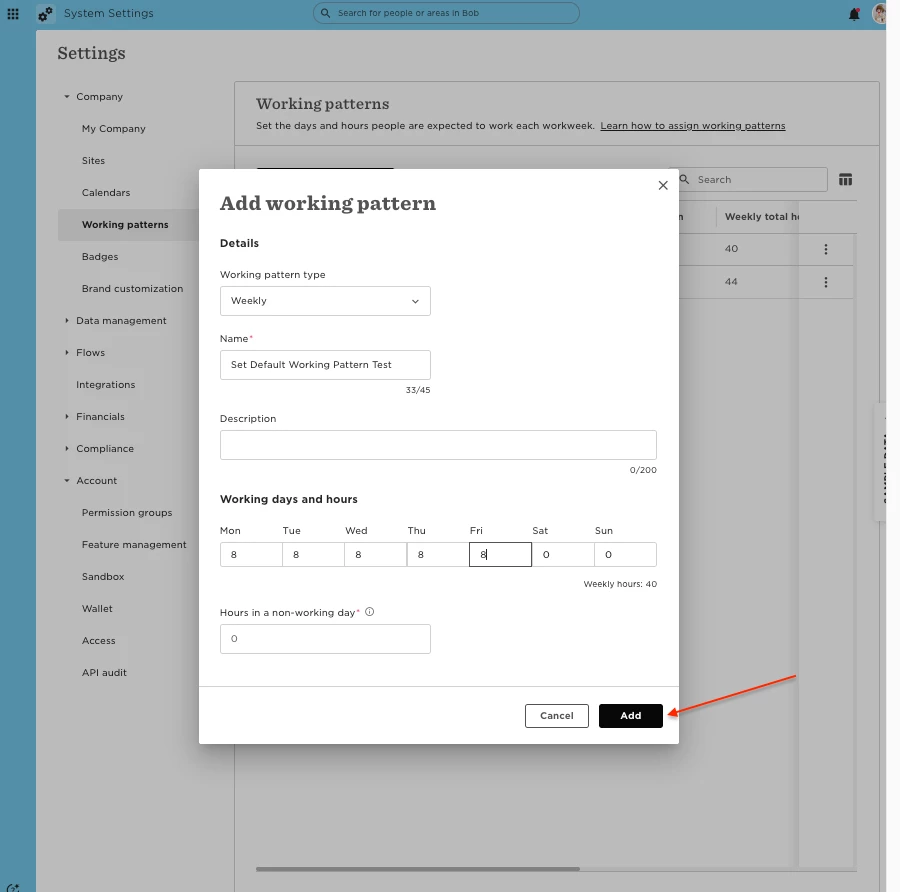
Choose the type:
-
Weekly – 7-day pattern
-
Bi-weekly – 14-day pattern
-
-
Add a name and description (optional)
-
Set the expected hours for each day
-
For non-working days, set “Hours in a non-working day” (required):
-
Determines how time off or paid hours are calculated on 0-hour days
-
If not relevant to your policies, just enter 0
-
-
Click Add
Note: For bi-weekly patterns, you’ll also need to select an Anchor date (must be a Monday)
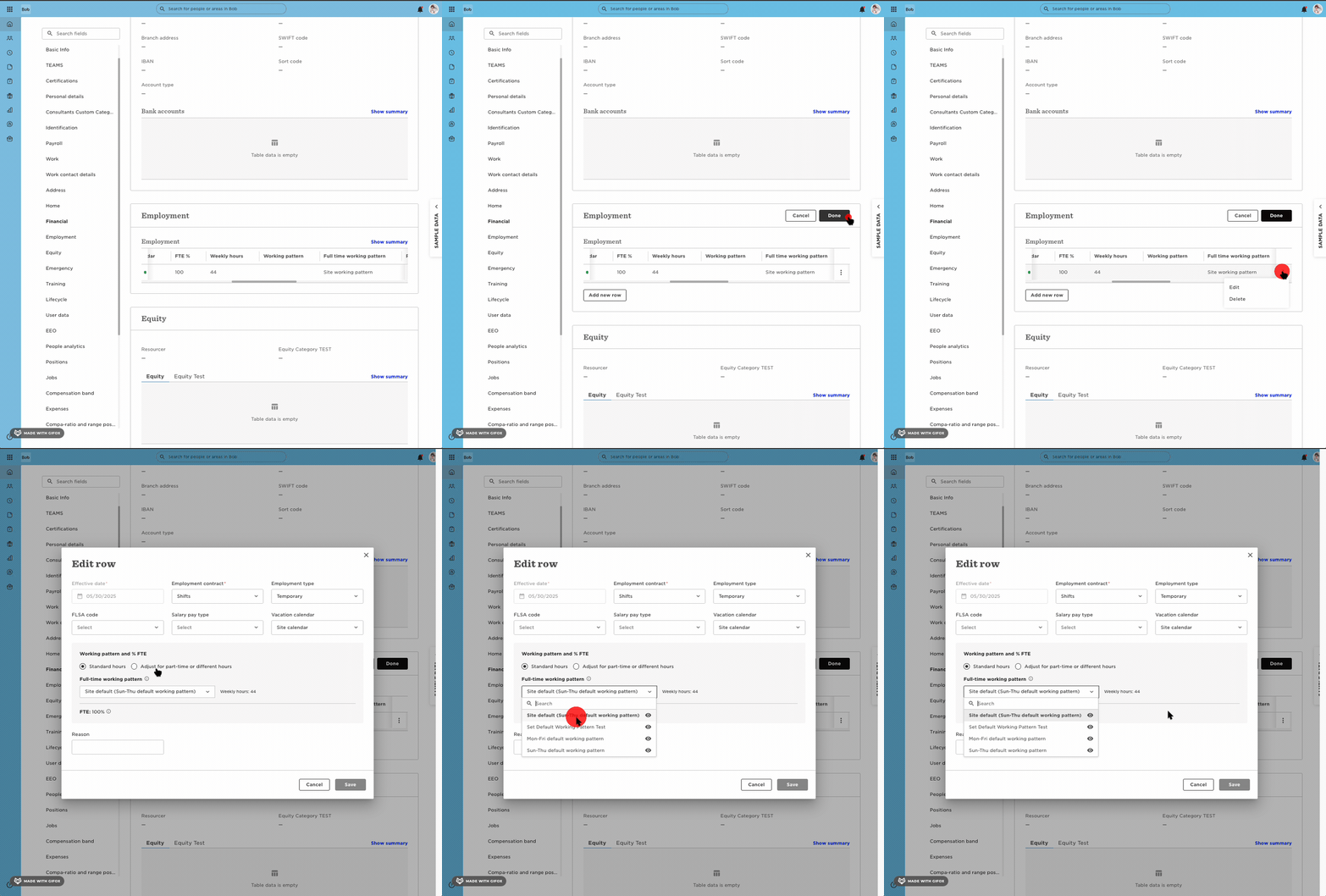
Once you set this working pattern, you'll be able to add it to the relevant employee's profile in the employment table:
For further details and a step-by-step guide, please click this link to our Help Center.