

As first troubleshoot, it's important to make sure to check if the employee doesn't have a firewall setting that could block our IP, or it is not reaching the spam folder.
Secondly, if an employee is not active in the platform, they will not receive the invitation for the survey. If employees are in the participants list and become active after the survey has been launched, they will receive the reminder.
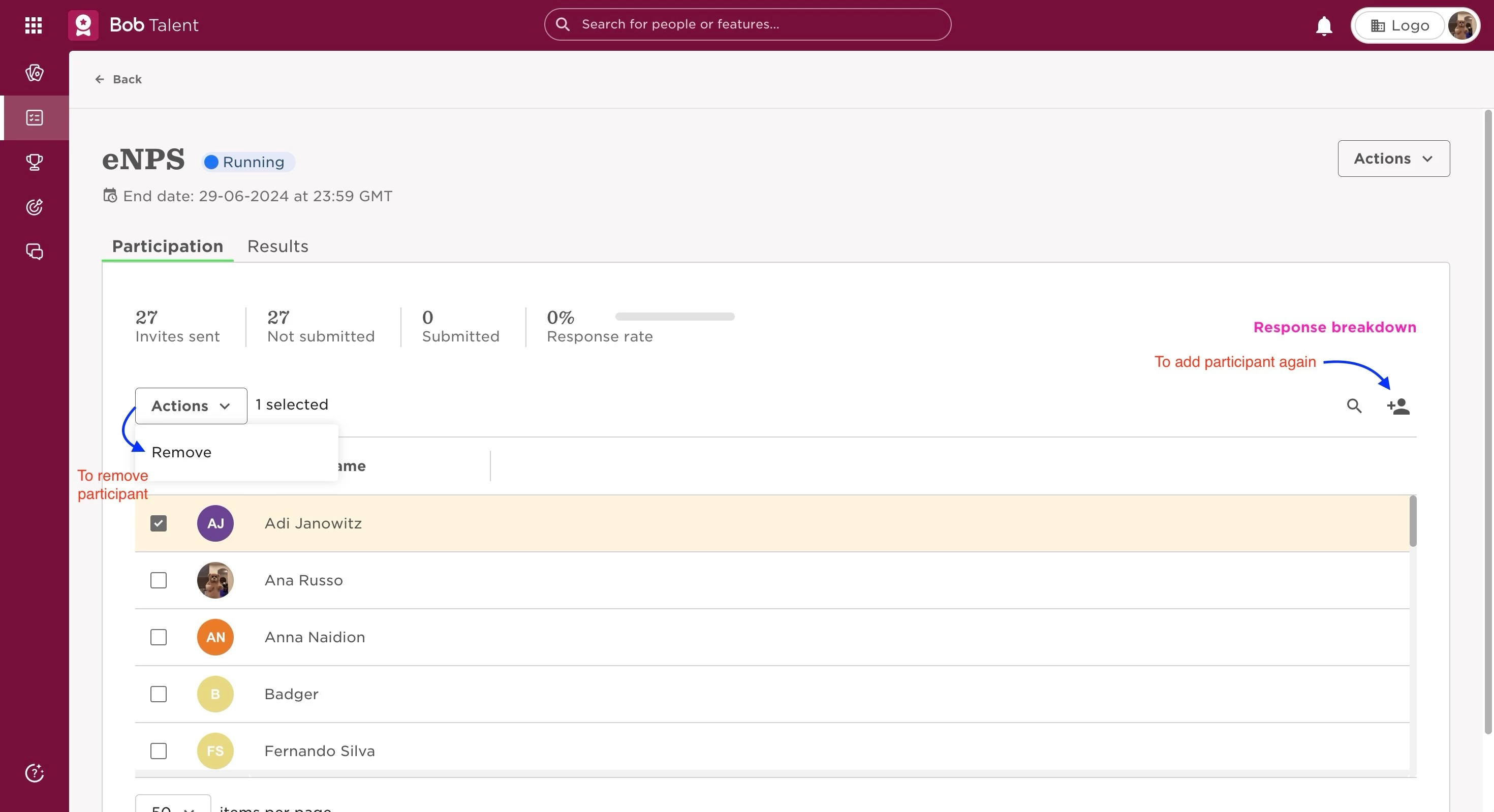
If both of the situations mentioned previously were cleared, you can create and send a new survey link for the employee by removing them from the participants list and then adding again. Alternatively, you can also schedule a reminder for the survey, so that (if there is any issue with the first sending) it can be sent again.
It's important to be mindful that surveys are anonymous and, for this reason, a unique link is sent to each employee. Sharing a survey link you receive is NOT recommended, as others will be able to see any answers, and have the ability to overwrite any answers you've written already.
Last edited on June 30th, 2024