
The link for the company's survey is unique and is not attached to the employee's own profile. Also, as the survey is anonymous, we don't have access to delete a specific answer for an employee.
There are two ways to go about this:
- Since your colleague answered the Survey with another’s link, they can simply ask them to share their link, so that the correct recipient can use it to answer the survey;
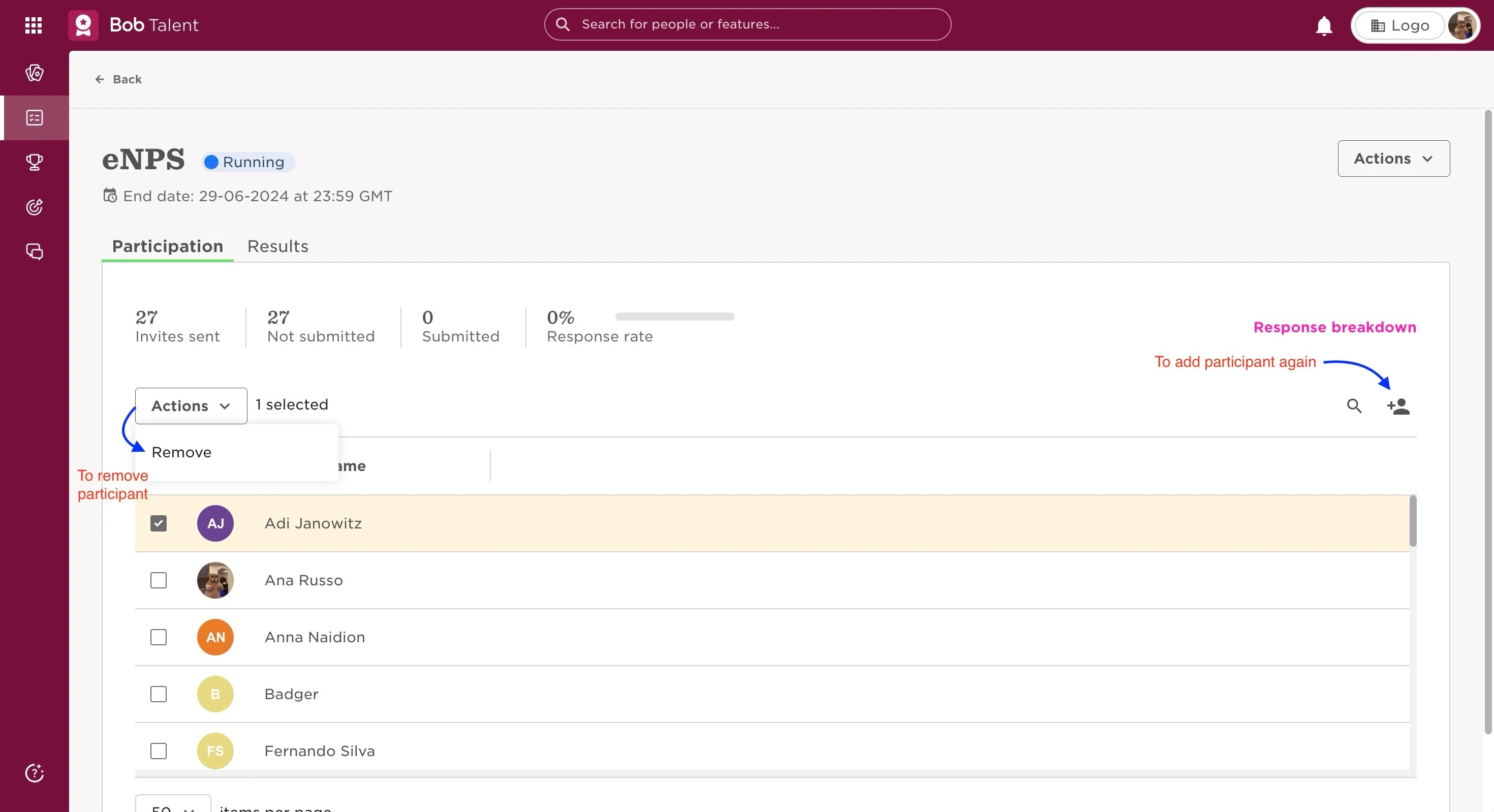
- The other option would be to remove the employee whose link was shared from the survey and add them again, you will receive a new link to answer it, however, the answers that were given using the first link will be deleted. This can be done:
- From the top left, click on Bob products
- Select Talent
- You will find in the left menu the option Surveys
- Select Company surveys
- Click on the relevant survey
- On the list of participants, tick the box next to their name of the one you want to remove
- The Actions dropdown menu will appear, and you can then select Remove
- After this, you can add them again by clicking on the + Add participant icon
This means that the colleague that answered using the original link would have to answer the survey again.
Last edited on June 30th, 2024