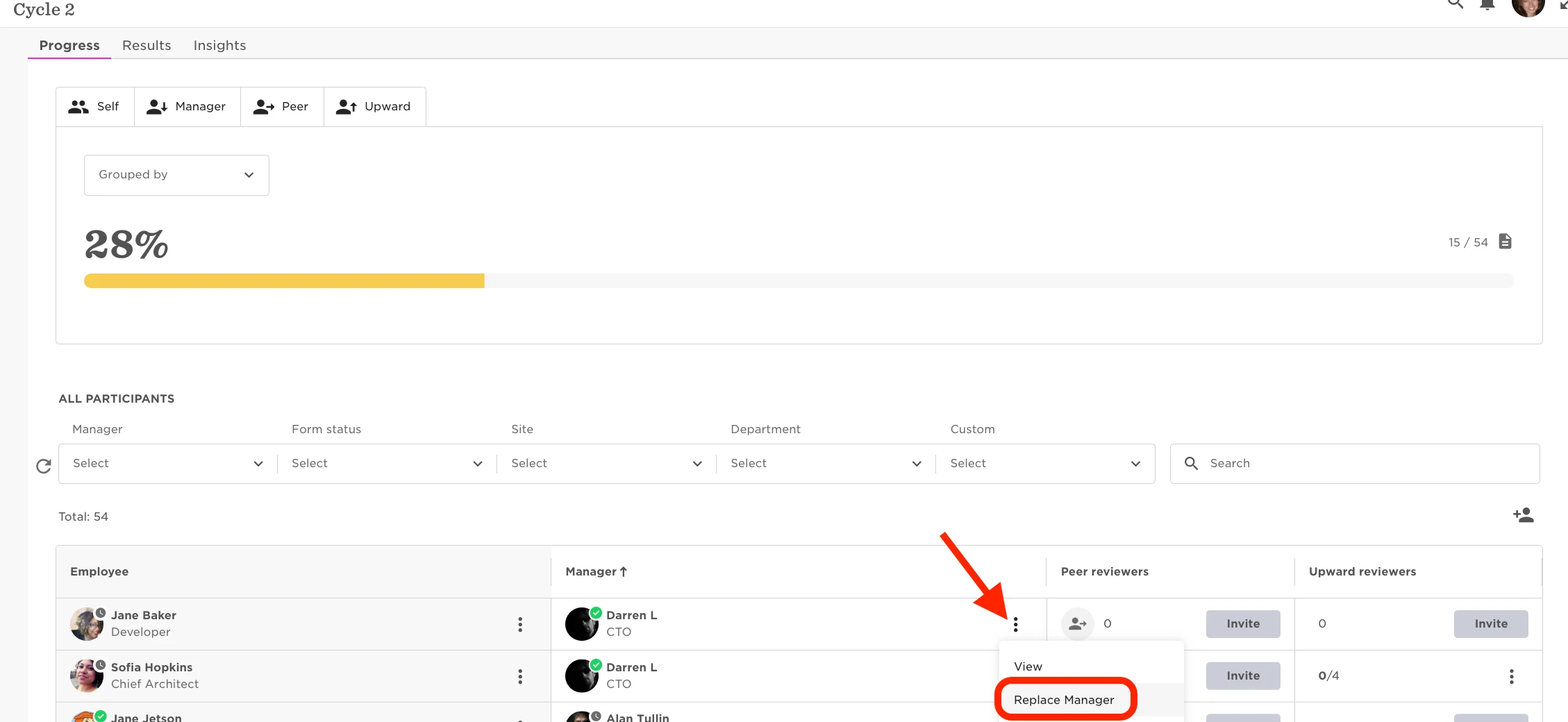
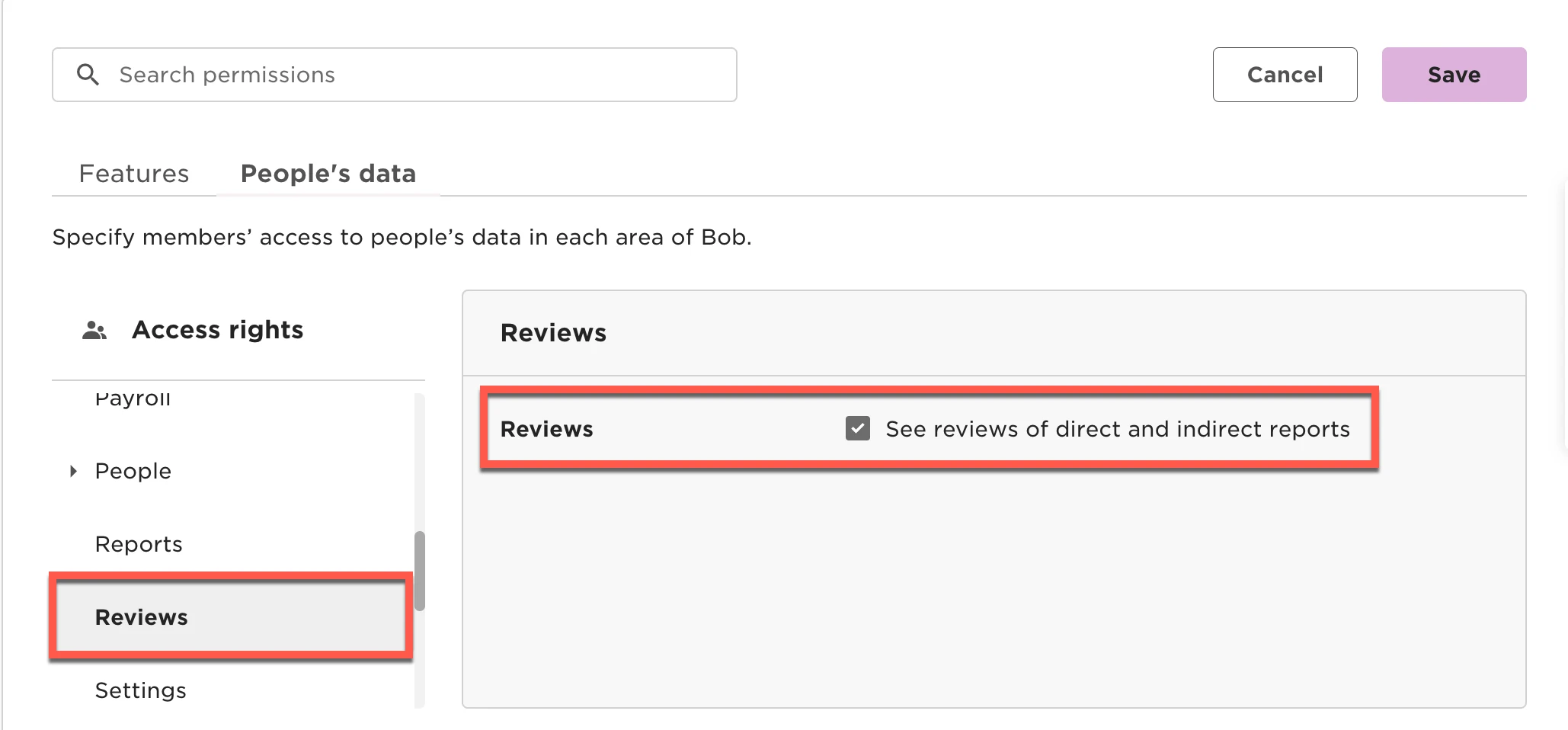
When we use the functionality ofn replace reviewer manager, we will have the option of keep the review that the current manager already completed in the cycle, or delete it for the new manager to complete theirs. To do this:
- From the top left, clicking on Bob products
- Select Talent
- You will find in the left menu the option Performance
- Select Manage cycles
- Click on the cycle
- Go to the line with the participant that needs the replace of manager
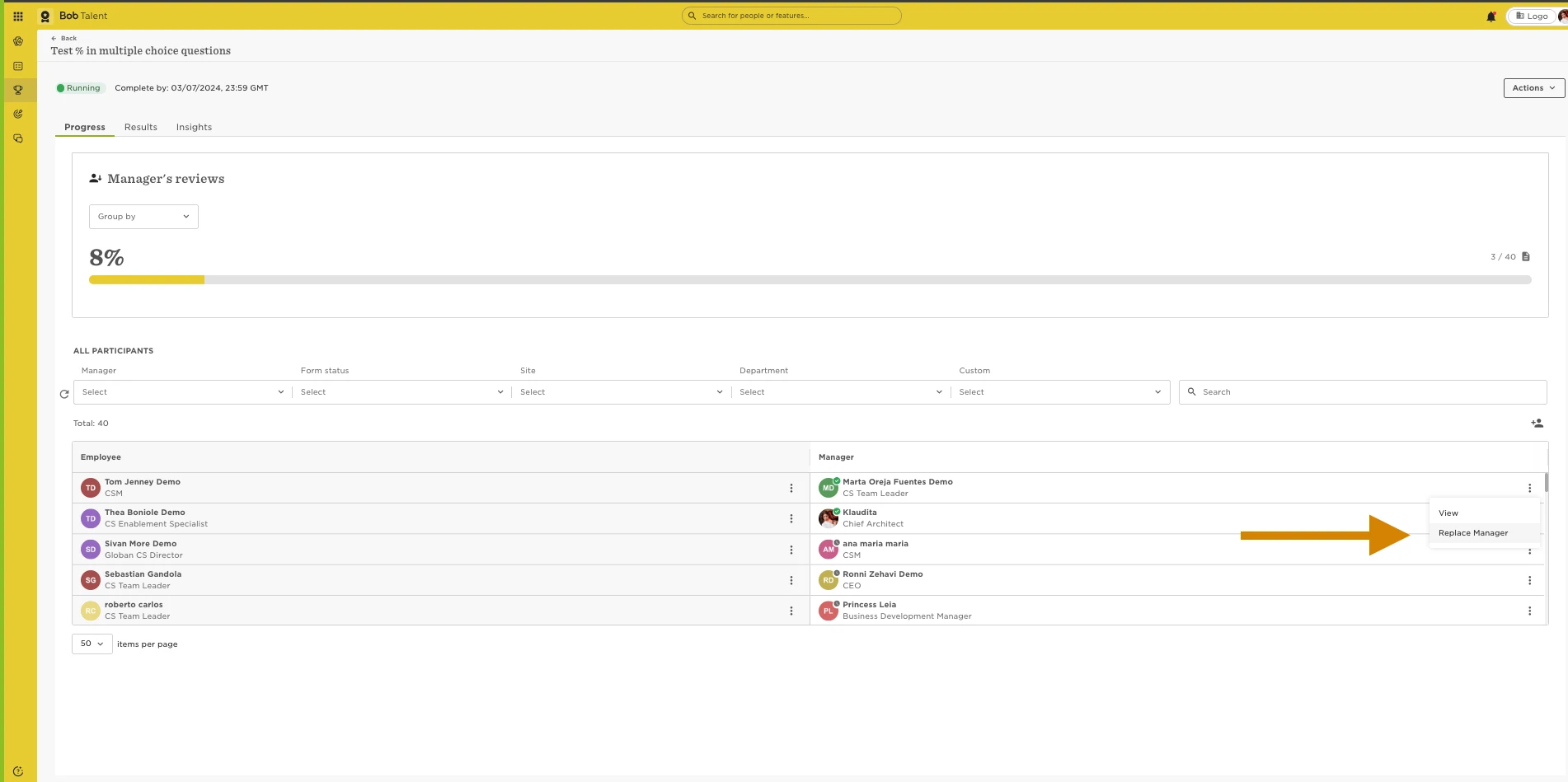
- Click on the 3 dots next to the manager to be replace
- Select the option replace manager
By default the system will save the review from the current manager. If you want to replace it, you need to tick the option of “Delete the review that XX submitted so far.
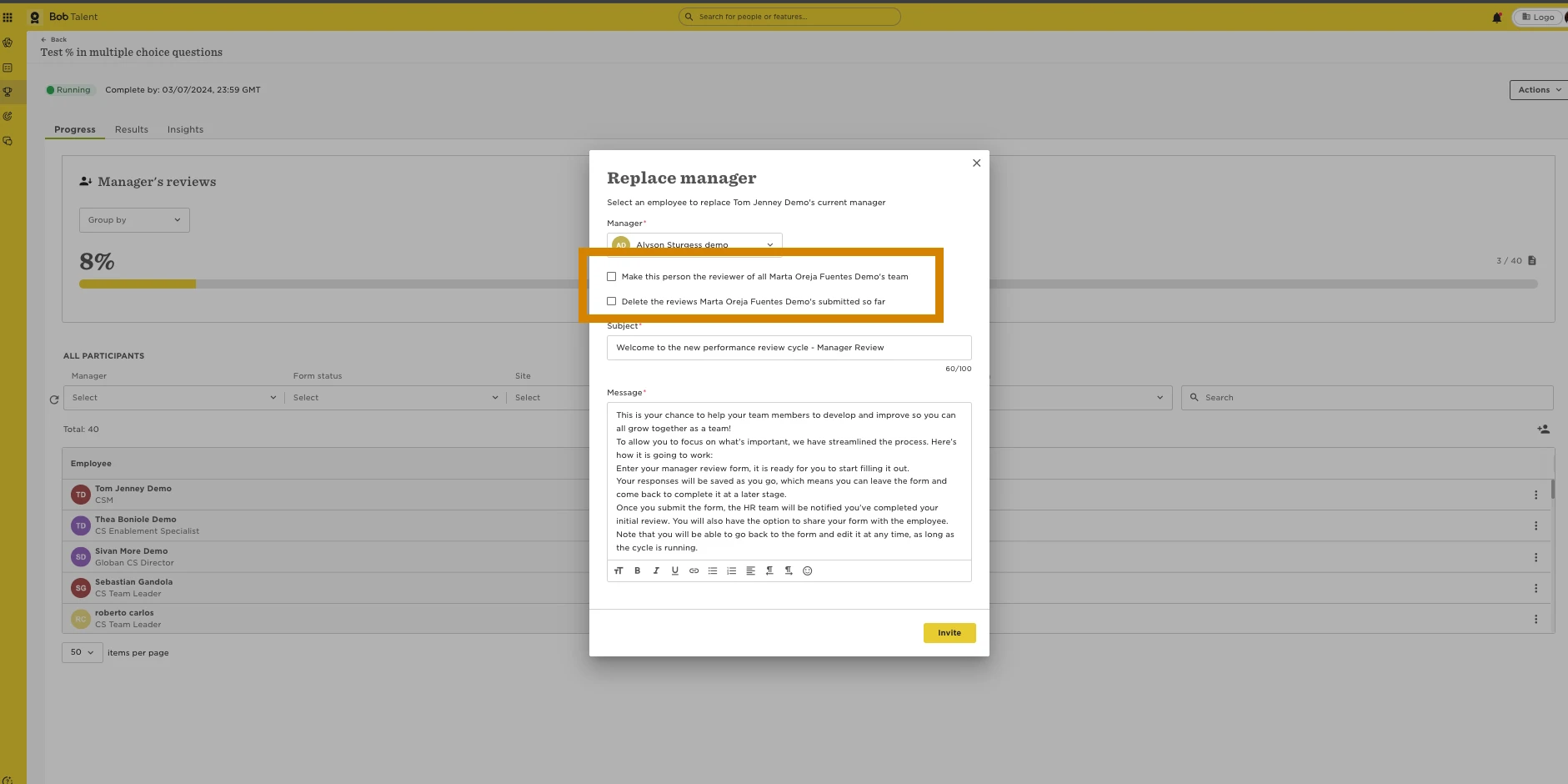
Aditionally, in this same step you could do the manager replacement for all the rest of the reports.