

While it’s possible to simply submit a review by clicking on the Submit button at the top right of the form, sharing it will depend on the settings of the cycle.
If we go:
- From the top left, click on Bob products
- Select Talent
- You will find in the left menu the option Performance
- Select Manage cycles
- Click on the already created cycle or create a new one on + New Cycle
- Go to the section Review settings
- Select an option to allow the reviewer to share their review
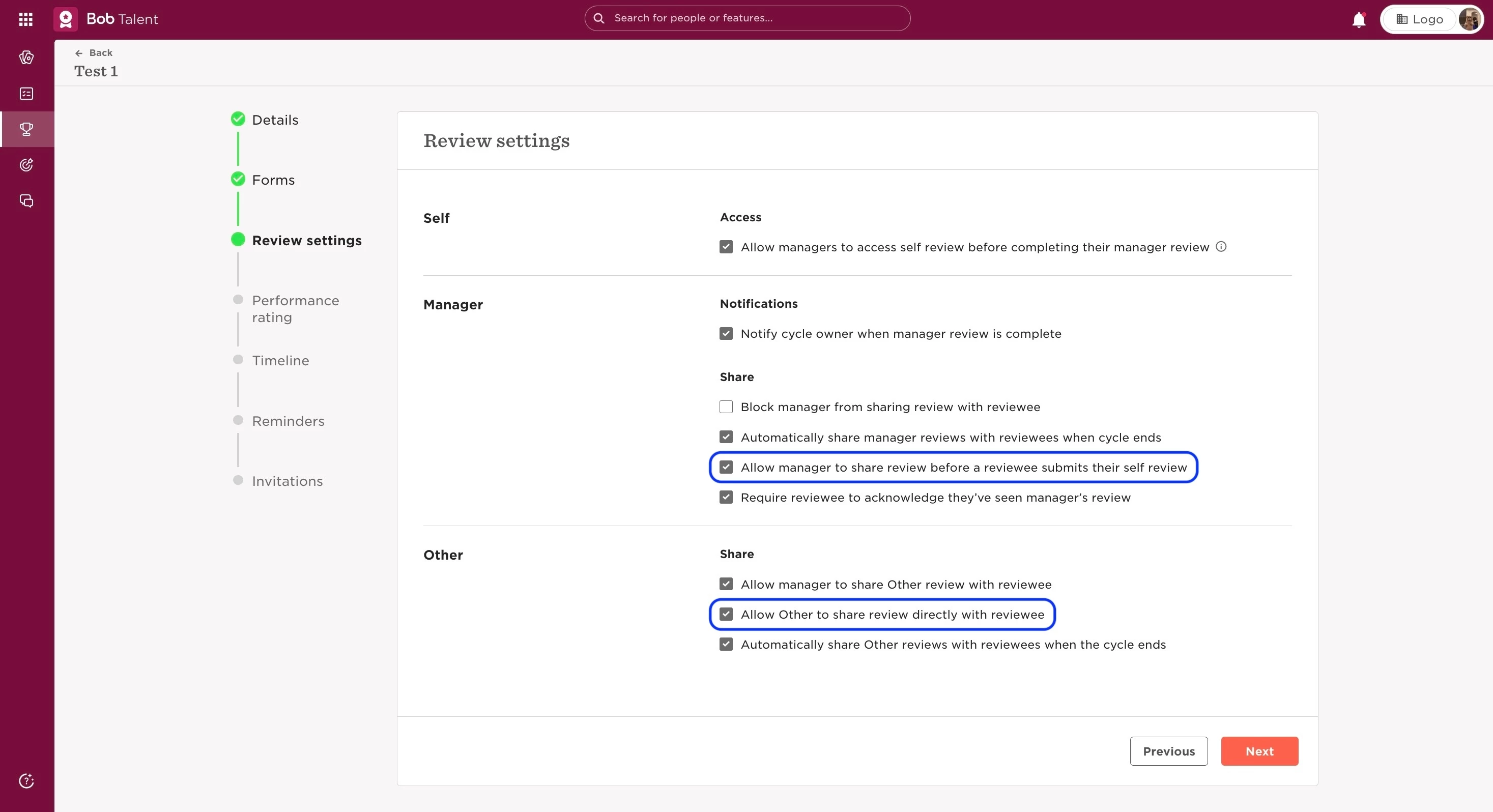
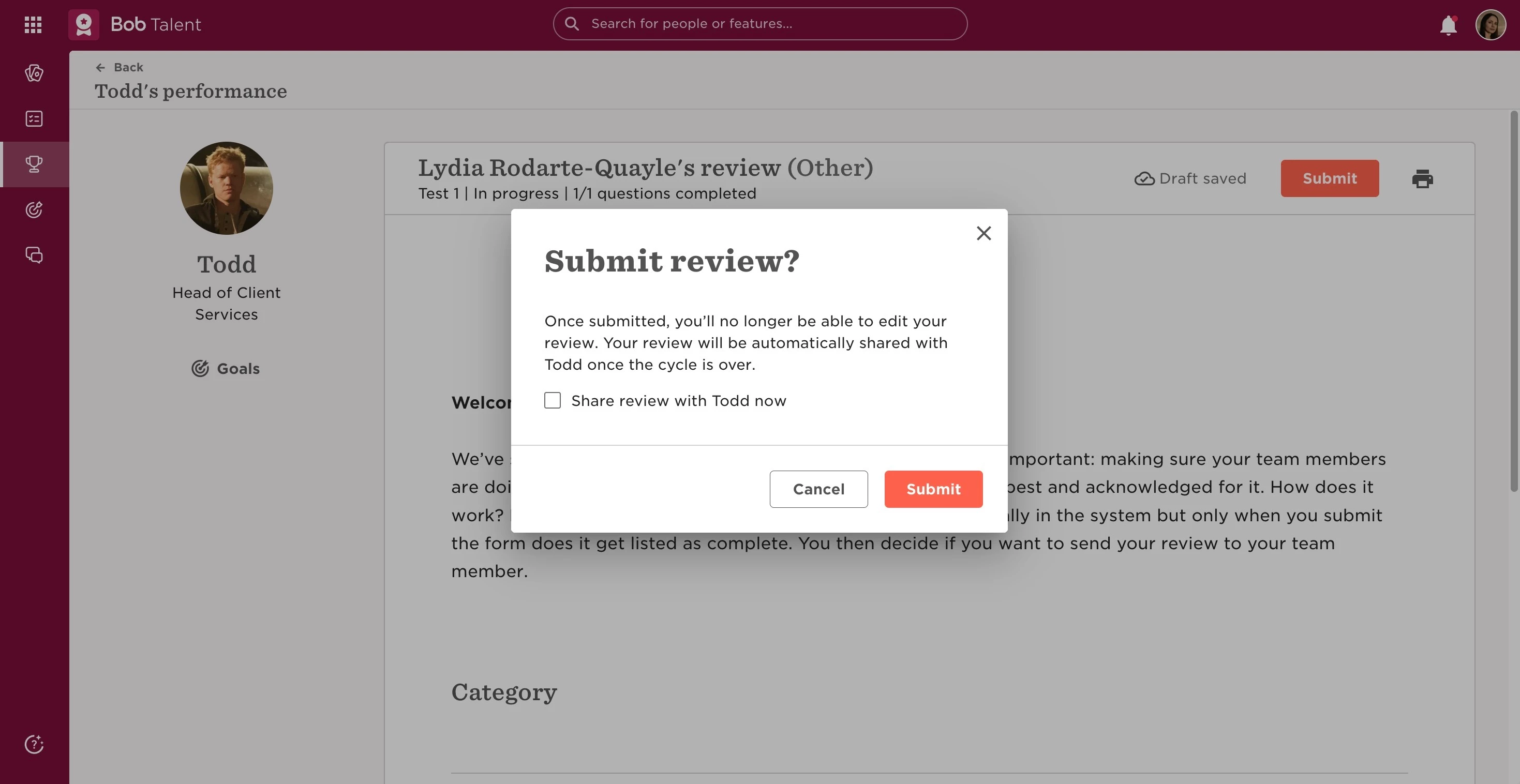
Then, this will add an option to the pop-up message when submitting to share it at the same time of submission:
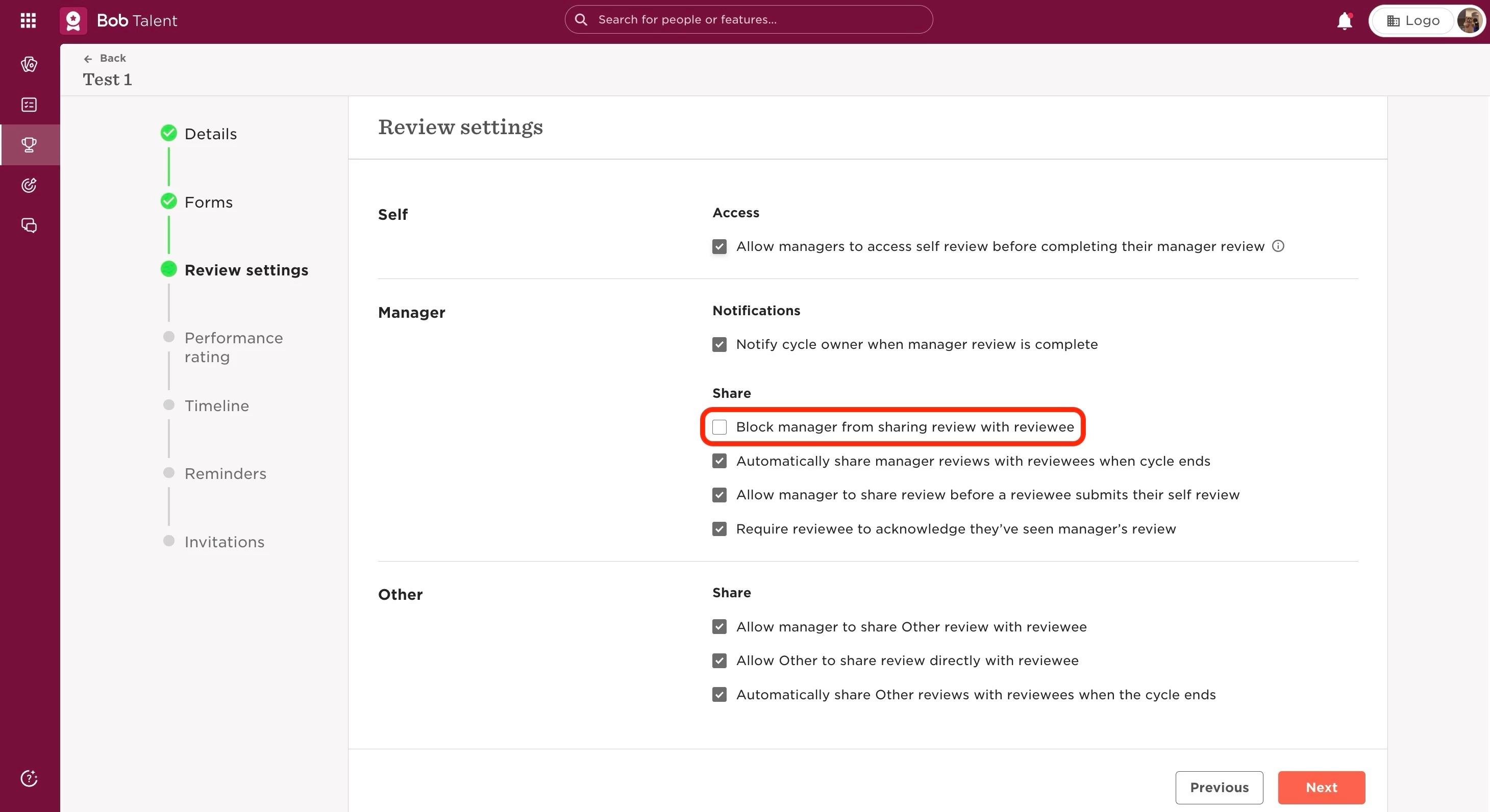
However, in a Manager review if it was selected that the managers are blocked from sharing the review, for example, they will not be able to share it with their teams.
Last edited on June 20th, 2024