Review settings in Performance review cycles

  • December 19, 2023
  • 23 replies
  • 1916 views

When setting up a Performance review cycle, you’ll be faced with the access level and sharing options available.

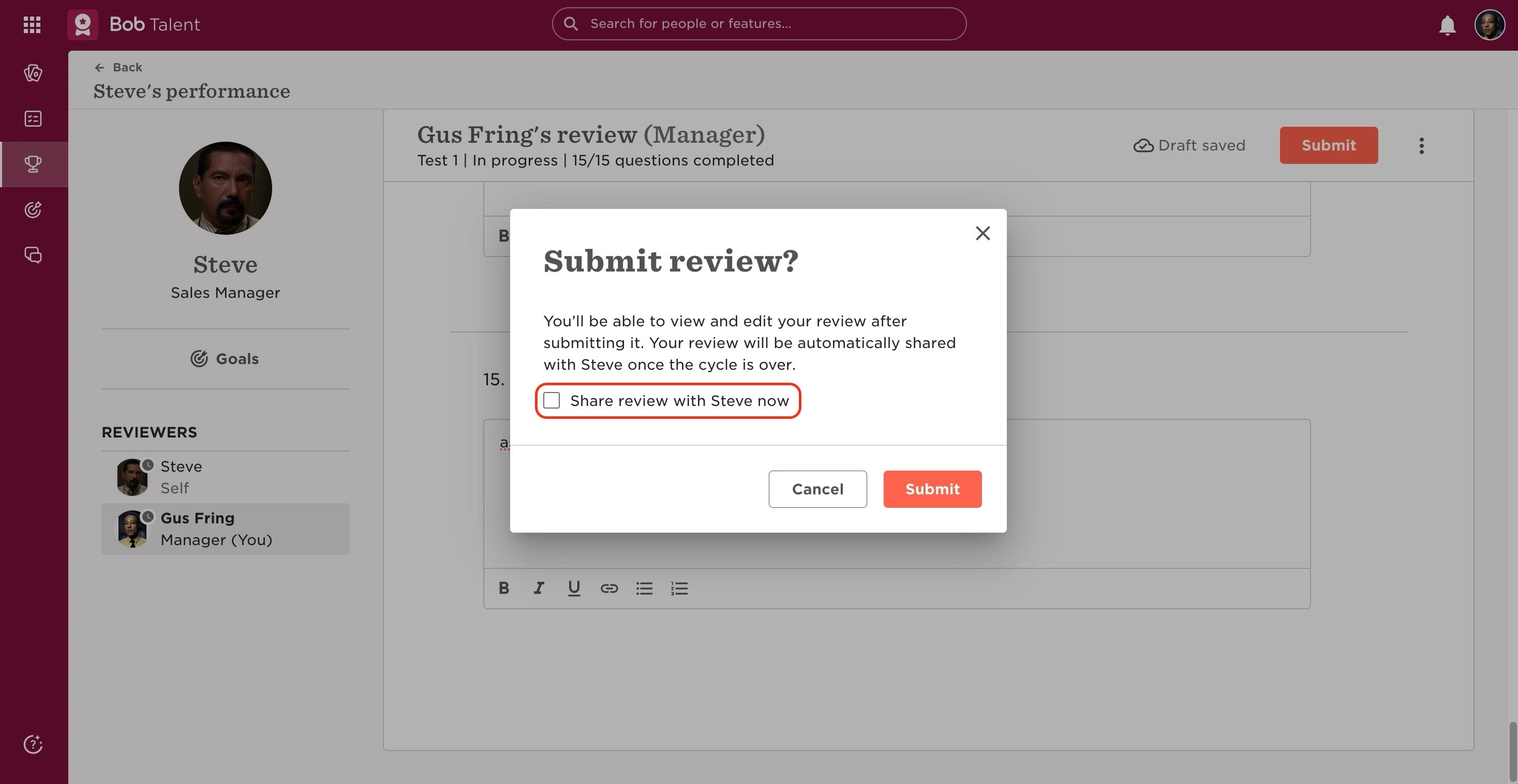
It’s important to take into consideration that reviews can be accessed by others only after submission. Until then, they will remain in draft, and only the reviewer (the person answering the form) will have access to them. Once a review is submitted, depending on the options selected in the setup, they may be available for sharing or not. Sharing a review can happen when you submit it (by ticking the sharing option and then clicking submit) you may have the chance to share it at the same time, or choose to do it afterward.
 
Any shared review will be immediately available.


Self reviews:

Access

  • "Allow managers to access self review before completing their manager review" (by default, the reviewing manager will only be able to view the employee's self review once they complete their manager review form for the employee): allows the manager to have access to their direct reports self reviews before they submit the manager review.


Manager reviews:

Notifications

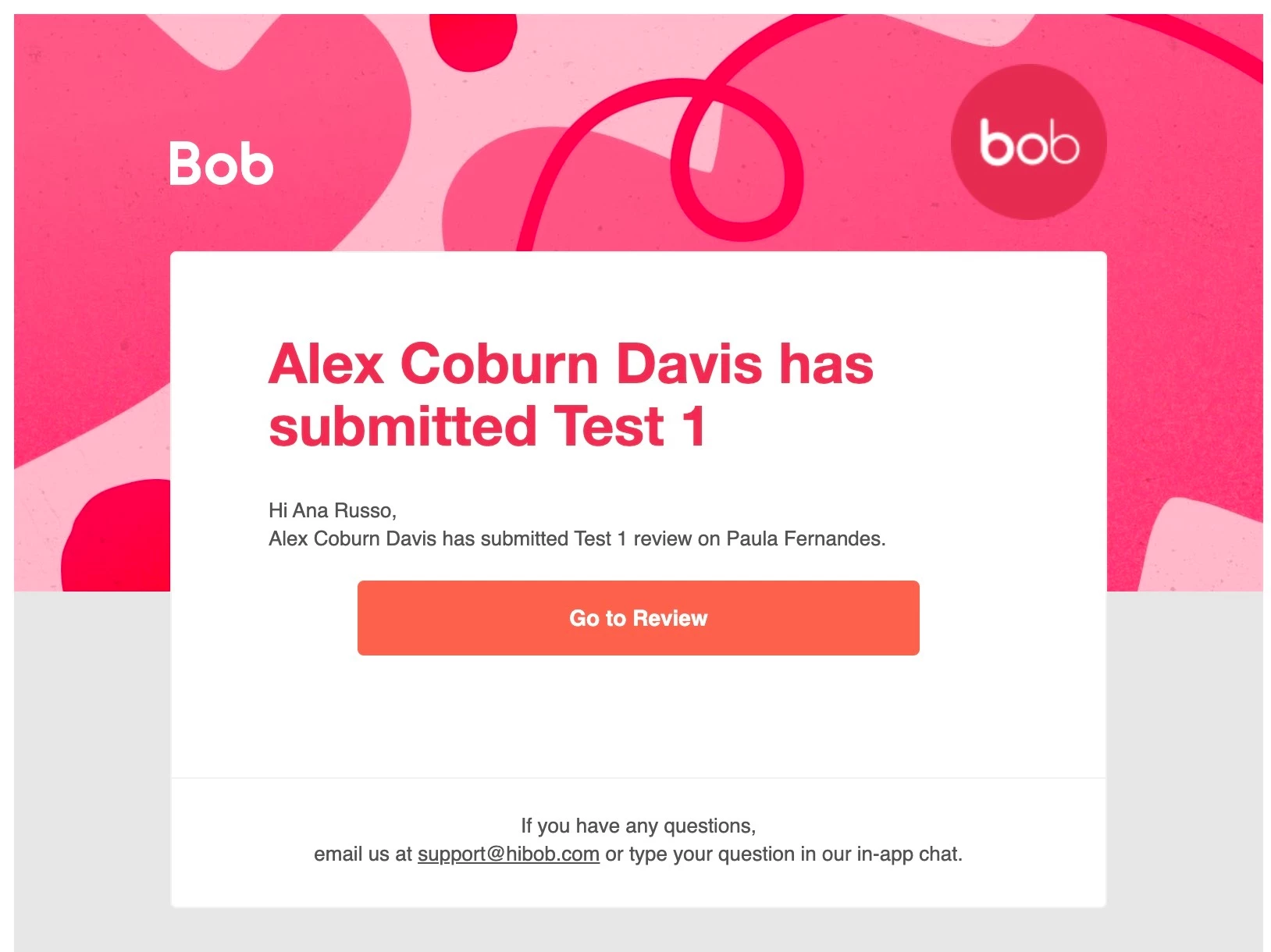
  • "Notify cycle owner when manager review is complete": sends a notification to the cycle owner(s) when the manager review is completed. 
 

Share

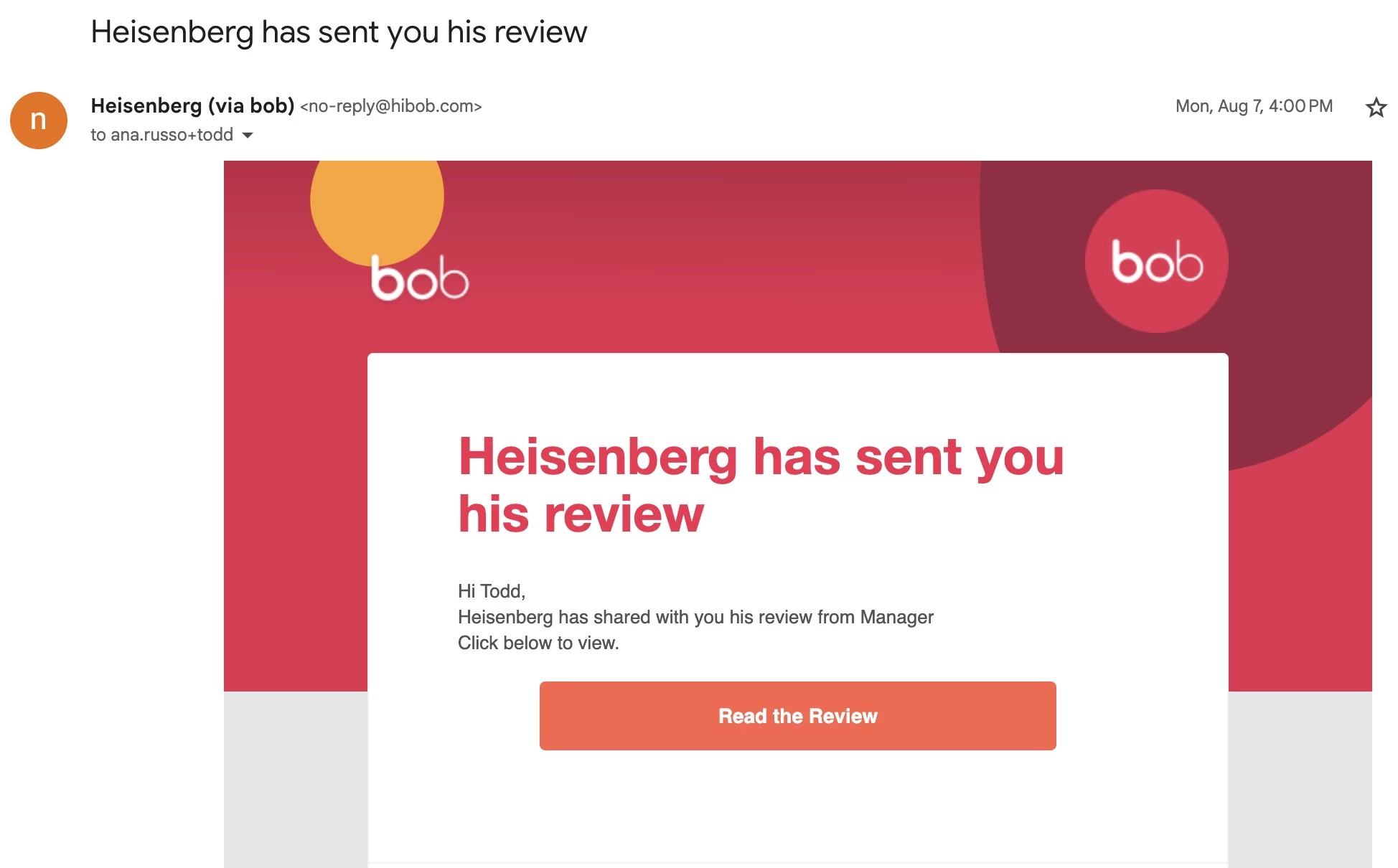
Employees will receive an email like this when the Manager review is shared with them:
  • "Block manager from sharing review with reviewee": doesn't give managers the option to share the review with their teams;
  • "Automatically share manager reviews with reviewees when cycle ends": you can select this option if you want all manager reviews to be shared by the system at once when the cycle is ended (whether managers have individually shared them or not - this would not work if the cycle is stopped);
  • "Allow manager to share review before a reviewee submits their self review": this option would allow managers to finish and share their reviews before their direct reports submit the self reviews;
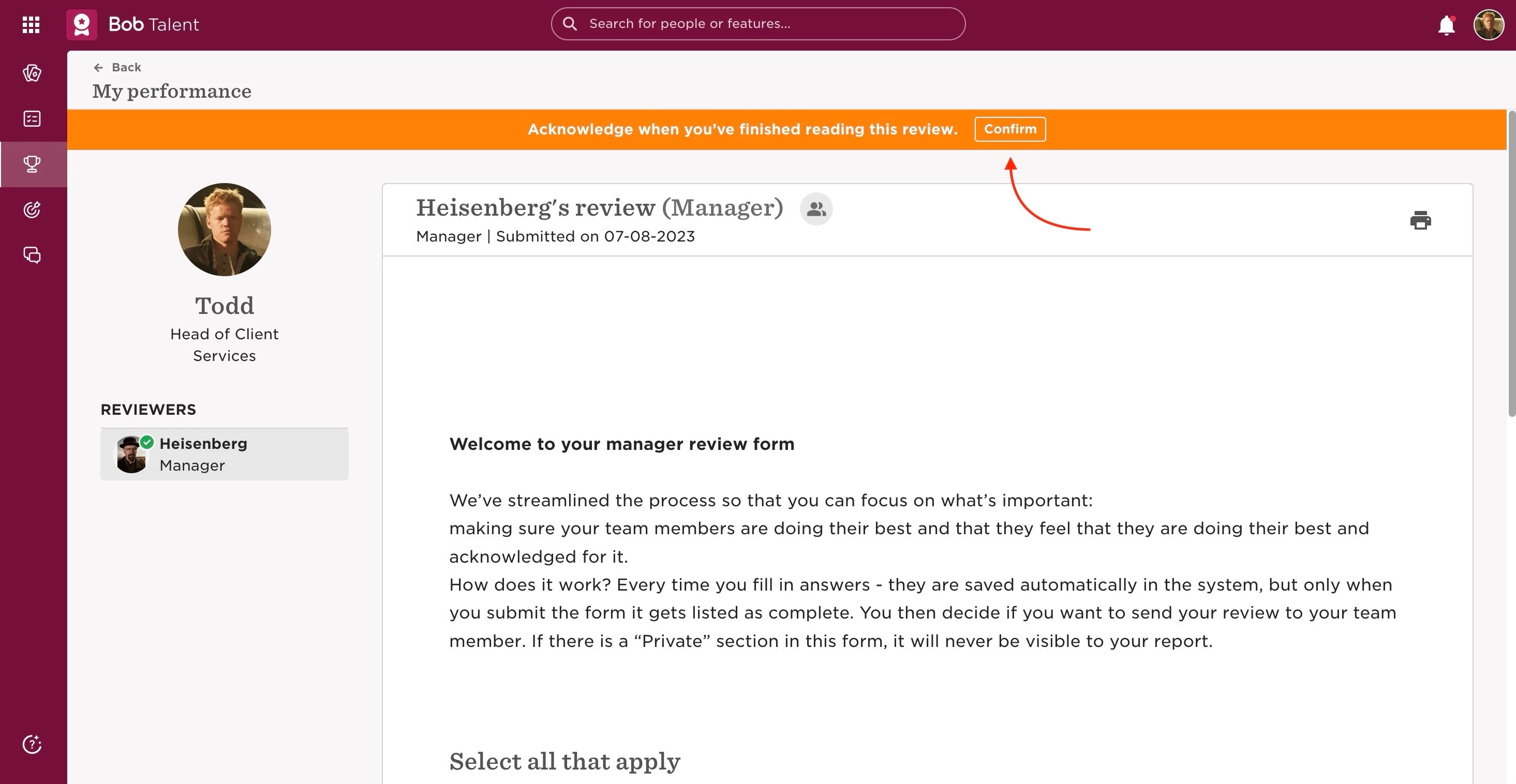
  • "Require reviewee to acknowledge they've seen manager's review": will send the employees an email notification that their Manager review is available and needs acknowledgment in the review page.
 

Peer reviews:

Anonymity

(Note: A minimum of 3 peers is required per reviewee to preserve anonymity)

  • Set peer reviews as anonymous - On/Off (beware this can't be changed after the cycle is launched)

Invite

  • "Allow reviewees to invite peers": allows the employees being reviewed to select the people they will be reviewed by.

Share

  • "Allow manager to share peer review with reviewee": allows the direct manager of the reviewed employee to share the Peer review with them;
  • "Allow peer to share peer review directly with reviewee": allows the reviewer to share the Peer review with the reviewed employee;
  • "Automatically share peer reviews with reviewees when the cycle ends": shares all the Peer reviews at once when the whole cycle ends (either they have been already shared or not).


Upward reviews:

Anonymity

(Note: A minimum of 3 peers is required per reviewee to preserve anonymity)

  • Set upward reviews as anonymous - On/Off (beware this can't be changed after the cycle is launched)

Share

  • "Allow manager to share upward review with reviewee": allows the direct manager of the reviewed employee to share this review with them (if the reviewed employee is a manager, then it would be the manager's manager sharing this);
  • "Allow direct report to share upward review directly with reviewee": allows the reviewer to share the Upward review with their direct manager;
  • "Automatically share upward reviews with reviewees when the cycle ends": shares all the Upward reviews at once when the whole cycle ends (either they have been already shared or not).


Custom reviews:

Share

  • "Allow manager to share [custom] review with reviewee": allows the direct manager of the reviewed employee to share the Custom review with them;
  • "Allow [custom] to share review directly with reviewee": allows the reviewer to share the Custom review with the reviewed employee;
  • "Automatically share [custom] reviews with reviewees when the cycle ends": shares all the Custom reviews at once when the whole cycle ends (either they have been already shared or not).



23 replies

Hello!


Quick question on the peer reviews - if none of the options to share are not selected, will this feedback go to the reviewee’s manager instead of being directly shared with them?


Thanks!


Hi, @Alexia Amaning! This got missed -- sorry about that.

Have you got an answer yet? I had a quick look and I think if none of the sharing options are selected in the setup, then the review will not be visible for the employee. So, the feedback will not go to the reviewee's manager either.

Let me know if you came to the same conclusion!


Hey Lewys,


Thanks so much for responding! I did come to the same conclusion in the end, so all is good over here!


Hello

What is the best setting to use so the manager assessment is not shared with the employee until after we have completed a calibration process given some reviews may need editing before sharing. We will need to do calibration outside of the system but I want to be able to share all the manager reviews together once they have been reviewed and calibrated.

Any help would be appreciated 🙂


Hi, @Alexia Amaning! This got missed -- sorry about that.

Have you got an answer yet? I had a quick look and I think if none of the sharing options are selected in the setup, then the review will not be visible for the employee. So, the feedback will not go to the reviewee's manager either.

Let me know if you came to the same conclusion!

Hi, I’d like to double check on this - We are planning to invite 2-3 peers and would like them to stay anonymous to the employee but not-anonymous to the manager in case manager wants to clarify something with the peer. Is this possible and if yes, what kind of settings should I select?


Maital Terdiman
Bobber

hi ​@Laura Bergman 

If peer reviews are not set as anonymous, managers will be able to see who provided the feedback, you will want to ensure that the boxes are checked to ensure that the reviews will not be shared with the reviewee


I may have missed it but is the peer review visible to managers during the performance review cycle? Or is the peer review only shared and visible by the person being reviewed?


Maital Terdiman
Bobber

Hi ​@Gaelle Malet 

The visibility of peer reviews during a performance review cycle in Bob can be configured according to the settings chosen during the setup of the cycle.

As shared above:

Share

  • "Allow manager to share peer review with reviewee": allows the direct manager of the reviewed employee to share the Peer review with them;
  • "Allow peer to share peer review directly with reviewee": allows the reviewer to share the Peer review with the reviewed employee;
  • "Automatically share peer reviews with reviewees when the cycle ends": shares all the Peer reviews at once when the whole cycle ends (either they have been already shared or not).
Hello! 😊

Is there a way to ensure that managers are notified whenever a peer review has been completed for their employees?

I couldn’t find any notifications section in the settings of the performance review cycle, other than under manager review.

Best,

Maria


Maital Terdiman
Bobber

Hi ​@Maria Meinich Bjørnstad 

I can see that you sent us a ticket with your query, for good orders sake and should other members be curious for the answer:

Currently, there isn't an automatic notification system specifically for managers when peer reviews are completed. However, I can guide you through the available options to achieve what you need:
1. Managers can monitor the status of peer reviews for their team members by:
- Going to Bob products > Talent
- Selecting Performance > My reviews
- Navigating to the "My team" tab
- Checking the status of peer reviews in the Peer column
2. When peer reviews are completed, managers can access them through this same path and review the feedback before deciding to share it with their team members.


Hello

What is the best setting to use so the manager assessment is not shared with the employee until after we have completed a calibration process given some reviews may need editing before sharing. We will need to do calibration outside of the system but I want to be able to share all the manager reviews together once they have been reviewed and calibrated.

Any help would be appreciated 🙂

@Maital Terdiman can you please answer this? I have the same question and am planning to launch a cycle today. Thanks!


  • April 30, 2025

As an admin, is there an easy way to see which manager reviews have been acknowledged and which haven’t?
I know there are filters to see which have been shared but can’t see a way of knowing who has been acknowledged?

Similarly, is there an easy way to see which upwards and peer reviews have been shared with the individuals?

Thanks!


  • May 1, 2025

Hi ​@Lizzzie3 

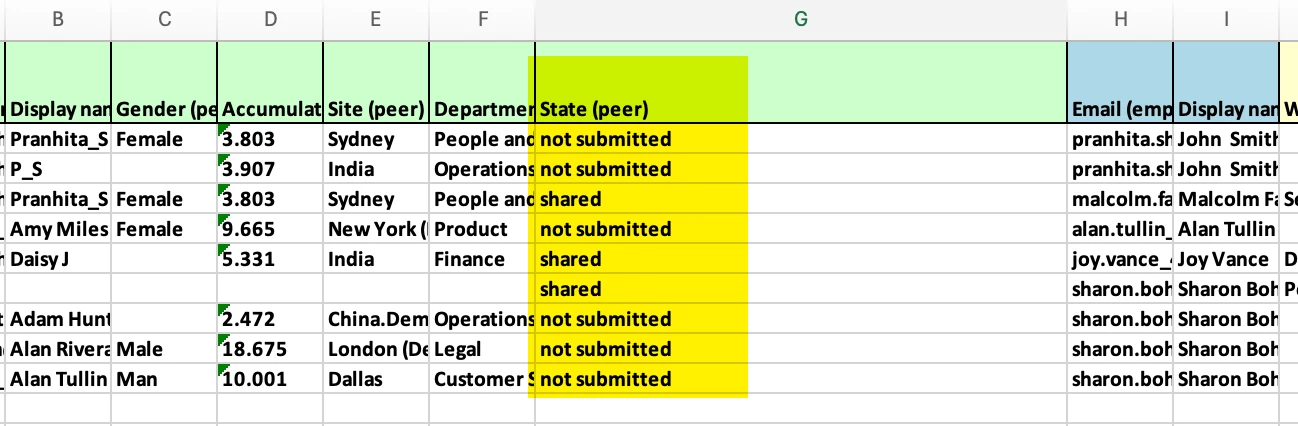
🔍 Want to quickly check if reviews have been submitted, shared or acknowledged?
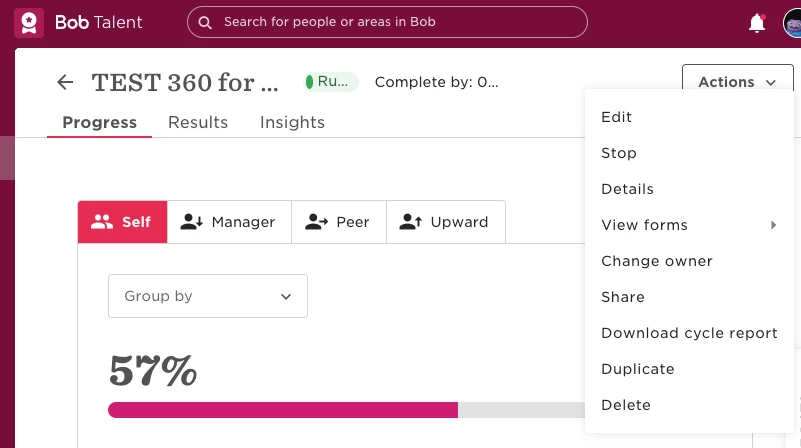
The fastest way is by downloading the Cycle Report from your review cycle!

Here’s how to do it:

  1. Go to Talent > Performance Reviews > Manage Cycles

  2. Select the relevant review cycle

  3. Click Download Cycle Report

📄 This report gives you a clear snapshot of the cycle, including acknowledgment dates—so you don’t have to open each review form one by one.

Heads up! For acknowledgment data to show, make sure:

  • The setting "Require reviewee to acknowledge they’ve seen the manager's review" was enabled during setup

  • The manager’s review has been shared with the employee

Looking for one person’s status?
You can also see an individual employee’s acknowledgment status directly above their review form once it’s been shared.

👇Here’s an example of what the Cycle Report looks like:


Paige Hall wrote:

Hello

What is the best setting to use so the manager assessment is not shared with the employee until after we have completed a calibration process given some reviews may need editing before sharing. We will need to do calibration outside of the system but I want to be able to share all the manager reviews together once they have been reviewed and calibrated.

Any help would be appreciated 🙂

@Maital Terdiman can you please answer this? I have the same question and am planning to launch a cycle today. Thanks!

Any update on this question? 


Looking to understand the answer to Paige hall’s question as well as we are preparing to launch calibration. 


Maital Terdiman
Bobber

Sorry for the delay here all…in response to the question:


What is the best setting to use so the manager assessment is not shared with the employee until after we have completed a calibration process given some reviews may need editing before sharing. We will need to do calibration outside of the system but I want to be able to share all the manager reviews together once they have been reviewed and calibrated.

To ensure that manager assessments are not shared with employees until after completing a calibration process, you should use the setting "Block manager from sharing review with reviewee." This setting prevents managers from sharing their reviews with employees until you are ready to do so after calibration. 

Bulk share reviews

🤓


Hello!

Is there a way to place limitations on how many ‘peer reviews’ an employee can be invited to response?
Some employees are receiving from 5-10 peer reviews for them to respond and I want to see if there’s a possibility from the Admin side to limit how many peer reviews an employee can receive.

Thank you!


Maital Terdiman
Bobber

Hi ​@Melisa Quintero 

Currently this isn’t available but is valid feedback and a good use case, thank you!


Sascha Würfl

Hi ​@Maital Terdiman 
we have the case, that we would like to give the selection of the peer reviewers into the managers hands, not into the hand of the reviewed employee. I see that there is the option to select, that the reviewee can select the peer reviewers. But in order to avoid, that employees select their best buddies, we were hoping to find the option, that managers can select this, and not only we as HR admins. Is there a way to do this?


Hi ​@Sascha Würfl , by default, only managers and admins can invite peers in performance. You can check this topic. 


How can we keep peer reviews anonymous for the reviewee, and not  anonymous for admin and manger, so that they can follow up with some questions, if they need?


Hi - is it possible for 2 x managers to collaborate on the same review? I received the below from support but need an urgent answer if possible - You can configure the review settings so that managers can access each other's reviews before completion, allowing them to coordinate their feedback before submitting. This can be set up in the review cycle configuration under the sharing and access options.


I am unsure how to do the above - thanks!


hi ​@Laura Bergman 

If peer reviews are not set as anonymous, managers will be able to see who provided the feedback, you will want to ensure that the boxes are checked to ensure that the reviews will not be shared with the reviewee
 

this is very helpful, thank you