
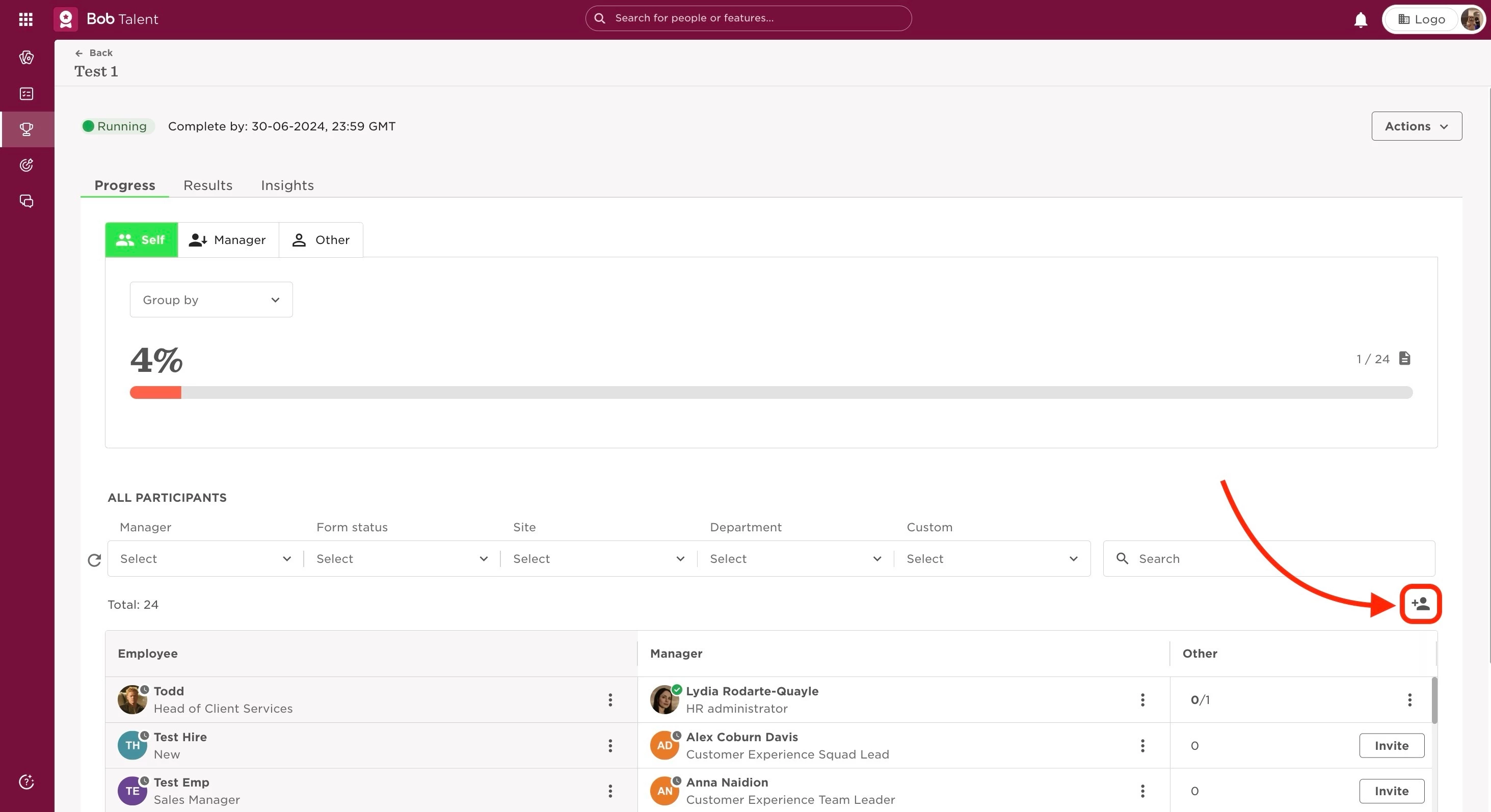
If you need to add certain extra participants (like CEOs, for example) after the cycle is already launched, this can be done manually through the Add participants icon.
The steps to take are:
- From the top left, clicking Bob products
- Select Talent
- You will find in the left menu the option Performance
- Select Manage cycles from the sidebar
- Click on the relevant cycle
- The Add participants icon will be at the top right of the participants table.
Last edited on June 29th, 2024