

This would need to be done manually, as the CEO is not reporting to anyone and, therefore, the system won't recognize them as a possibility for upward review.
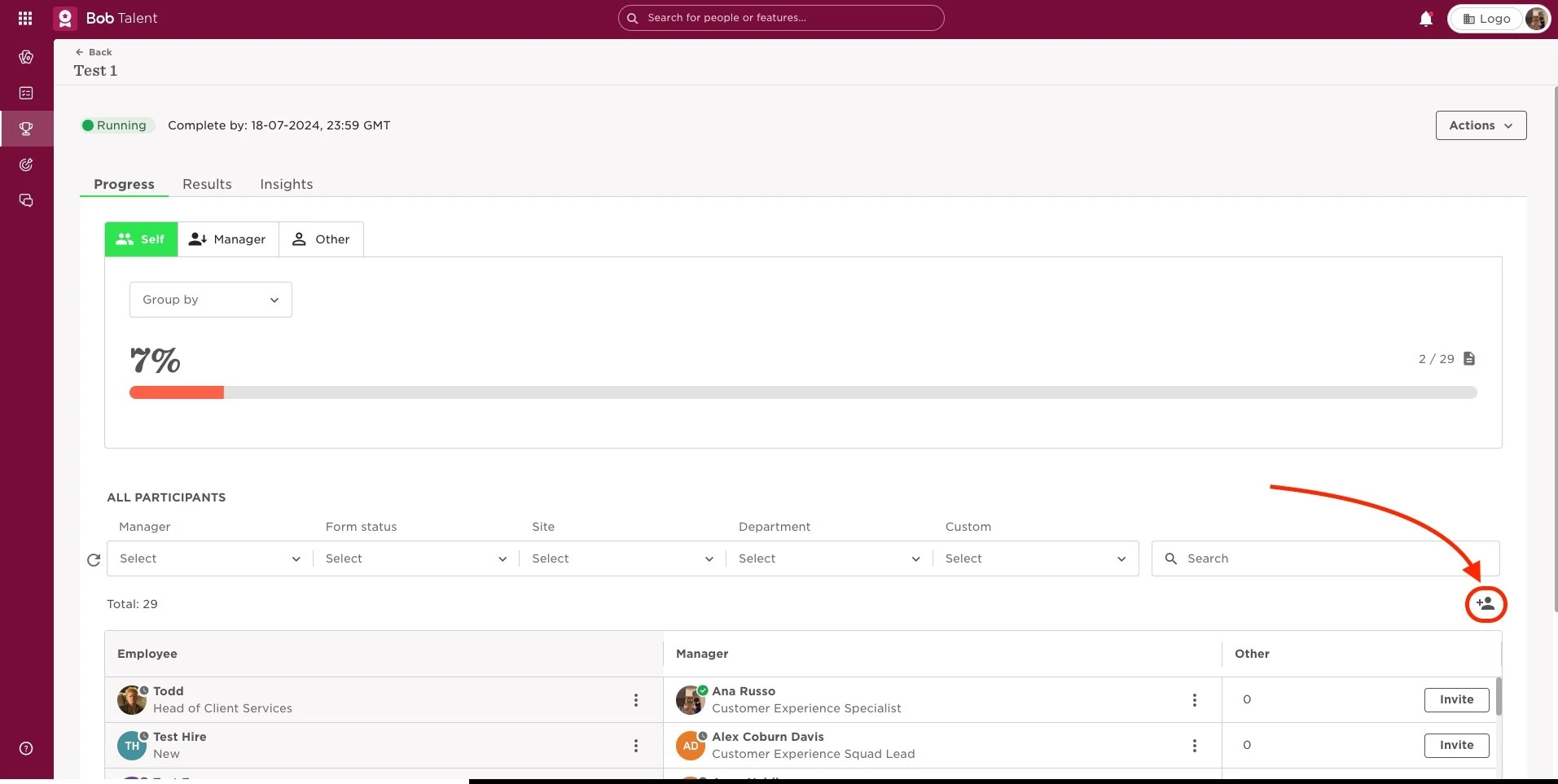
It's possible to do this manually by:
- From the top left Menu, select Talent
- Choose the option Performance
- You will find in the left menu the option Performance > Manage review cycles
- Select the intended cycle
- Click on the Add participant button, on the top right of the list
Please be mindful that an Admin manager will be automatically attributed to the CEO. This can again be changed by clicking on Replace Manager for the CFO, for example. Likewise, add the CFO as the upward reviewer.
Last updated on June 6th, 2024