

We can do this by using our public APIs to retrieve all job titles you have in your system. Are you currently using a Service user in your Bob account? If not, first please follow this guide on how to configure a Service user and assign it to a permissions group: API service users
Then, we need to do the following:
-
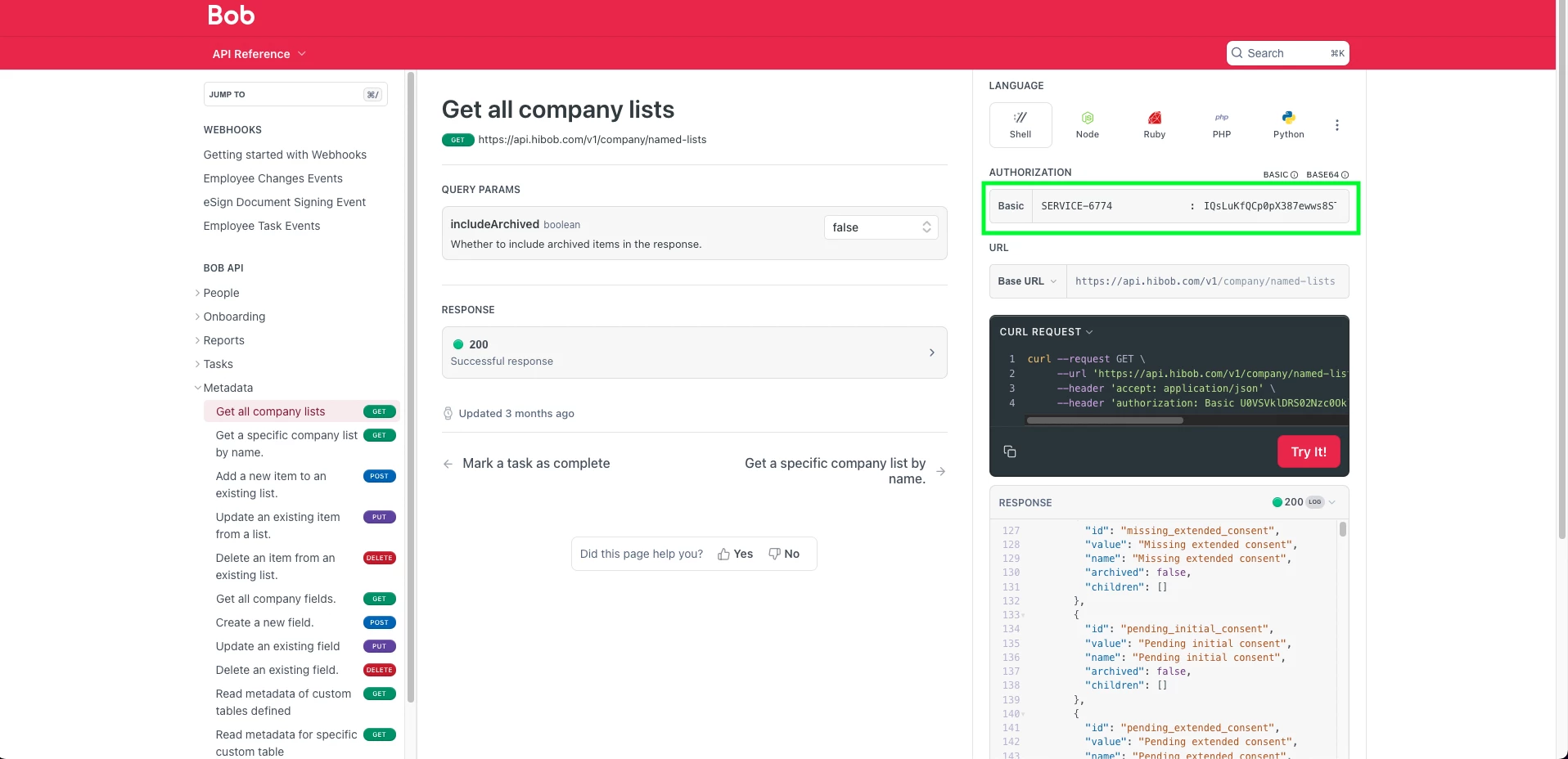
Click this link which will take you to the endpoint to Get all company list
-
Add the Service user ID and token to the username and password boxes:
- Copy the response:
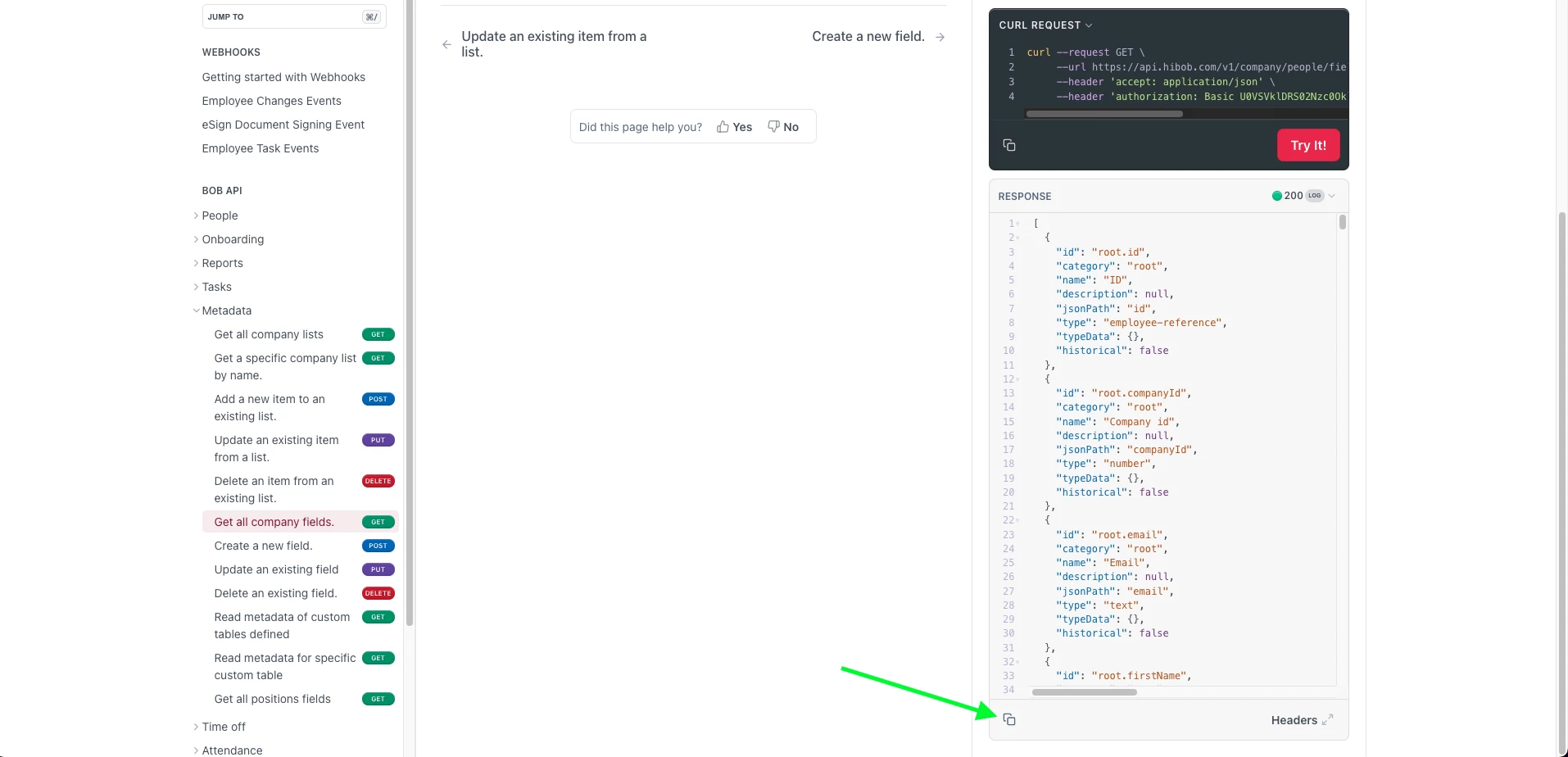
- Open up JSON viewer
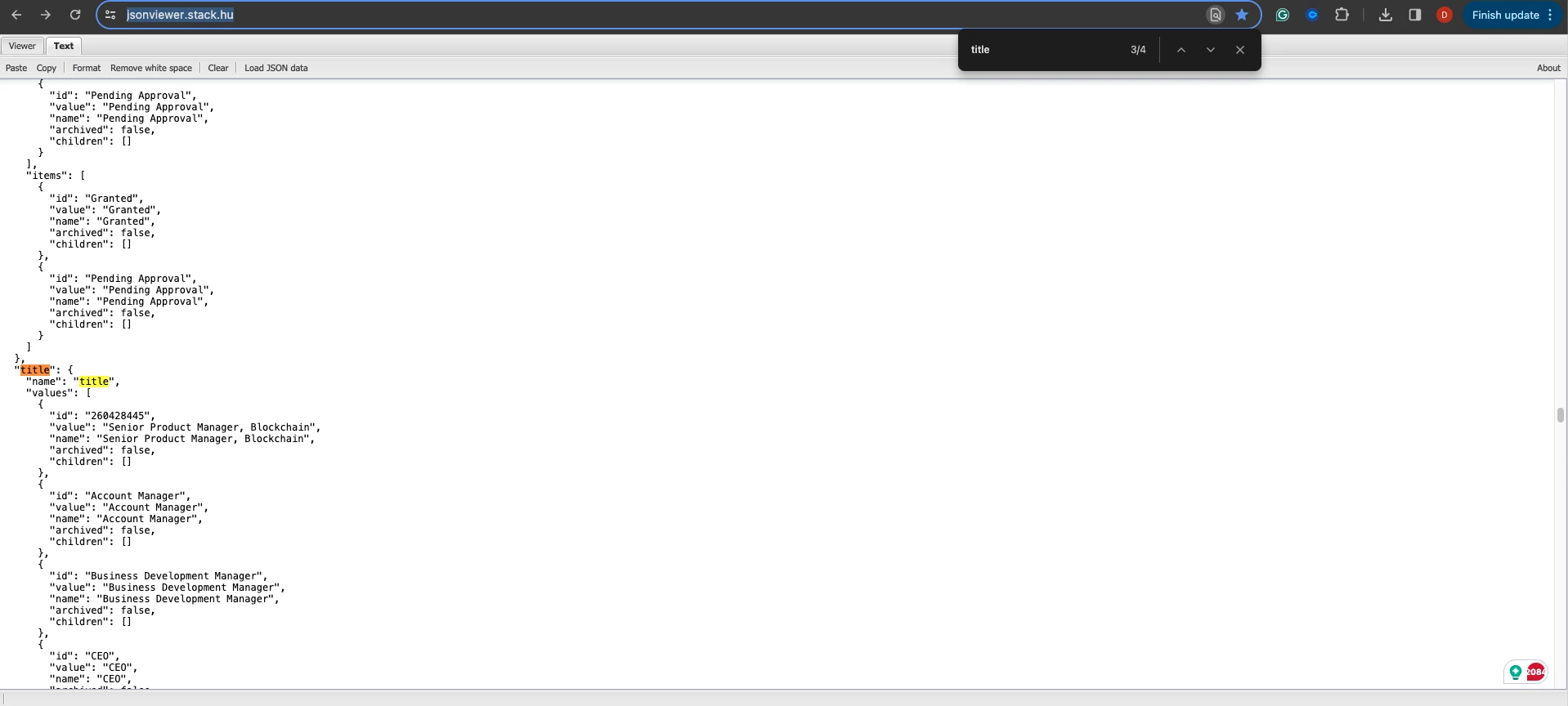
- Paste the copied response in JSON viewer
- Search (ctrl + f) 'title'
💡 Looking for a quicker workaround?
You can also retrieve job titles using your browser’s Developer Tools - no setup needed. Please see: Get a Full List of Job Titles Using Developer Tools
Not sure which method to use?
Here’s a quick comparison to help you choose:
| Method | Best For | Pros | Considerations |
|---|---|---|---|
| Developer Tools | Anyone who needs a quick list without setup | Fast and easy—no special access needed | Raw data format may need cleanup |
| Public API | Admins or IT teams comfortable with API tools | Clean, structured data that can be reused or integrated | Requires a service user and token setup |