

If someone receives the error “An error occurred while validating entities” when trying to open a job role in Hiring without approvals, it's likely due to missing permissions.
To resolve this, an Admin needs to grant the relevant permission:
-
Go to Bob Products > System Settings > Account > Permission groups
-
Select the relevant permission group for the employee (or create a new one)
-
Click Edit permissions (top right)
-
Under Features > Hiring > Job openings, check the box for:
Change job opening status to open without approval -
Save changes
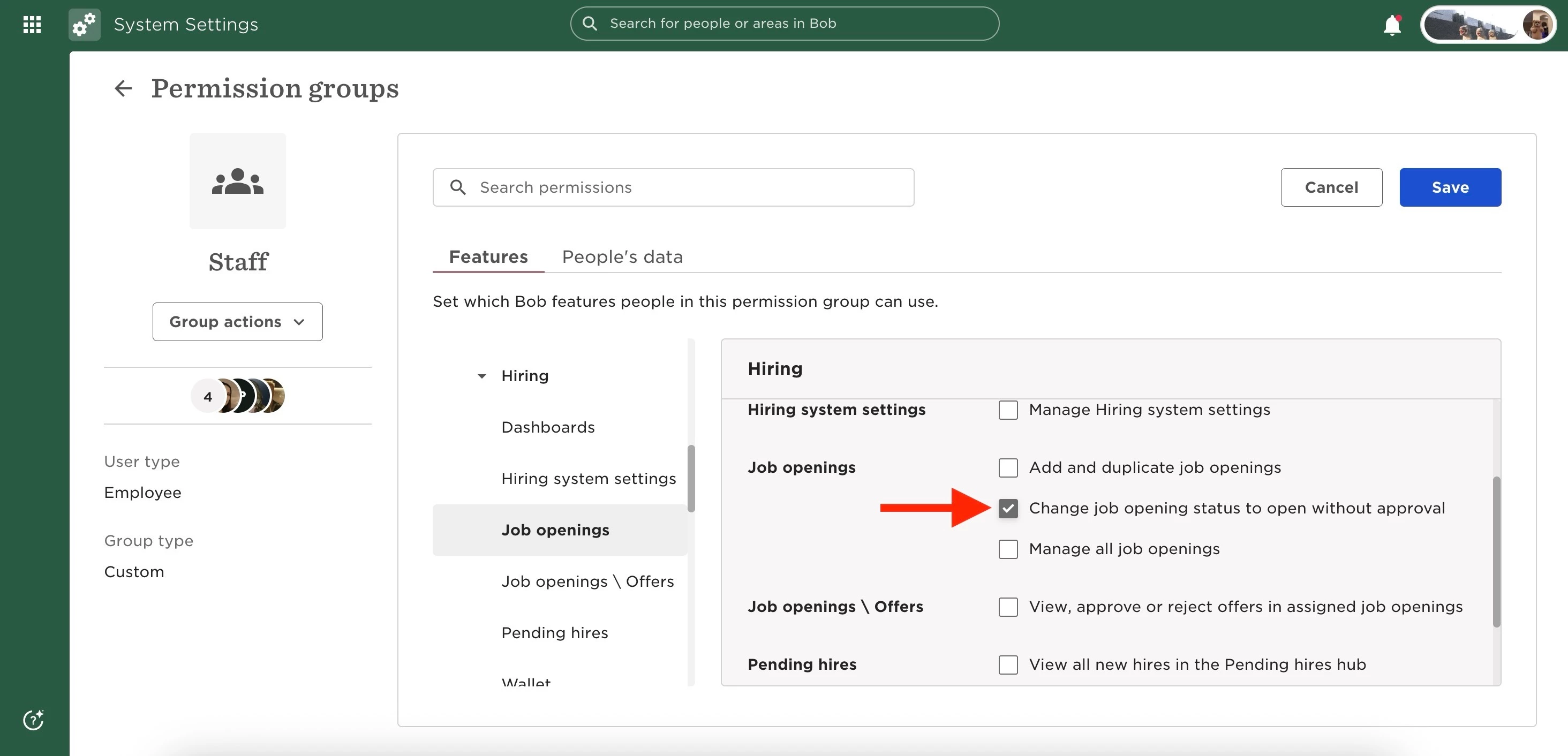
Once enabled, the user should be able to open job roles without approvals and without receiving this error.
💡Seeing a different message like “Only admins can select this option”?
You might be running into a similar permission issue. Check this related article: Fix “Only Admins Can Select This Option” Error in Hiring