

When creating a new job opening, the default setting in the Approval flow dropdown is No approvals needed. However, if you're not an Admin and see the error:
“Only admins can select this option”
…it likely means your permission group is missing the relevant access.
Here’s how an Admin can enable it:
-
Go to Settings > Permission groups
-
Select the permission group you're part of
-
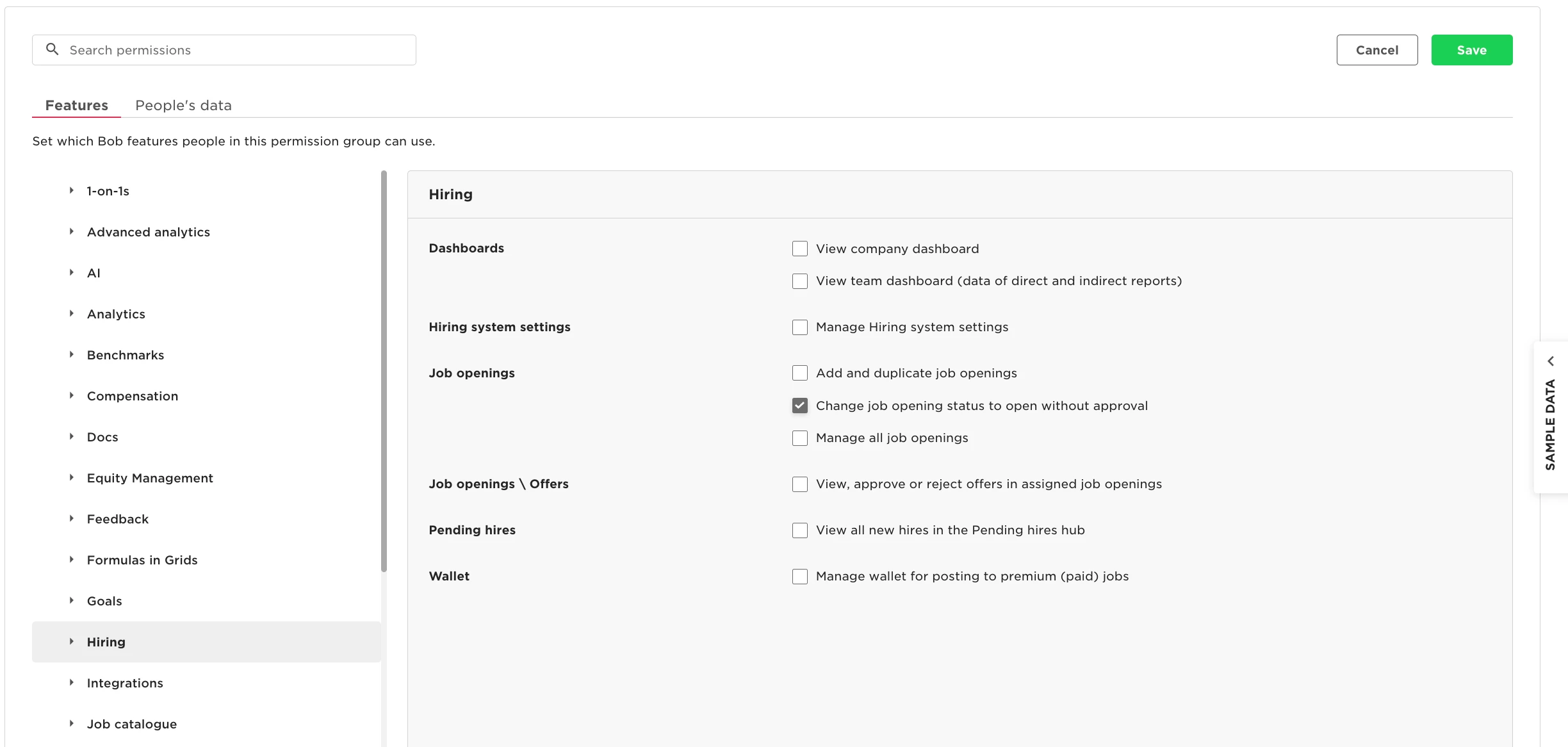
Click into the Features tab
-
Expand the Hiring section
-
Toggle on ‘Change job opening status to open without approval’
Once this permission is granted, you’ll be able to select No approvals needed and publish the job opening without Admin help.
💡 Seeing a different error like “An error occurred while validating entities”?
It may be related to the same permission. Check this article for guidance: Fix “Validating Entities” Error When Opening a Role