

If you see the error “Working patterns that aren't the same type as full time aren't available for selection” when assigning a bi-weekly working pattern in an employee’s profile, it means the two patterns don’t match.
Bob requires the full-time working pattern and the personal working pattern to be the same type (weekly vs. bi-weekly). If they’re different, the update won’t save.
How to fix it
-
Go to System settings > Company > Working patterns
-
Click + Add working pattern
-
Create a bi-weekly working pattern with full-time hours (even if both weeks are identical)
-
Save the new full-time bi-weekly pattern
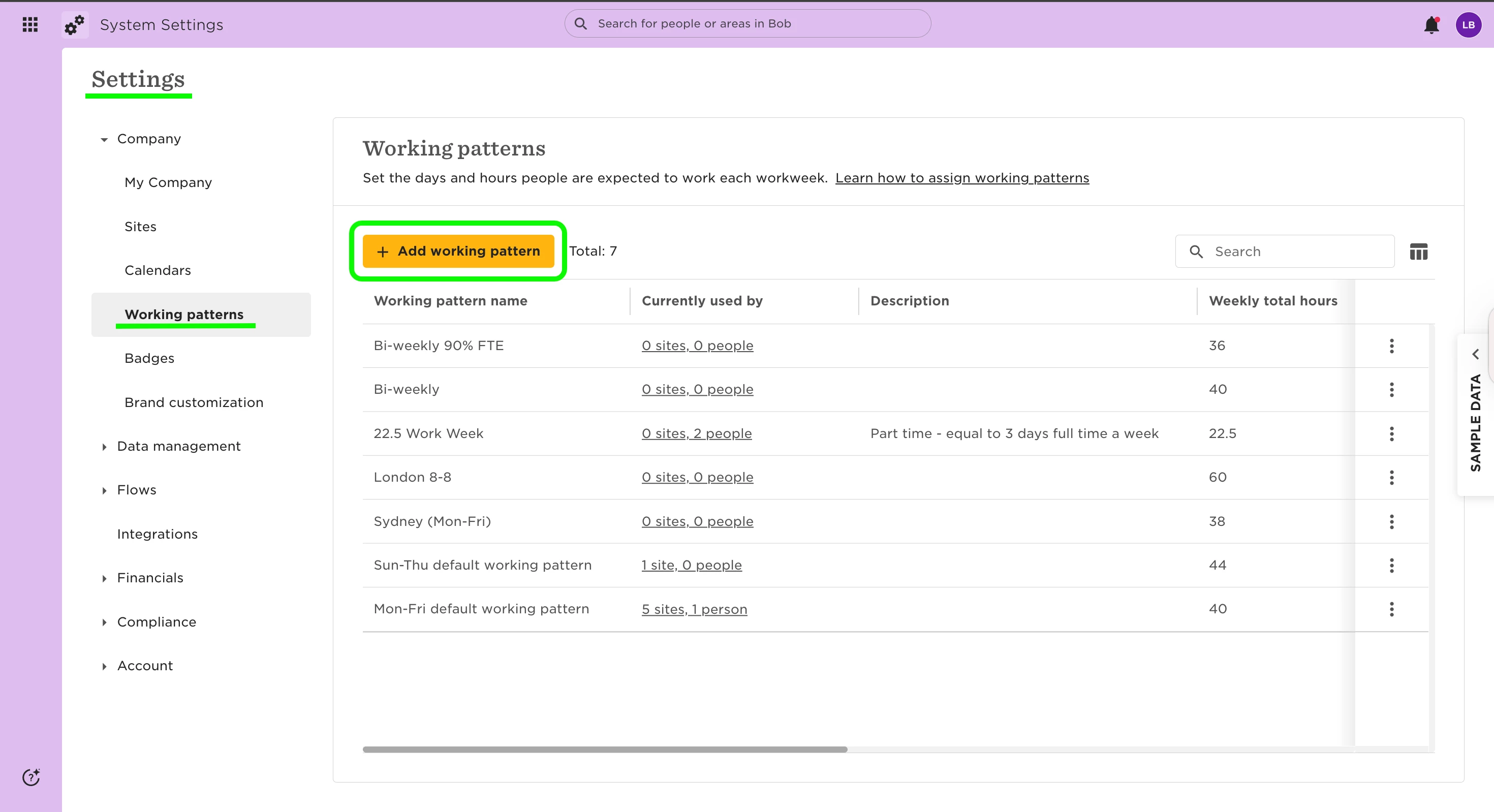
Next, update the employee profile:
-
Go to Employee Profile > Employment
-
Click the pencil icon to edit, then select Add New Row
-
Choose the new bi-weekly full-time pattern
-
Save your changes
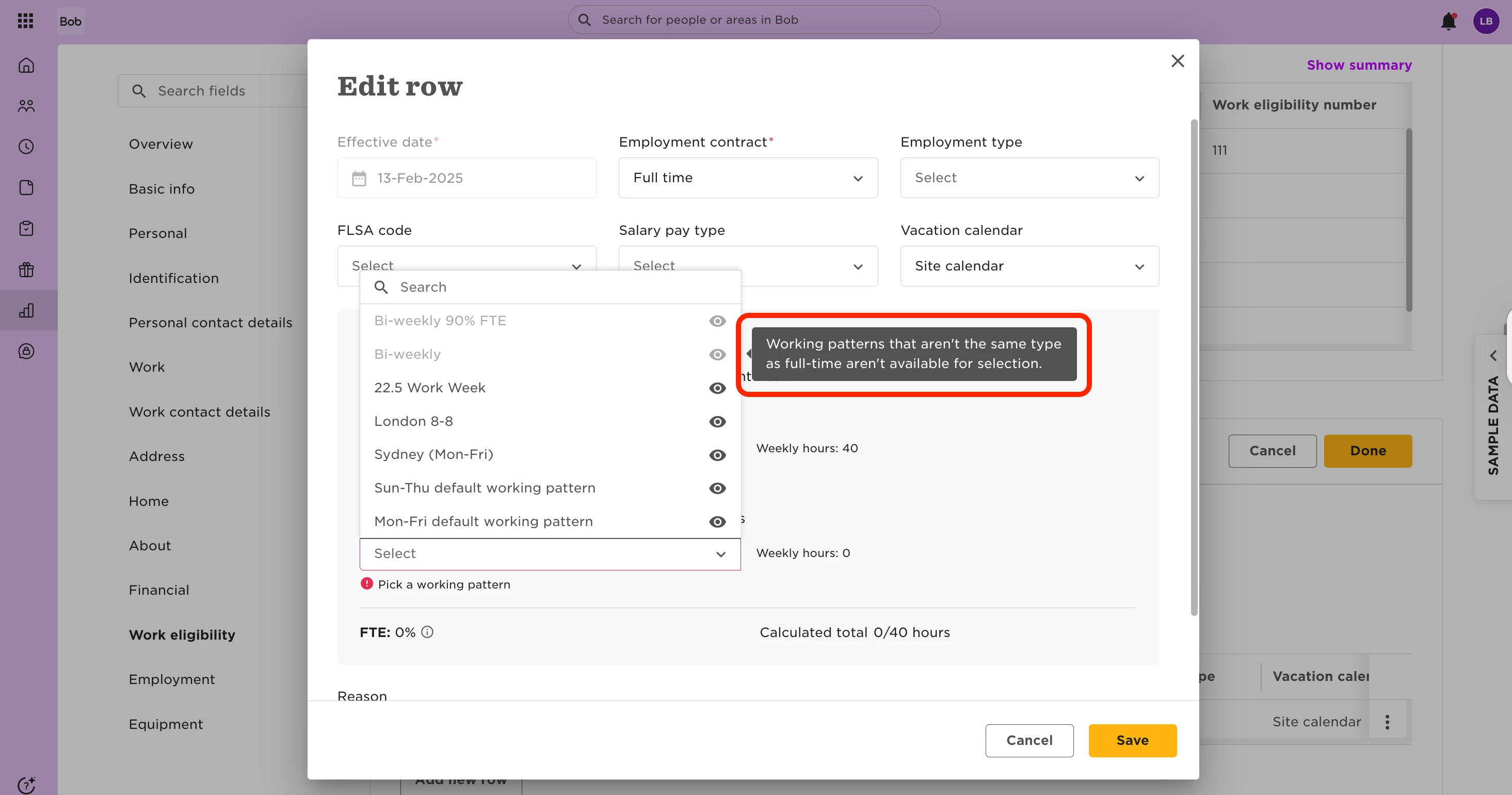
You can now assign the personal bi-weekly working pattern without errors.
Want to learn more about creating and managing working patterns? Check out: Set up a working pattern.