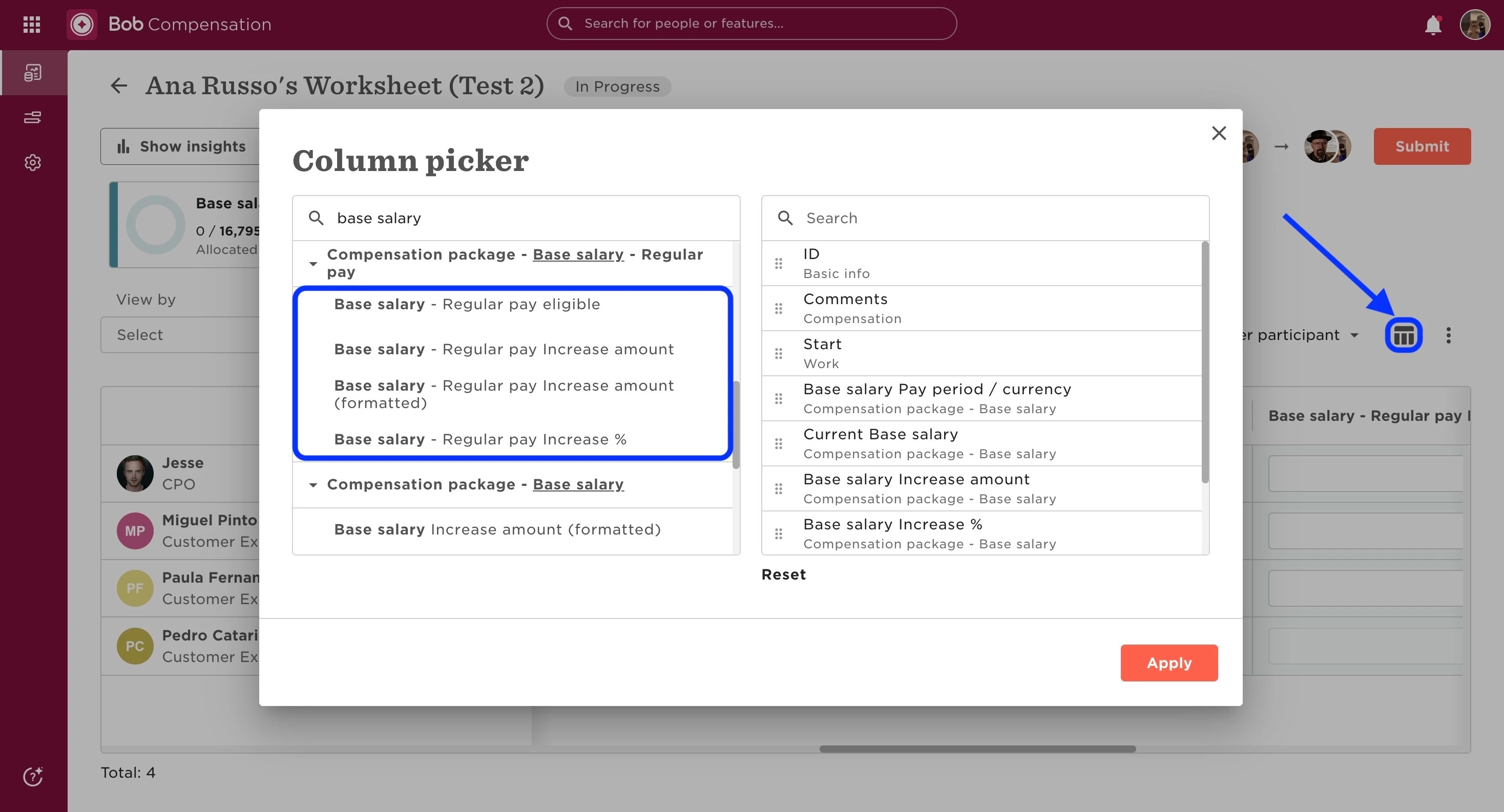
When planners face issues entering data into the worksheet columns, consider the following steps:
-
Verify that planners have the appropriate permissions. They need access to view all participants' payroll information, both current and historical. More details are available in these articles:
-
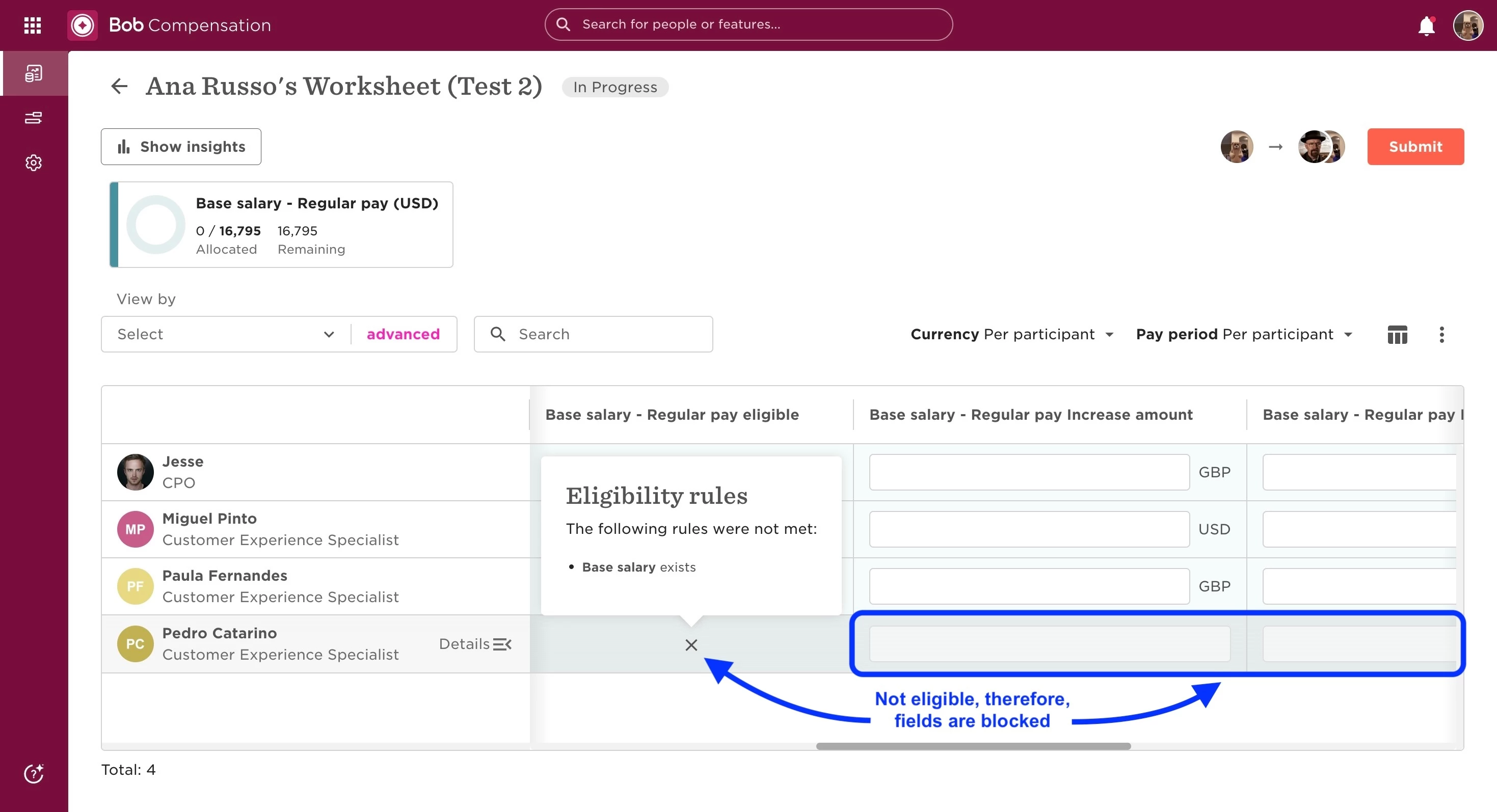
Verify the eligibility rules for the component. The employee may not meet the criteria for this compensation package, preventing it from being added.
- Check the columns included in the worksheet by using the column selector. If the required columns are missing, planners may be unable to input data.
For further details, please refer to this link.