

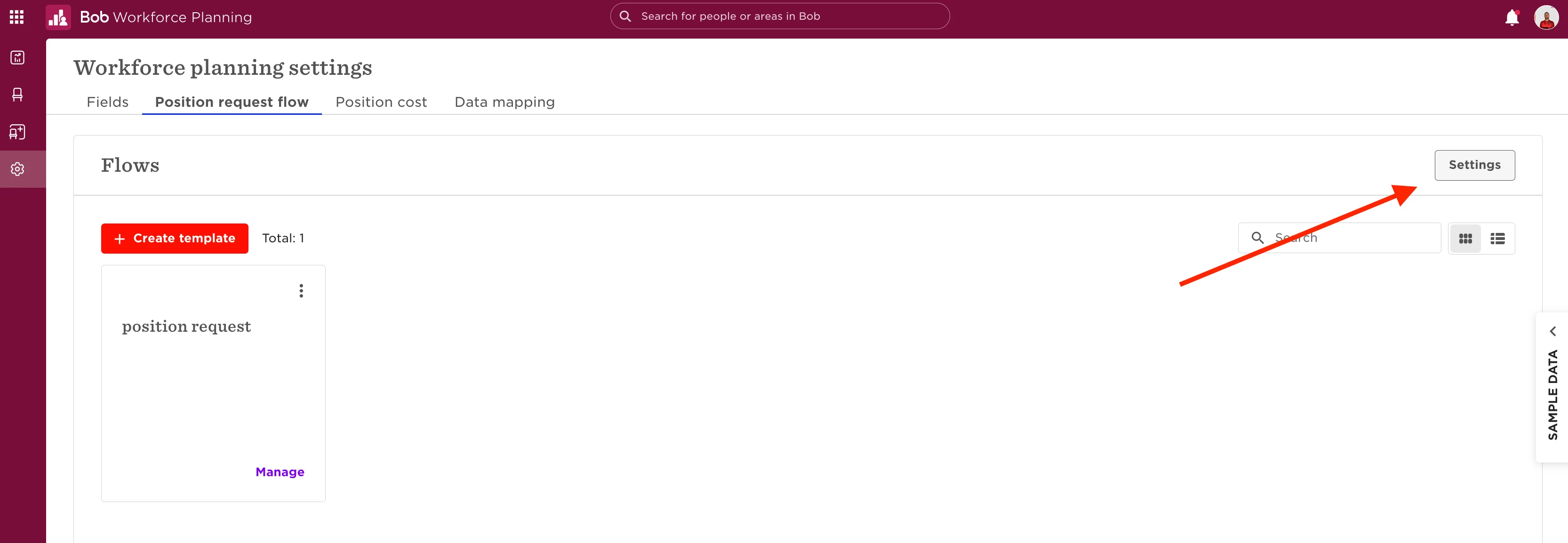
To enable conditions for approval flows in Workforce Planning, please go to Workforce planning > Settings > Position request flow and click Settings to enable the use of conditions in approval flows.
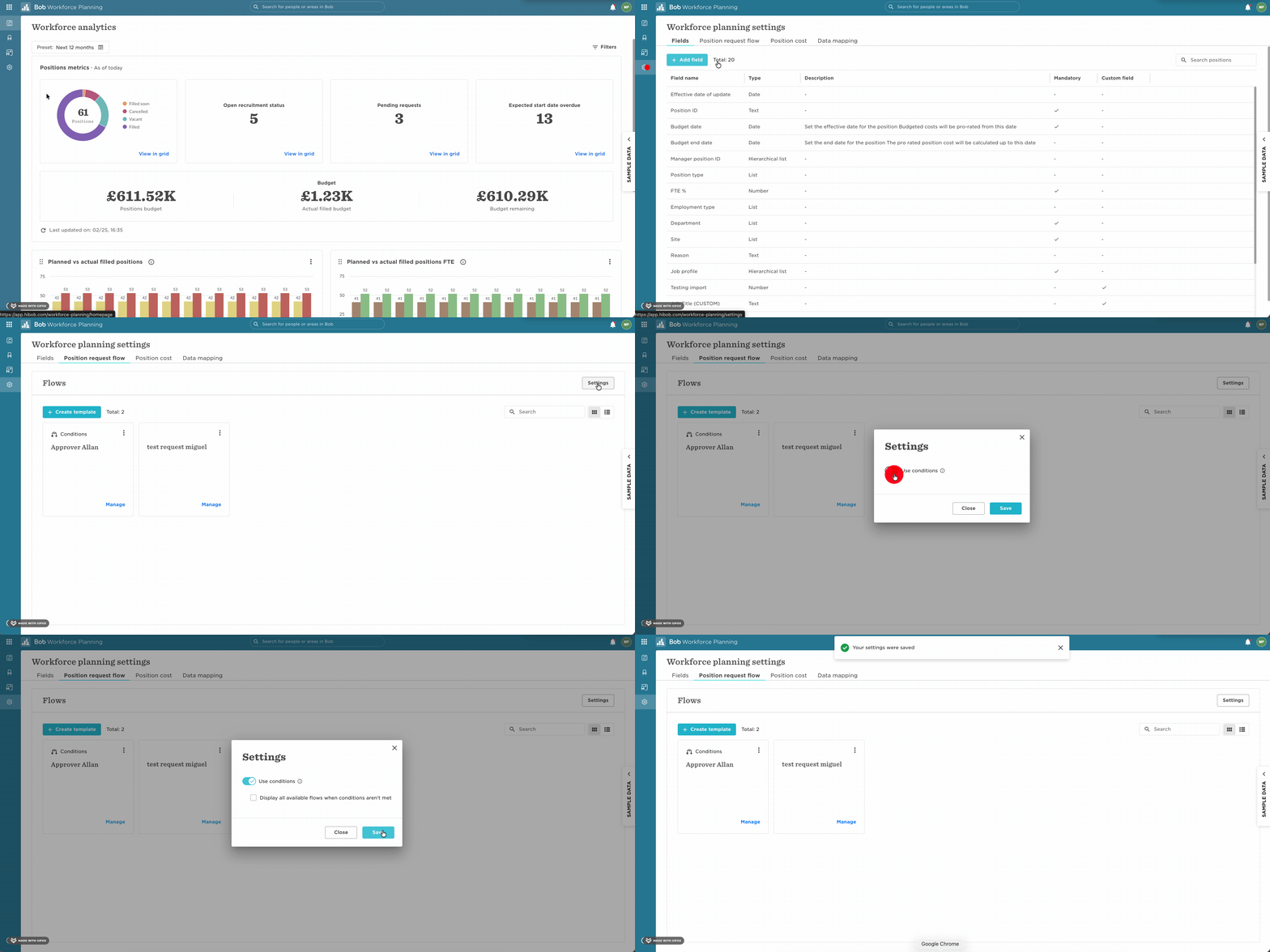
You can also select whether you want to display all flows when the conditions aren’t met.