What is the Difference Between Recruitment Status and Status in Position Management?

  • December 8, 2024
  • 6 replies
  • 288 views

On the Position Management page, Recruitment Status and Status serve distinct purposes. Understanding these differences is essential for accurate position tracking and management.

Recruitment Status:

  • Definition: A predefined list of values (Open, Closed, On Hold) that indicates the recruitment state of a position.

  • Key Details:

    • Based on the opening level and updated manually.

    • Automatically determined by the position’s openings:

    • Positions with one opening use the status of that opening.

    • For multiple openings, the most pressing status is displayed:

      • Open if at least one opening is open.

      • On Hold if no openings are open but at least one is on hold.

      • Closed if all openings are closed.

Status:

  • Definition: Automatically reflects the position’s assignment status based on the employee or assignment.

  • Values:

  • Canceled: The position will not be filled because it’s no longer needed.

  • Filled: The position is closed and assigned to an employee.

  • Filled Soon: The position is assigned to an employee who hasn’t started yet.

  • Vacant: The position is open and not assigned to anyone.

  • Vacant Soon: The position is filled, but the current employee is leaving.
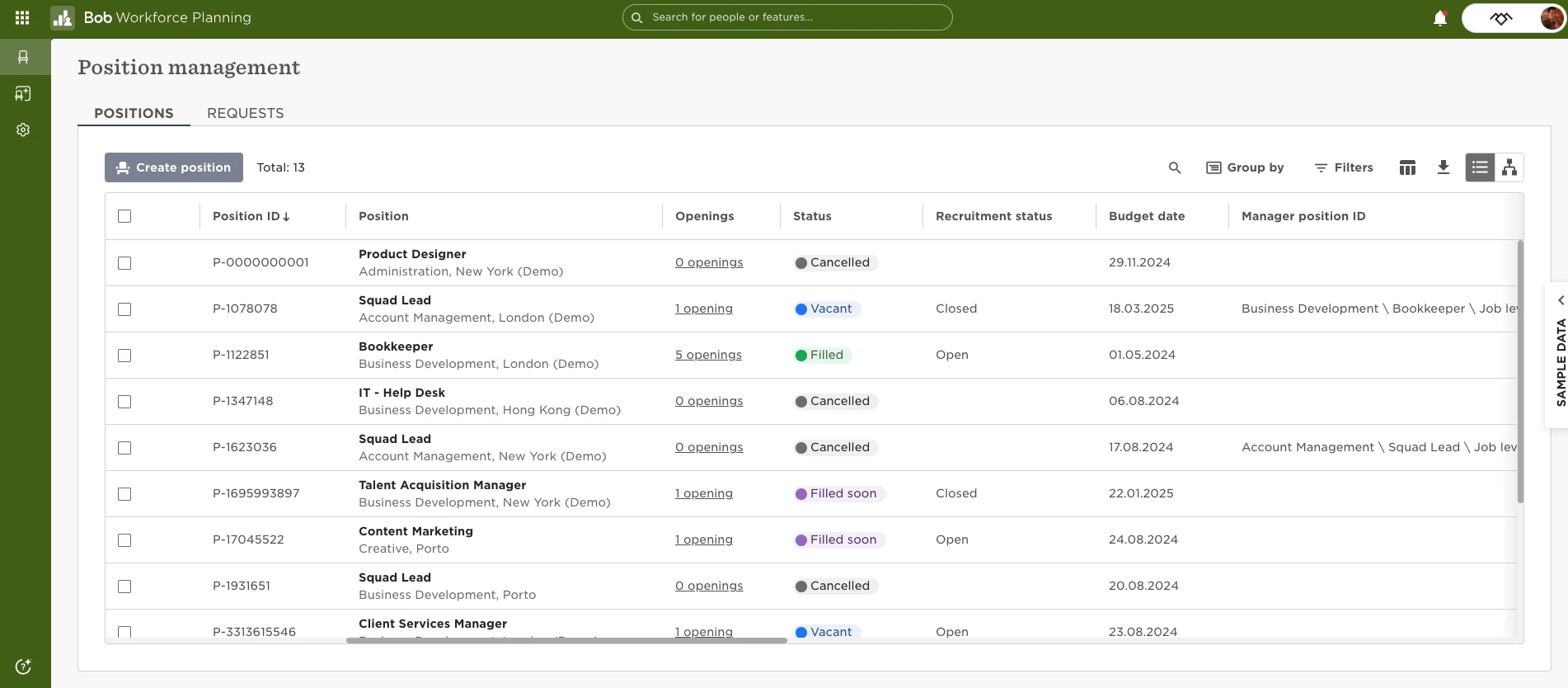
     

By understanding the distinction between Recruitment Status and Status, you can effectively track and manage positions. Recruitment Status reflects the progress of position openings, while Status represents the position’s current assignment and connection to employees.

6 replies

Yvonne Van Vierzen

Hi, 


Is there a possibility to automate this filled, when terminating a employee that you can adjust the recruitment status in the termination flow? 


Thank you


Yvonne 


  • January 29, 2025

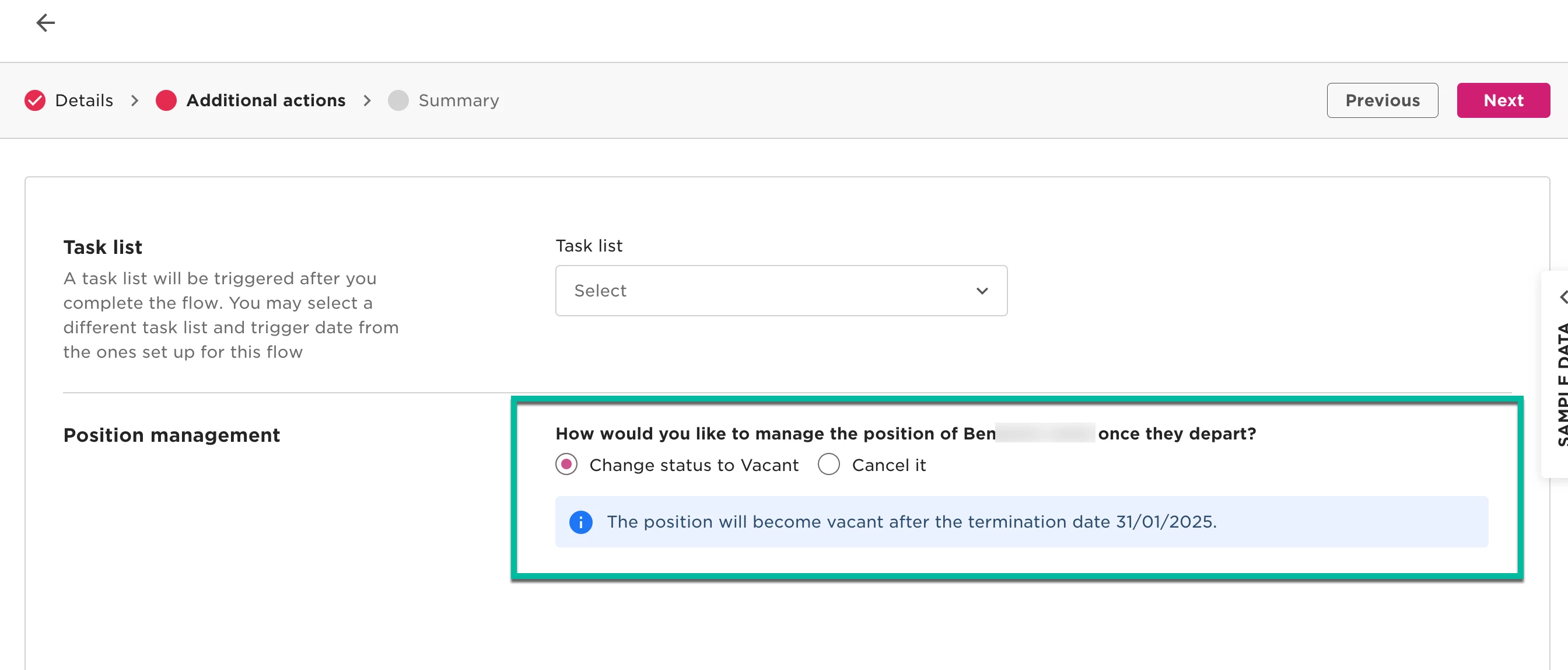
@Yvonne Van Vierzen When terminating an employee assigned to a position, the workflow will prompt you to choose whether to keep the position vacant or cancel it. 🚀


Yvonne Van Vierzen

Hi ​@Pranhita Sharma


Thank you, we are aware of the flow, however, this is not giving you the possibility to change the recruitment status? e.g. if you want have this on hold for couple of months. 


Best, 


Yvonne 


Netta Brodsky
Bobber

Hi ​@Yvonne Van Vierzen - Thanks for the clarification! 😊

In this case, the Recruitment Status needs to be updated manually on the Position Management page


Christopher Lee

Hi there,


I realize this is a fairly old article, but the help chat directed me here. I’m wondering if there’s a way to update an Opening status (not Recruitment Status) within a Position.


We have a position that had two openings due to a leave of absence and overlap, so we needed a second opening associated with the same position. Now that the individual has returned to work, the coverage is no longer needed. Unfortunately, the Opening status is still showing as “Vacant”, without an option to edit or update it.


The only option is the ability to delete the opening, however from the warning that pops up this would remove all historical records of this opening, which is not what we want to do.


Many thanks,

-Christopher Lee


Netta Brodsky
Bobber

Hi ​@Christopher Lee 👋

This is indeed the expected product behavior. In this case, you can either delete the additional opening or simply leave it with the “Vacant” status. Please note that deleting it will also remove all historical data related to that opening.

We really appreciate your feedback on this! 🙏
I’d recommend sharing it with your CSM, who can pass it along to our product development team for review. When doing so, it’s helpful to include the business impact - why this change is important and how it affects your processes - so the team can better understand the need.

Hope this helps clarify! 😊