

Control who can access and manage US Payroll by enabling the required permissions in a permission group.
To give a user access to US Payroll, required permissions must be enabled—there’s no partial or levelled access.
Go to Settings > Permissions
Open the relevant permission group
Under Features, scroll to US Payroll
Enable the following:
Payroll data → allow viewing & editing pay cycles and payroll data.
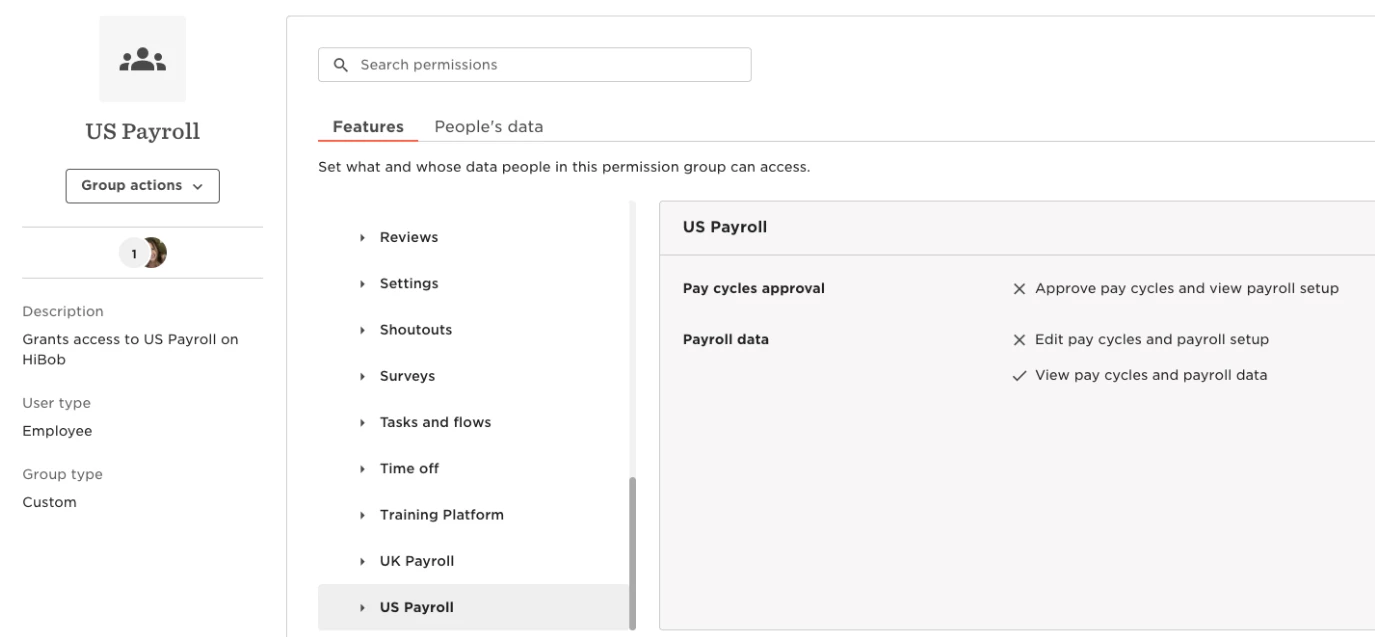
Access to US Payroll is only granted when permissions are checked. If either one is missing, the user won’t have access.
There are no changes to existing access behavior beyond this requirement.