

Instructions to assign employees to the U.S. Benefits Administration platform
To access Bob U.S. Benefits Administration, first log in to your Bob platform.
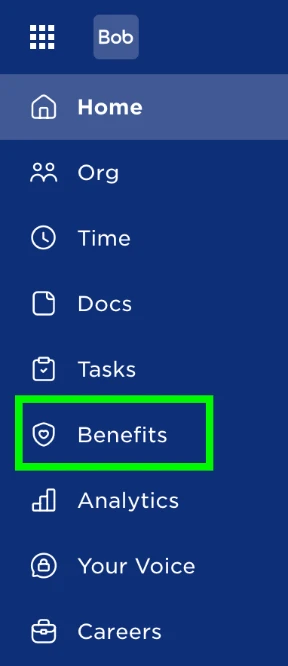
After logging in, click the "Benefits" label, which is accompanied by a shield icon, on the left-side navigation panel.
After clicking the Benefits icon, the BenAdmin settings page will appear. Here, select Participants to view the list of employees currently assigned to Benefits Administration, as well as those available to be assigned.
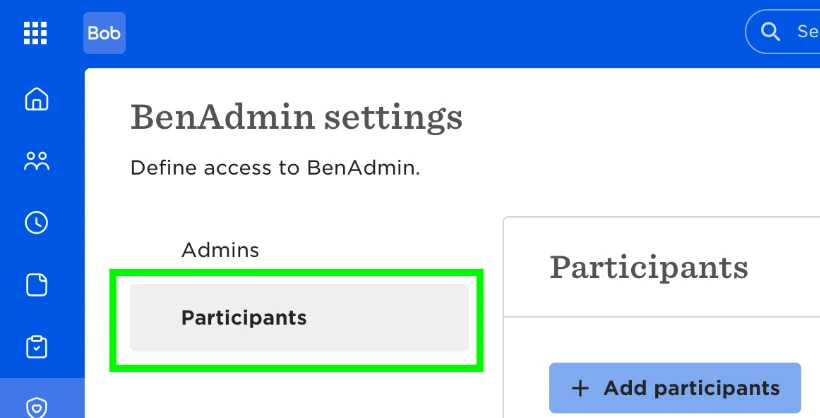
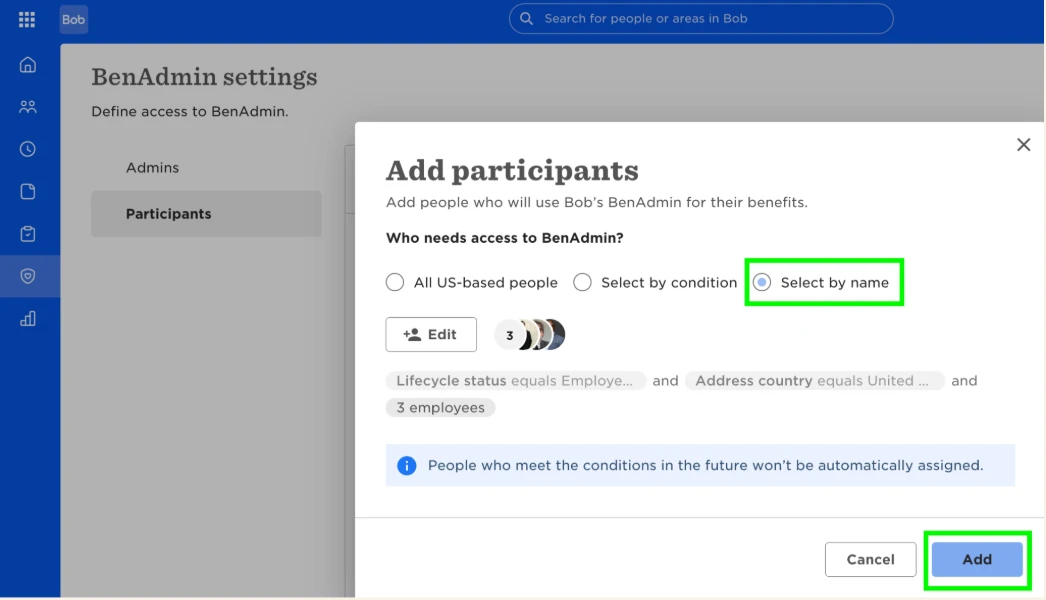
To add employees (participants) to Benefits Administration:
- Select Participants.
- Search for the employees you wish to add. Best practice: search by name.
- Use the edit button to move the employees from the available list to the selected list.
- Select add.
This action sends the employees' profile details to Benefits Administration, granting them access to the benefits enrollment platform.
Employees can now access Bob Benefits Administration through the "My Benefits" section in Bob.
Employee readiness considerations:
Employees must be assigned to a US Payroll schedule
Employees must have a social security number (XXX-XX-XXXX)
Employee must have a work location assigned