
Using payroll approval flows helps ensure payroll is reviewed by the right people before it's confirmed for payment. By requiring one or more administrators to approve the payroll, you can add an extra level of oversight and reduce the risk of errors before the payroll is finalised.
Note: Only users with administrator access can be added as approvers.
To set up an approval flow:
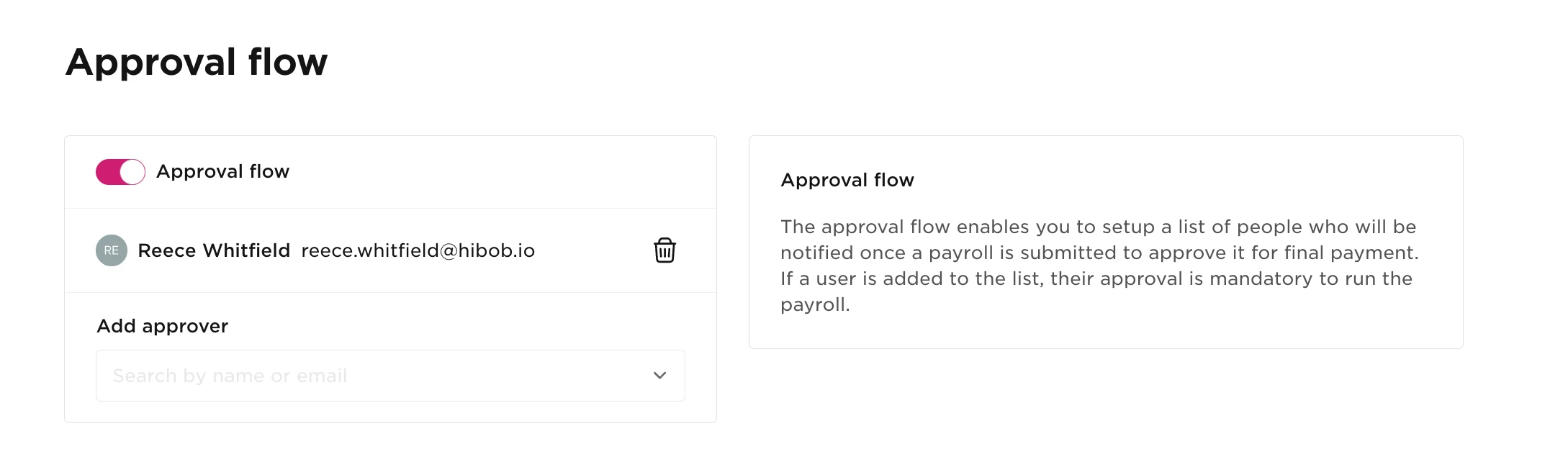
- From the left-hand navigation menu, go to Settings > Approval flow.
- Toggle Approval flow on.
- Select an approver from the Add approver drop-down menu.
- Repeat this step to add as many approvers as needed.
Tip: Every approver in the list must approve the payroll before it can be confirmed. If an approver is on leave or unavailable, you can temporarily remove them by selecting the Trash icon next to their name, then add them back after the payroll has been submitted.
Once your approval flow is configured, you can submit payroll for approval.

- From the left-hand navigation menu, select Payrolls and open the relevant payroll month.
- Select Review in the top-right corner.
- When you've finished reviewing the payroll, select Submit for approval.
You can track the progress of the approval process using the Approvals counter. Hover over the counter to see which approvers are still outstanding.
After every approver has approved the payroll, select Confirm payroll to finalise the payroll.

Things to Keep in Mind
- Approvers receive email notifications automatically. When payroll is submitted for approval, UK Payroll sends an email to every approver in the approval flow.
- All approvals are required before payroll can be confirmed. If an approver is unavailable, you can temporarily remove them from the approval flow and add them back after the payroll has been submitted. If you've removed an approver but still can't confirm payroll, please contact Support.
- You can make changes after submitting payroll for approval. Select Cancel approval flow next to Confirm payroll in the Payroll Summary, make your changes, and then submit the payroll for approval again.
- Approval flows can be turned off at any time. Go to Settings > Approval flow and toggle Approval flow off if you no longer want payroll approvals to be required.