

This can happen for two different reasons—depending on how your policies are configured and how the requests are submitted.
The employee is on long-term leave and policy settings are blocking deductions
If an employee is already on long-term leave (like parental or sick leave), Bob may not count additional time off requests unless your policy explicitly allows it.
To resolve this:
1. Go to Time → Time off settings → Policies
2. Select the relevant policy
3. Click Actions → Edit
4. Select the Long-term leave section
5. Enable Allow requests while on leave
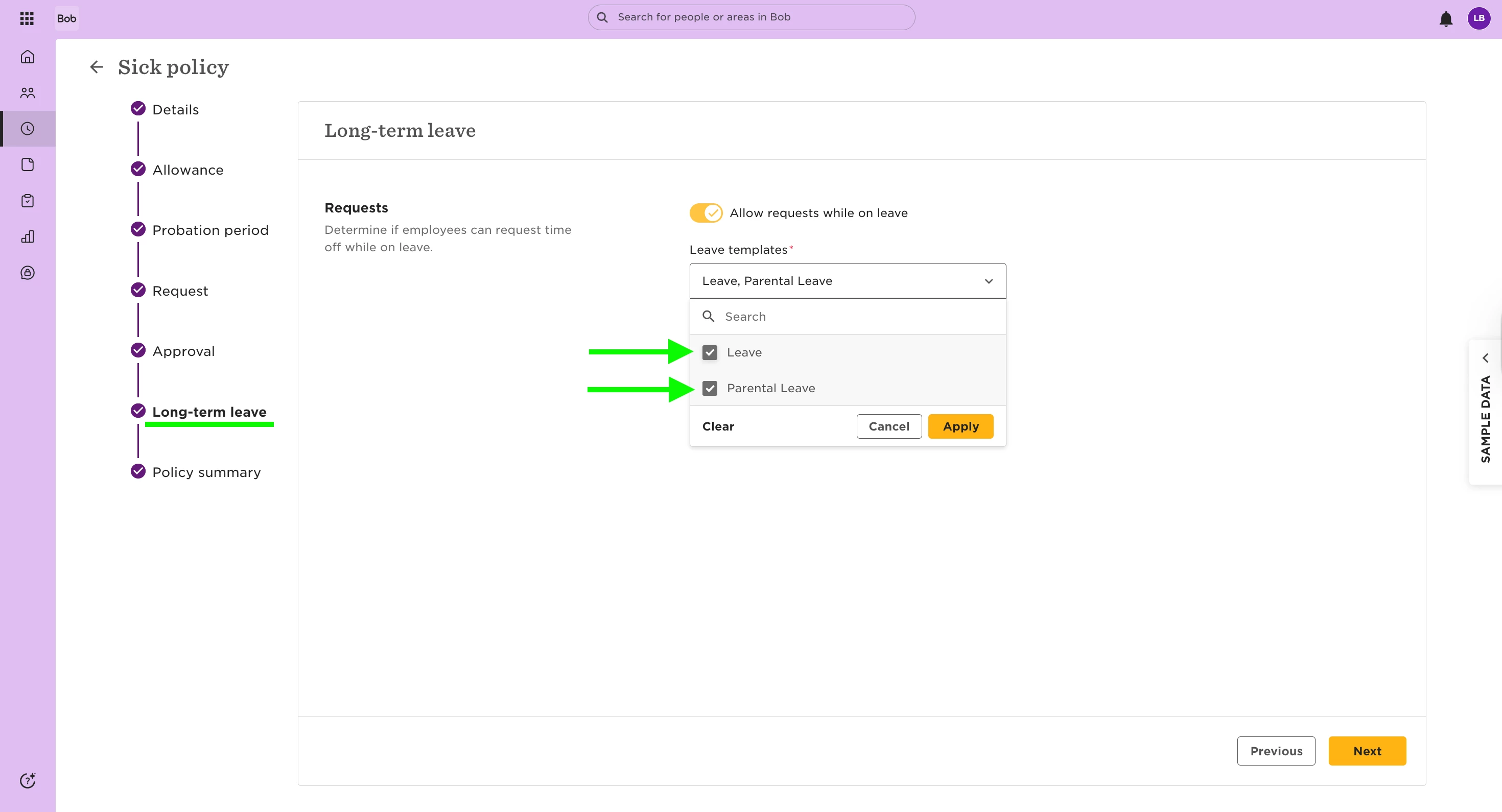
After updating the setting:
1. Back up any existing leave data for the affected employee(s)
2. Delete the existing leave row(s) from the Lifecycle table
(If there are multiple, remove them in reverse chronological order)
3. Re-run the Leave Flow to apply the new settings
4. This should recalculate the correct duration for the request and display the accurate days off, as expected for long-term leave.
Request override is enabled and the latest request takes priority
If request override is enabled, Bob only deducts days from the most recent request—so you don’t double-deduct for overlapping time off.
In this setup:
- The most recent request overrides the previous one
- Only one request deducts from a policy, even if both overlap
- This avoids deducting a single day from multiple policies
- If the wrong policy was prioritised and you’d rather deduct from a different one, you can make a manual adjustment:
- Remove 1 day from the unintended policy (e.g., Working remotely)
- Add 1 day to the intended one (e.g., Annual paid leave)