

To efficiently check the number of time-off requests an employee has booked in the future
follow the steps outlined below:
-
Go to Time.
-
Navigate to People's Time Off.
-
Click on Policy Balances to view detailed information.
Within the Policy Balances section, there is a specific column labeled booked before the end of the cycle.
This column shows all future time-off requests that have been scheduled but not yet taken by the employee.
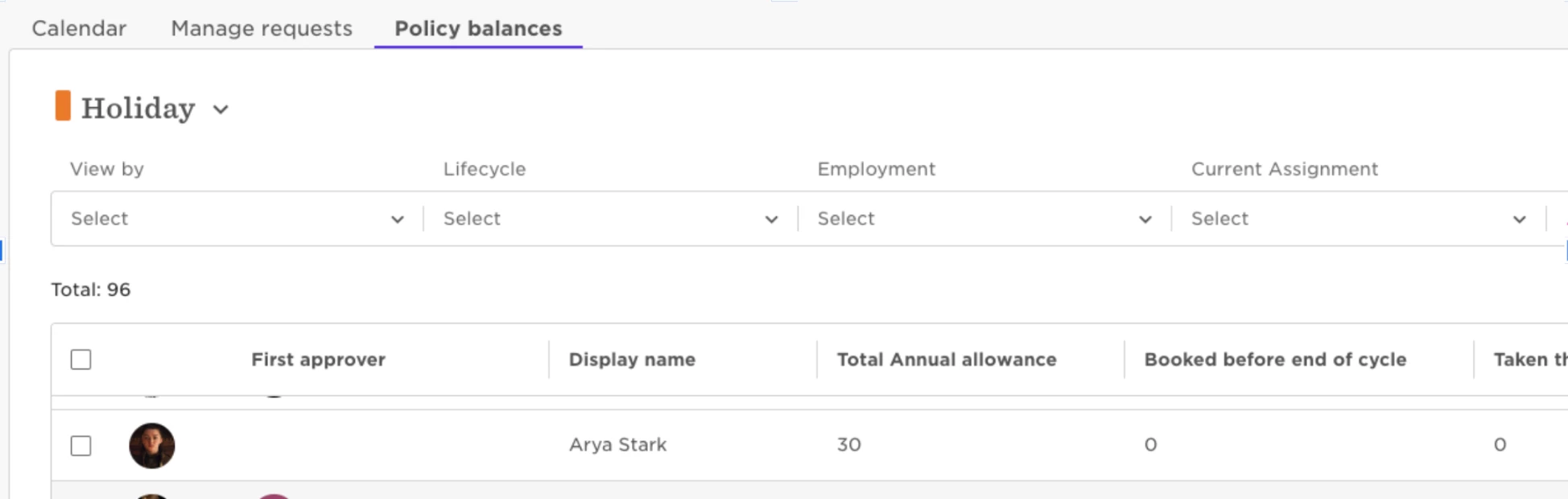
By following these steps, you can easily see all pending time-off requests that the employee has planned but has not yet utilized.