


When lifecycle leave and time off policies are both being used, they need to be configured to work together. If they aren’t linked correctly, users may see 0-duration requests, blocked bookings, or leave that doesn’t flow through to payroll.
This can happen with parental leave, paternity leave, or any other long-term leave type.
To avoid this, check the time off policy settings before adding or updating the employee’s lifecycle leave event.
-
Go to Settings > Time off > Policies
-
Open the relevant policy
-
Go to the Long-term leave section
-
Enable Allow requests while on leave
-
Make sure the correct leave flow is linked
-
Save your changes
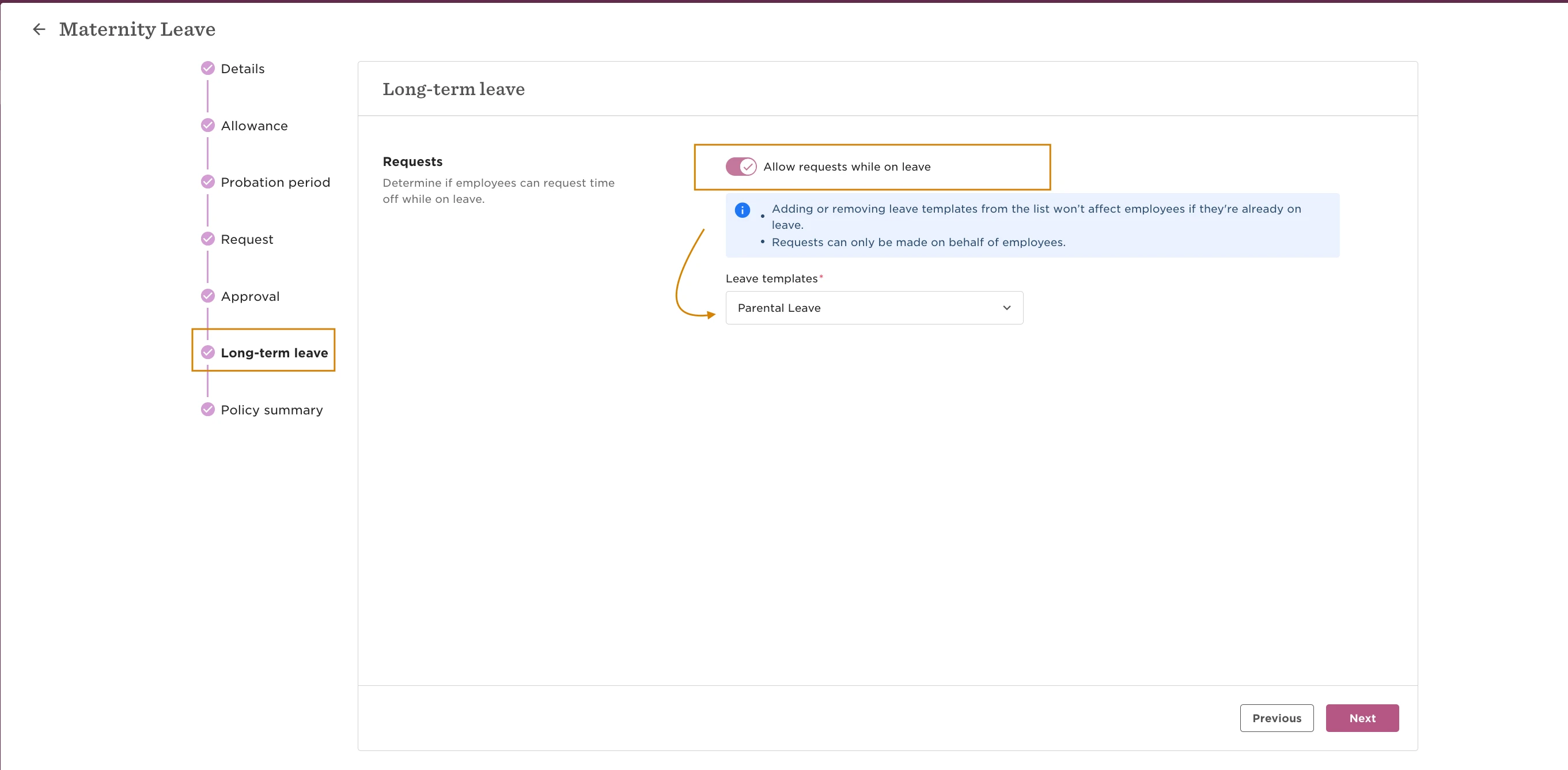
If the lifecycle leave was added before the policy was linked to the corresponding leave flow, updating the policy settings will not apply retroactively to existing lifecycle entry.
To refresh the setup:
-
Go to the employee’s profile
-
Open the Lifecycle section
-
Edit the relevant leave event
-
Delete the existing lifecycle leave entry
-
Add the time off request in the leave calendar
-
Re-add the lifecycle leave event
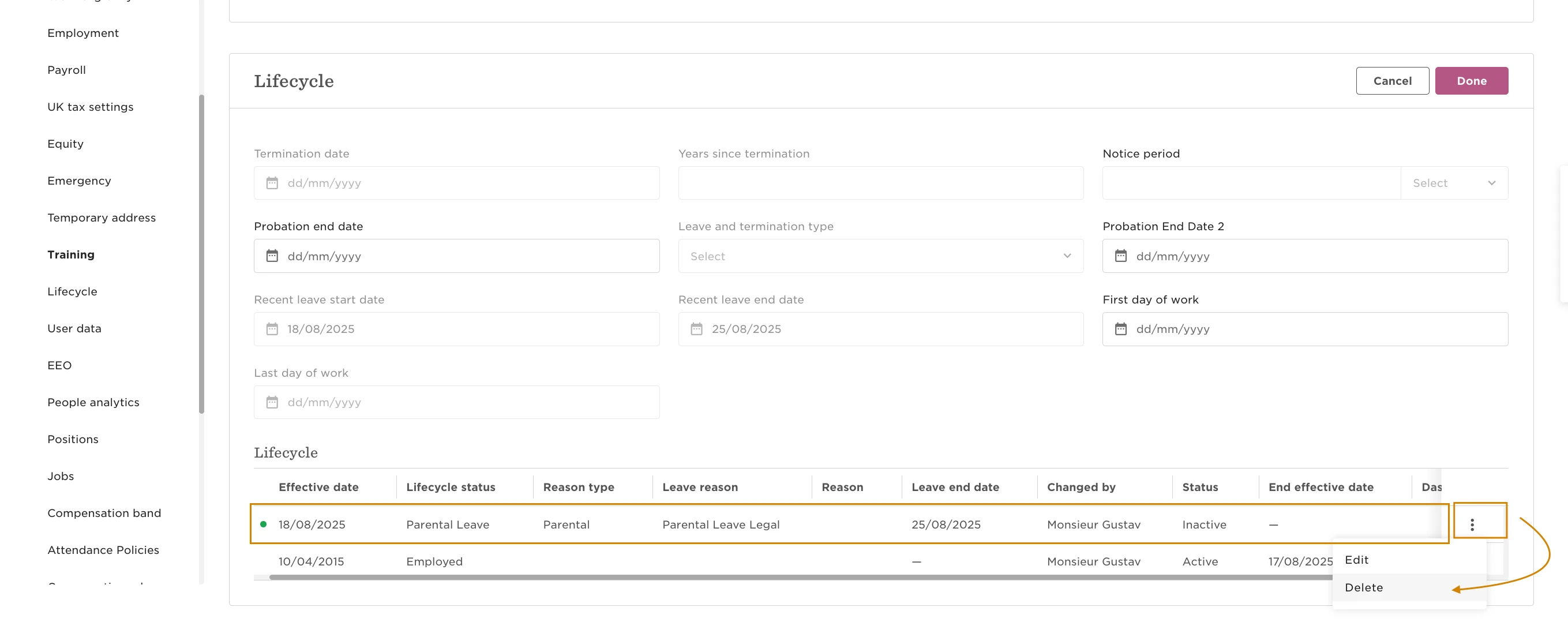
Re-adding the lifecycle entry forces Bob to apply the updated leave flow configuration correctly.