


If your organization considers a change in Job title to be the start of a new role, you can use a Custom Report and formula to calculate how long each employee has been in their current job title.
The Work effective date may not always represent when an employee moved into their current job title. If other work information changes while the employee remains in the same job title, using this date may not give you the tenure you're looking for.
Instead, you can base the calculation on the Job title effective date.
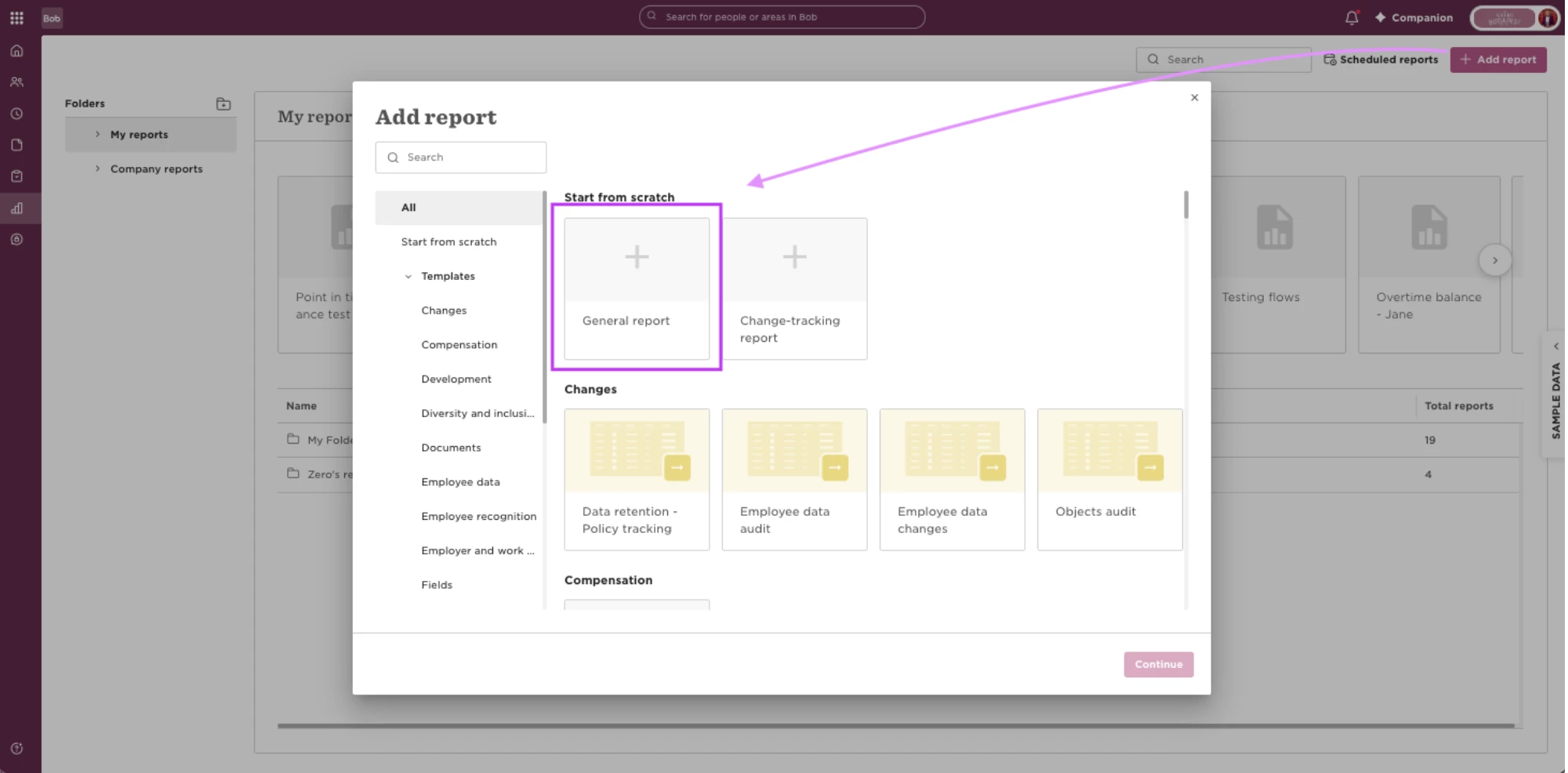
Create or open a Custom Report and add the employee information you want to see, such as:
- Display name
- Job title
- Job title effective date
Then, create a formula for Time in current job title and set the Output type to Text.
Copy and paste this formula into the Formula Builder:
CONCATENATE(DATEDIF({{Work##%%/current/work/title/effectiveDate}}, TODAY(), "Y"), " years, ", DATEDIF({{Work##%%/current/work/title/effectiveDate}}, TODAY(), "YM"), " months, ", DATEDIF(DATEADD(DATEADD({{Work##%%/current/work/title/effectiveDate}}, DATEDIF({{Work##%%/current/work/title/effectiveDate}}, TODAY(), "Y"), "Y"), DATEDIF({{Work##%%/current/work/title/effectiveDate}}, TODAY(), "YM"), "M"), TODAY(), "D"), " days")
In a more readable format, the formula looks like this:
CONCATENATE(
DATEDIF({Job title effective date}, TODAY(), "Y"), " years, ",
DATEDIF({Job title effective date}, TODAY(), "YM"), " months, ",
DATEDIF(
DATEADD(
DATEADD(
{Job title effective date},
DATEDIF({Job title effective date}, TODAY(), "Y"),
"Y"
),
DATEDIF({Job title effective date}, TODAY(), "YM"),
"M"
),
TODAY(),
"D"
),
" days"
)
Here's what the functions are doing:
- DATEDIF calculates the difference between two dates. In this case, we're calculating from the Job title effective date to TODAY().
- "Y" returns the number of complete years.
- "YM" returns the remaining months after the complete years.
- "D" returns the number of days between two dates.
- DATEADD moves the Job title effective date forward by the completed years and months. This gives DATEDIF the correct starting point for calculating the remaining days.
- CONCATENATE combines the results and text into one readable value, such as “3 years, 7 months, 12 days.”
In simple terms, the calculation is:
Job title effective date → complete years → remaining months → remaining days → today
The formula calculates the remaining days using DATEADD rather than DATEDIF with "MD", as "MD" ignores months and years when comparing the day values and can result in a negative value in some cases.
If you don't need this level of detail, you can adjust the formula to remove the units you don't want to display.
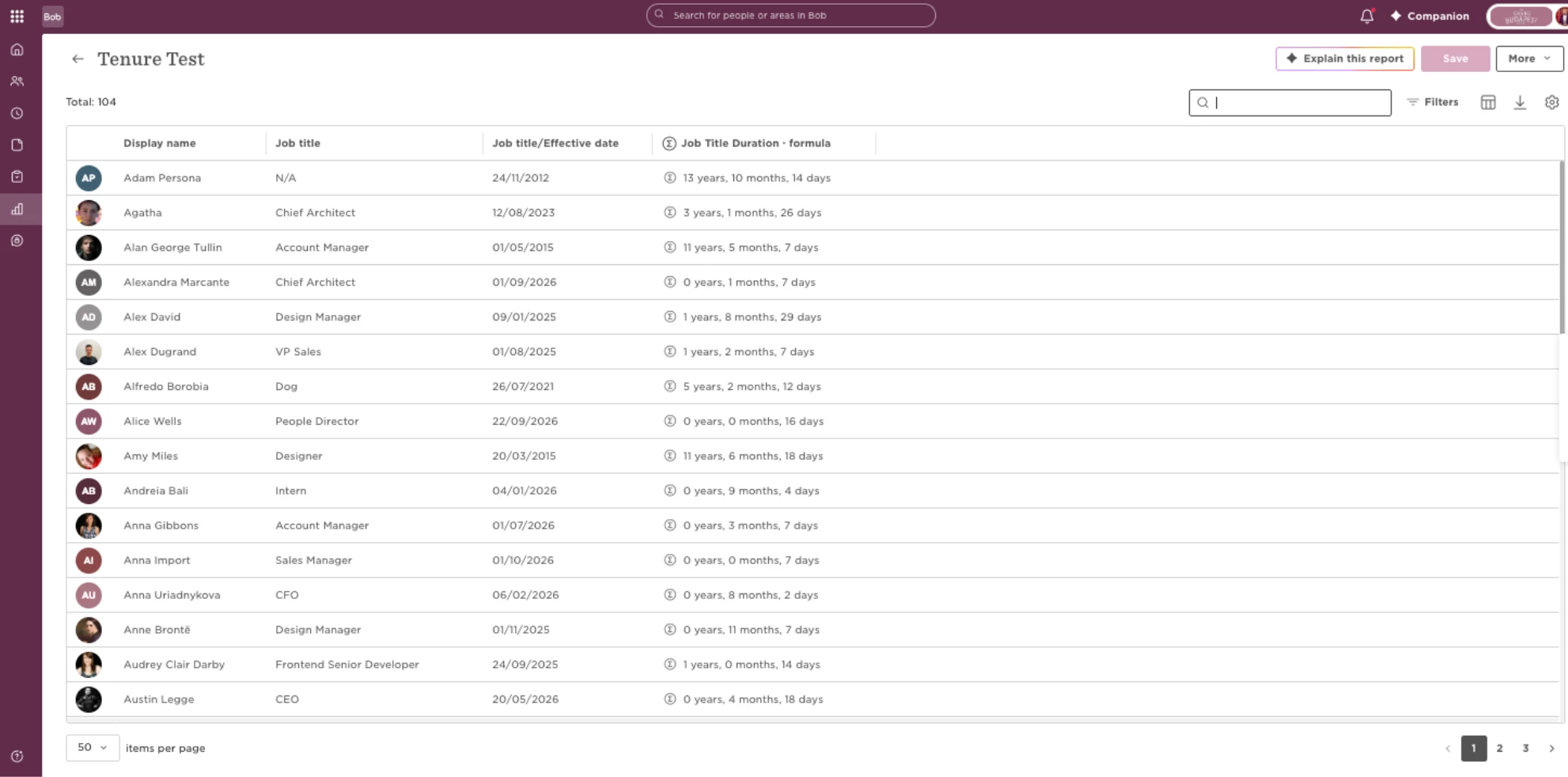
Save the formula and add it to your report. You'll now have a column showing how long each employee has held their current job title.
Once you've added the formula to your report, you can use filters to narrow the results to the specific employee population you want to review.
Note: This calculation measures time in the employee's current job title. If your organization defines a new role based on a different change, this calculation may not represent your organization's definition of time in role.