

This article explains the three different ways you can set up time off approval flows in Bob and how they override each other.
Time Off has 3 ways to set up an approval flow:
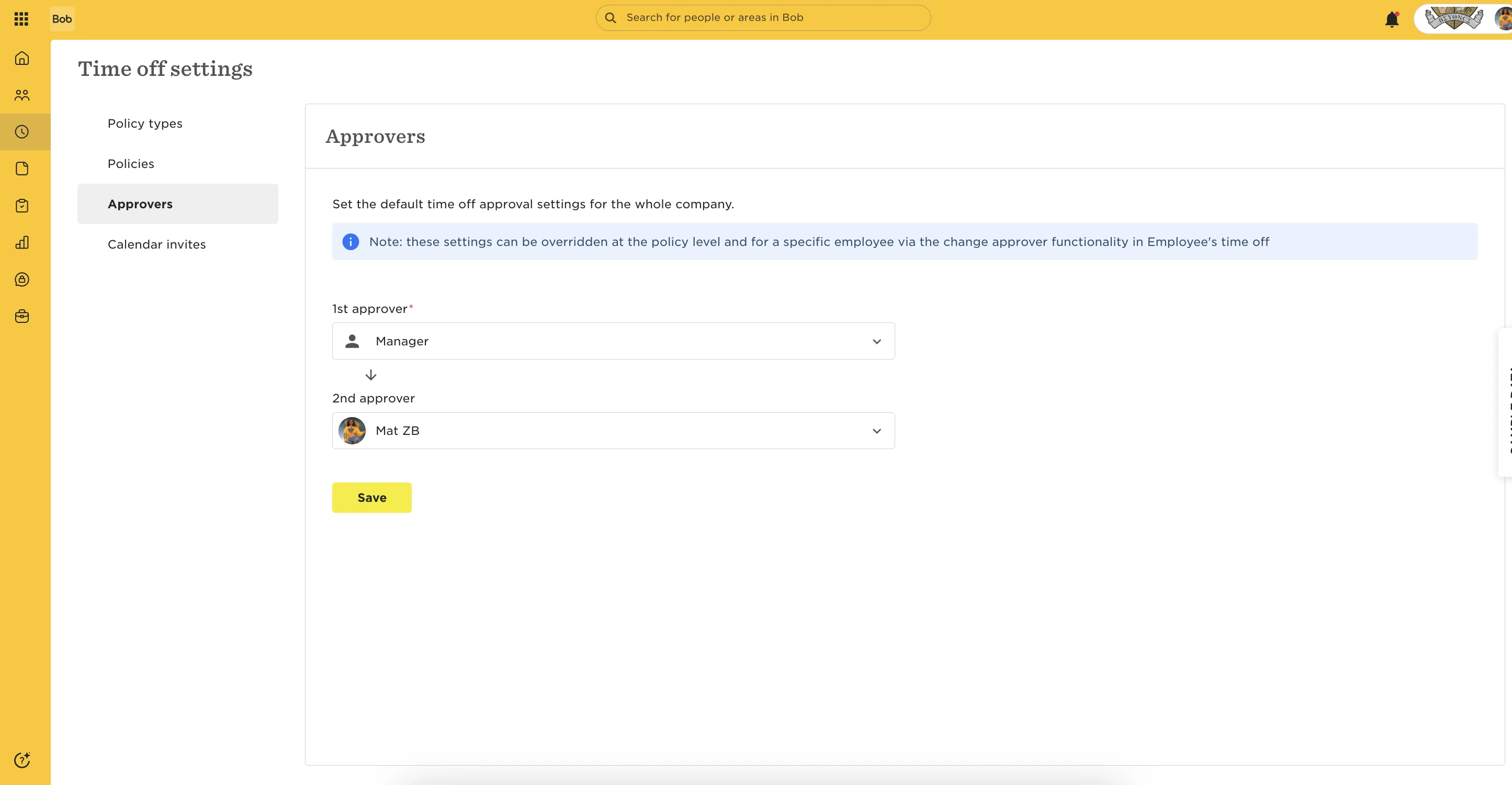
1.Base employee-specific approval flow (company default)
-
You set it up under Time > Time Off Settings > Approval.
-
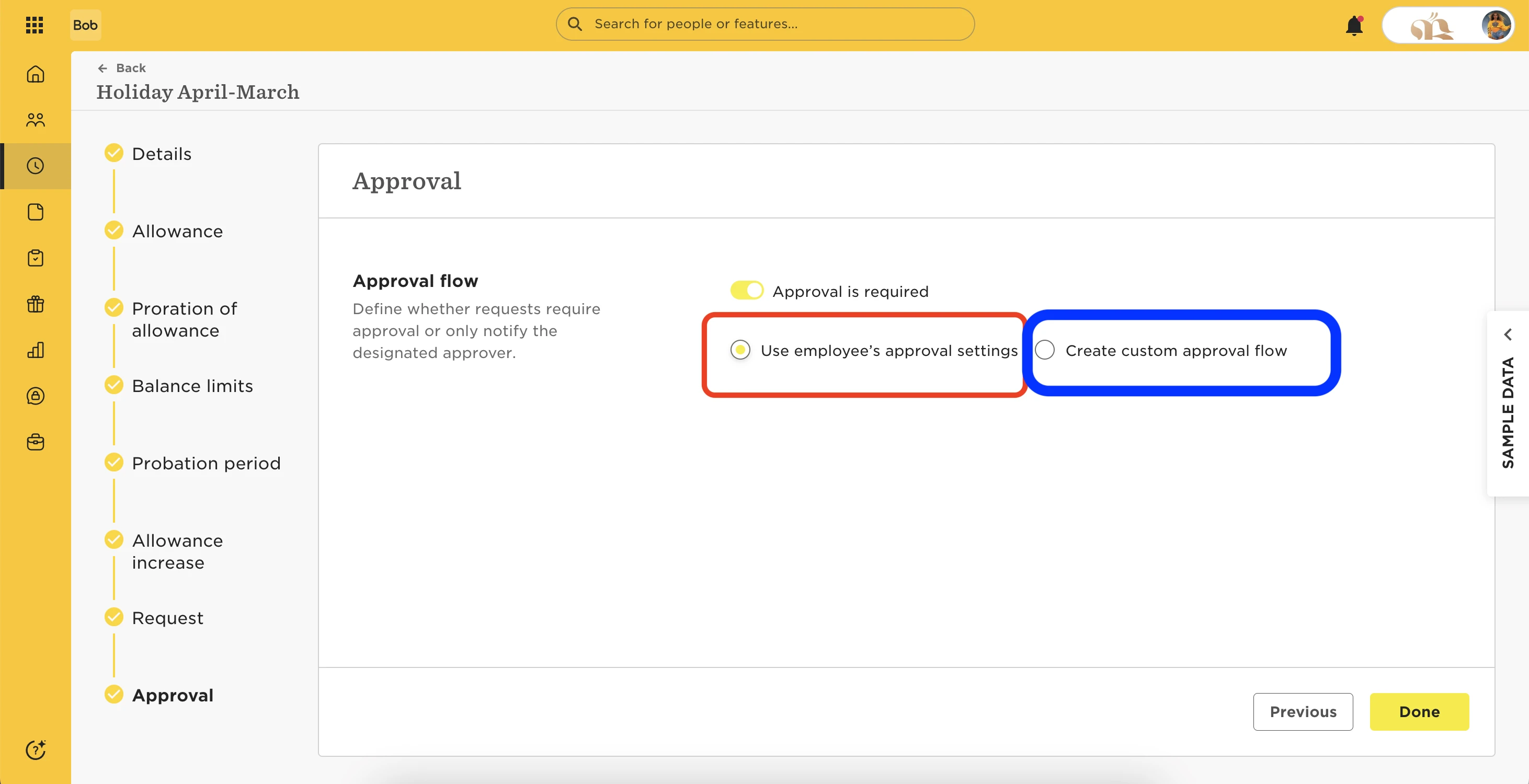
It applies to the whole company as a default approval flow. It will be in effect for Time Off Policies that "use employee's approval settings".
2.Individual employee-specific approval flow
-
You set it up under a profile > Time Off > Actions (three-dot menu) > Change approver.
-
It applies to that employee specifically and overrides the default base approval flow. It will be in effect for Time Off Policies that "use employee's approval settings". Important: it will not apply to policies that have a custom approval flow, as you may read in an orange alert message.
3.Policy-specific approval flow
-
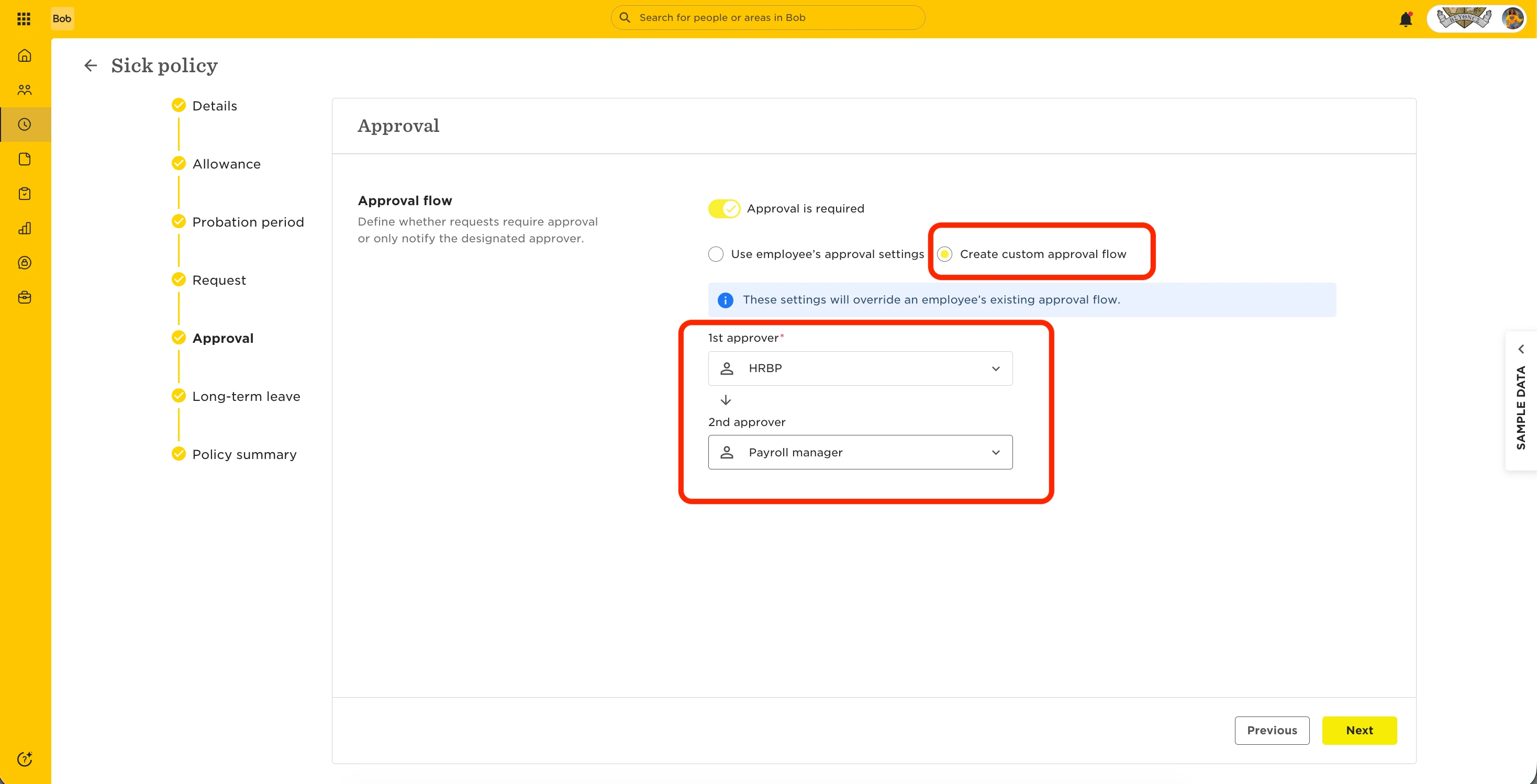
You set it up within a Time Off Policy's settings, by choosing to "Create custom approval flow".
-
It applies to all employees assigned to this policy. It overrides all the others approval flows.
In summary:
Base employee-specific approval flow < is overridden by individual employee-specific approval flow < is overridden by policy-specific approval flow.