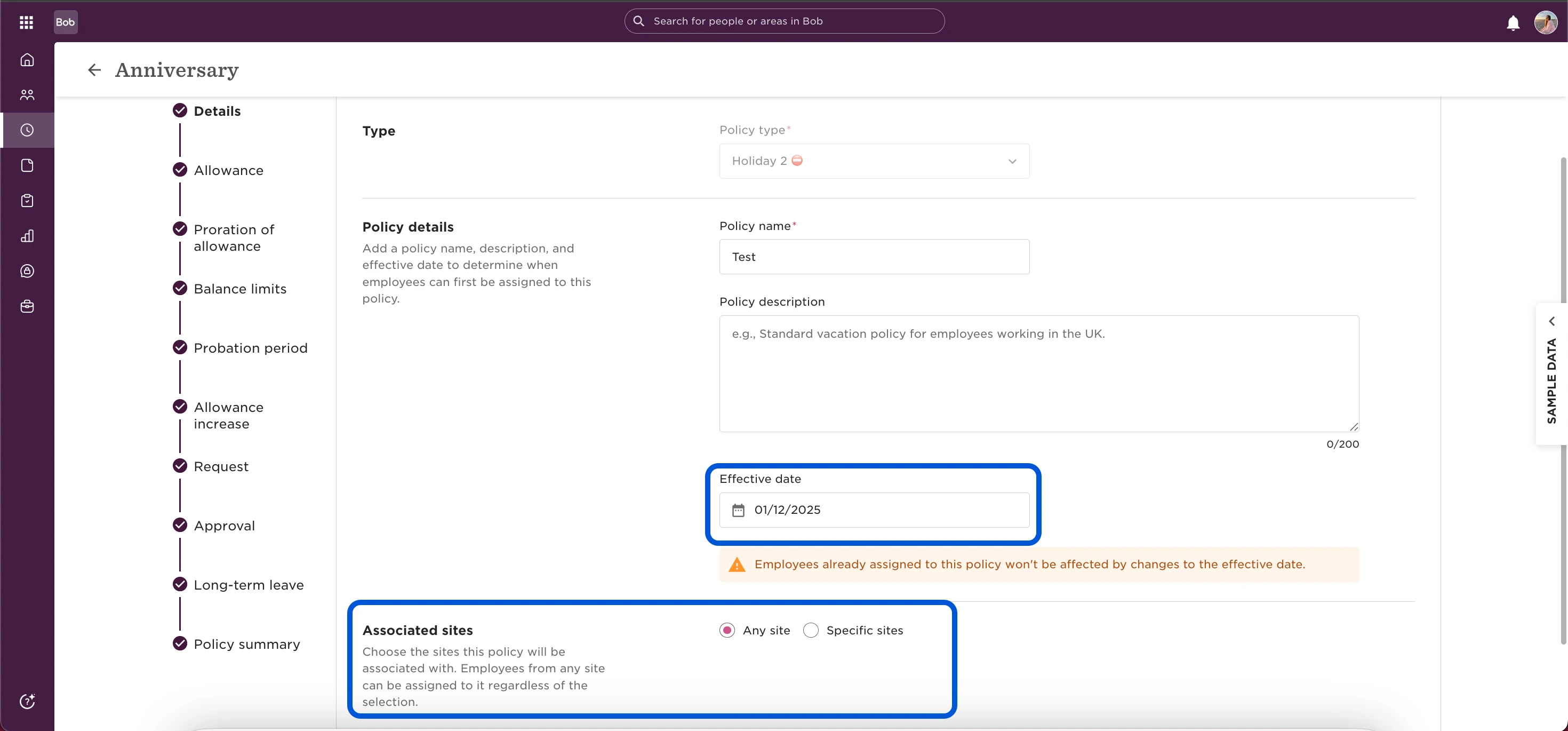

1. Effective date
The Effective date simply defines when a time off policy can first be assigned to employees.
When creating a new policy, you won’t be able to assign it before this date. If you later update the effective date in an existing policy, it won’t affect employees who are already assigned.
Because of this, any updates you make to a policy (like adjusting the allowance) apply immediately to all employees currently assigned, regardless of the policy’s effective date.
If you want certain changes to take effect only at a future date, keep the current setup active and re-enable the new settings when the time comes.
2. Associated Sites
The Associated sites section determines which employees are preselected when assigning the policy.
Any site – All employees are included by default when assigning the policy.
Specific sites – Click the dropdown, expand countries if needed, and check the boxes next to the sites you want to associate with the policy.
For example, if London is selected, when assigning this policy, all employees in the London site will be preselected automatically.
💡 This doesn’t assign the policy automatically. It only preselects employees from those sites as a condition that you can still edit before assigning the policy.