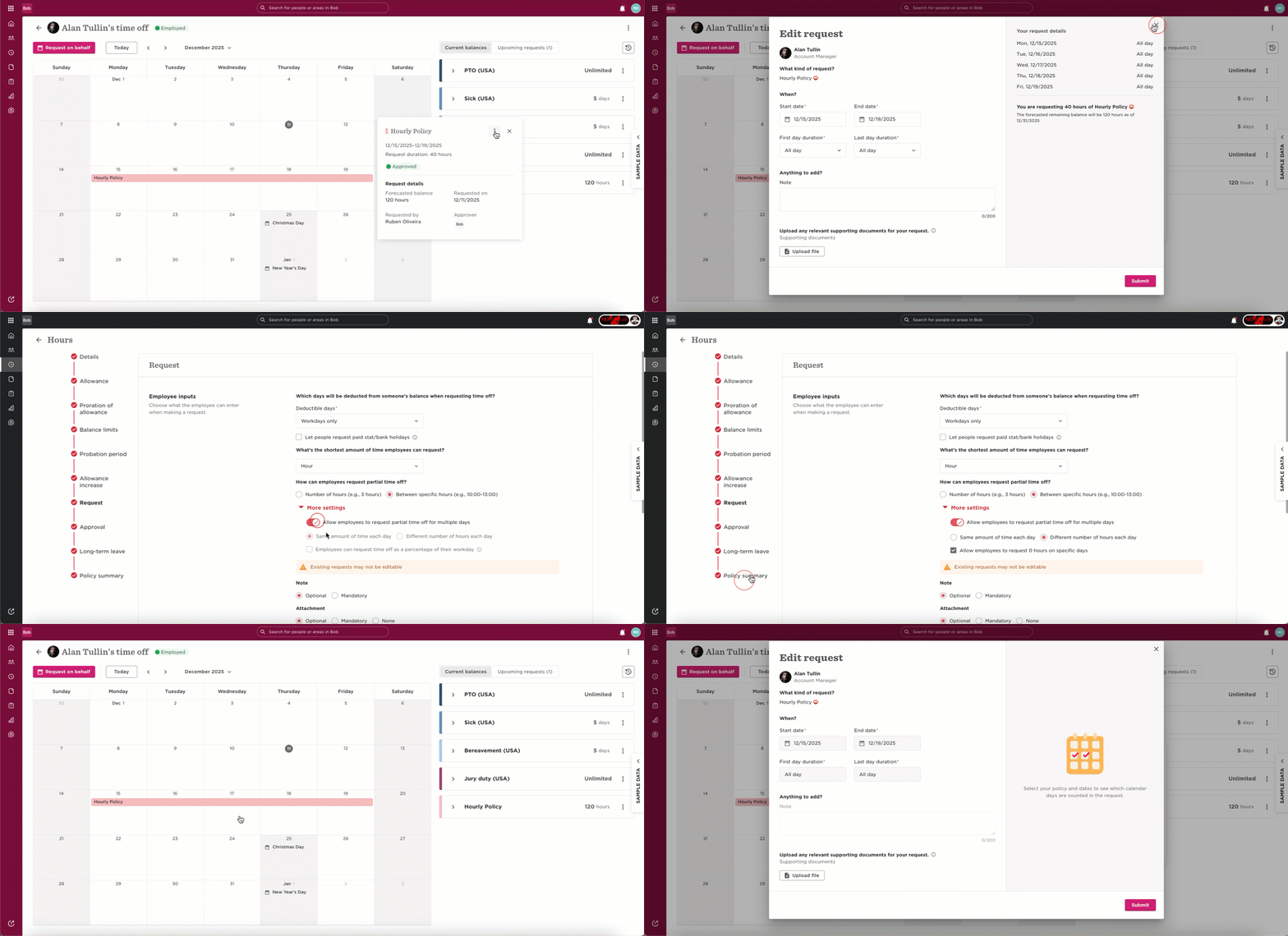
Sometimes you may find that you can edit time off requests for some employees but not others. This can happen when a specific Time Off setting is turned on after the period has been booked.
When the "Allow employees to request partial time off for multiple days - Different Number of Hours Each Day" setting is enabled after a period of time is booked, Bob won’t allow editing the previously booked days.
To fix this:
Go to Time > Time Off Settings > Policies and select the relevant Policy
Change "Different Number of Hours Each Day" to "Same Amount of Time Each Day" in the Request section of the policy.
Return to the request and you will find that it will be possible to edit the formerly greyed out dates.
(Optional) Turn the setting back on once you’re done.