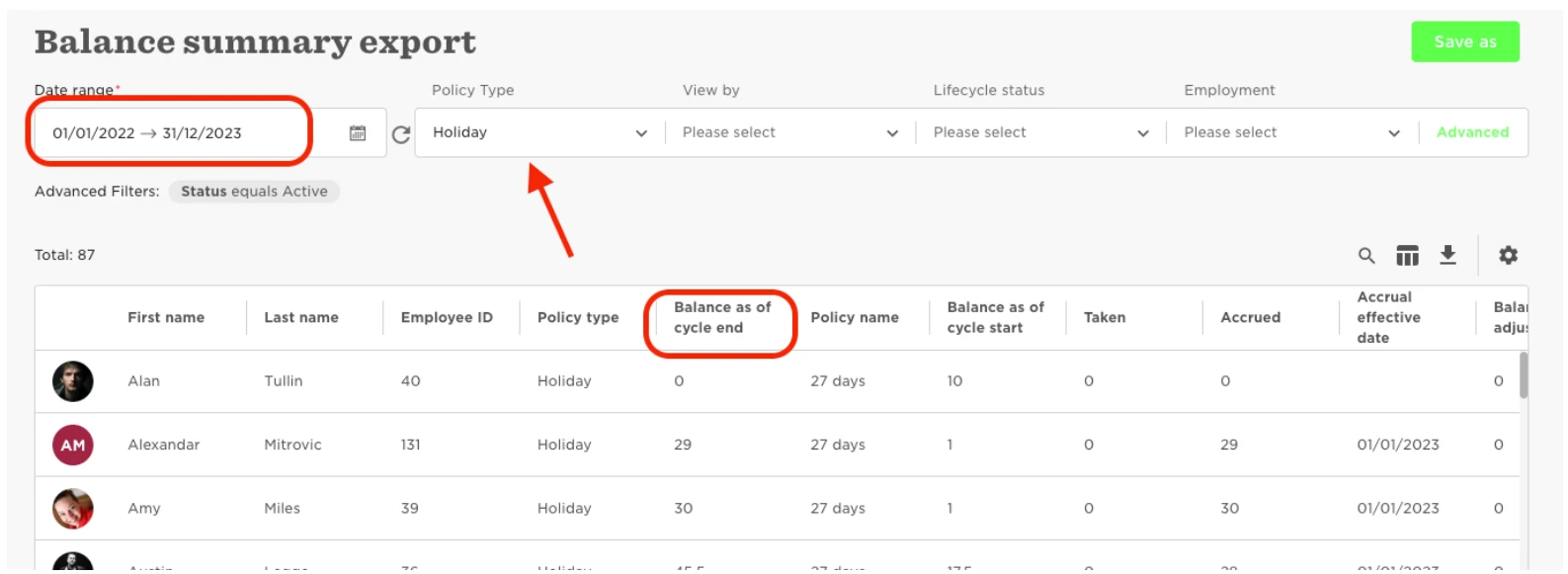
Head to Analytics > Reports > New Report > Use Template > Time Off > Balance Summary.
Then use the date range to make it so the data being pulled is from last year/cycle. Then use the filter 'Policy Type' so it's just relevant policy being pulled. Finally, the column you are looking for is titled Balance as of Cycle ended.