Time Off Request Shows Zero Days When Overlapping With Another Policy

  • November 9, 2025
  • 2 replies
  • 67 views

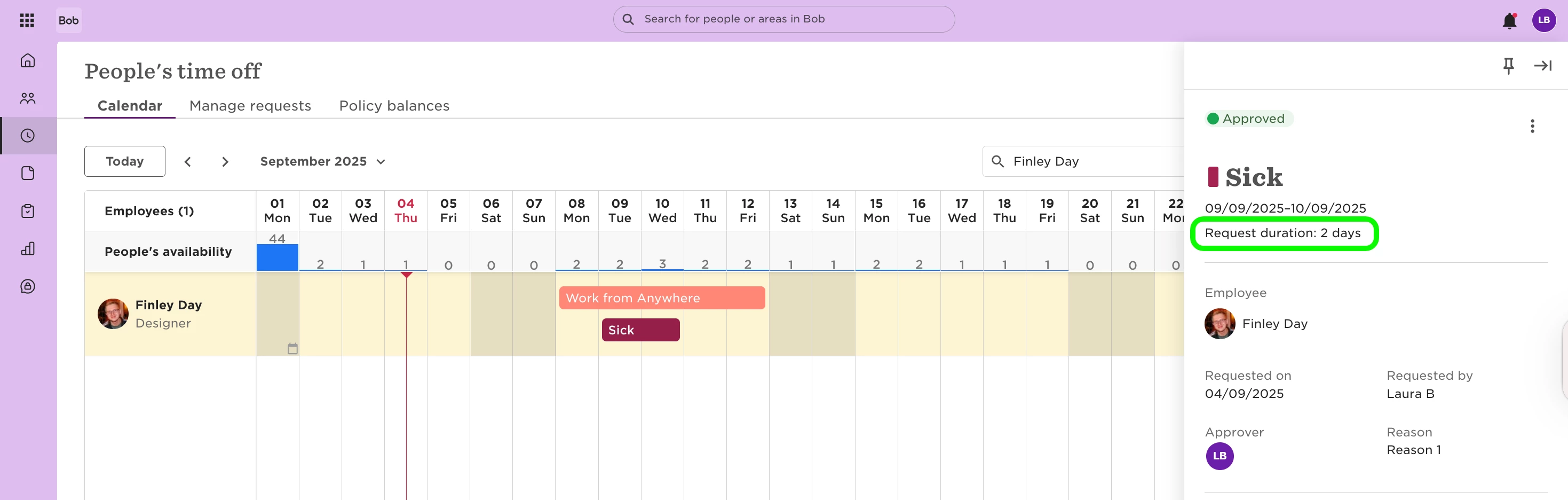
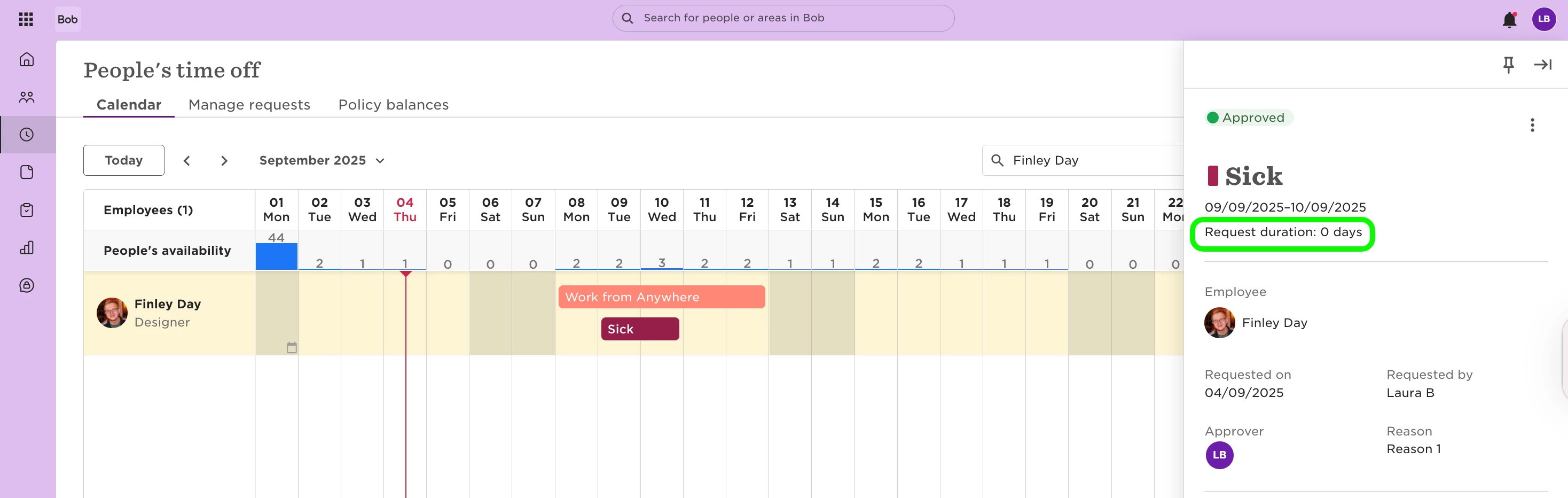
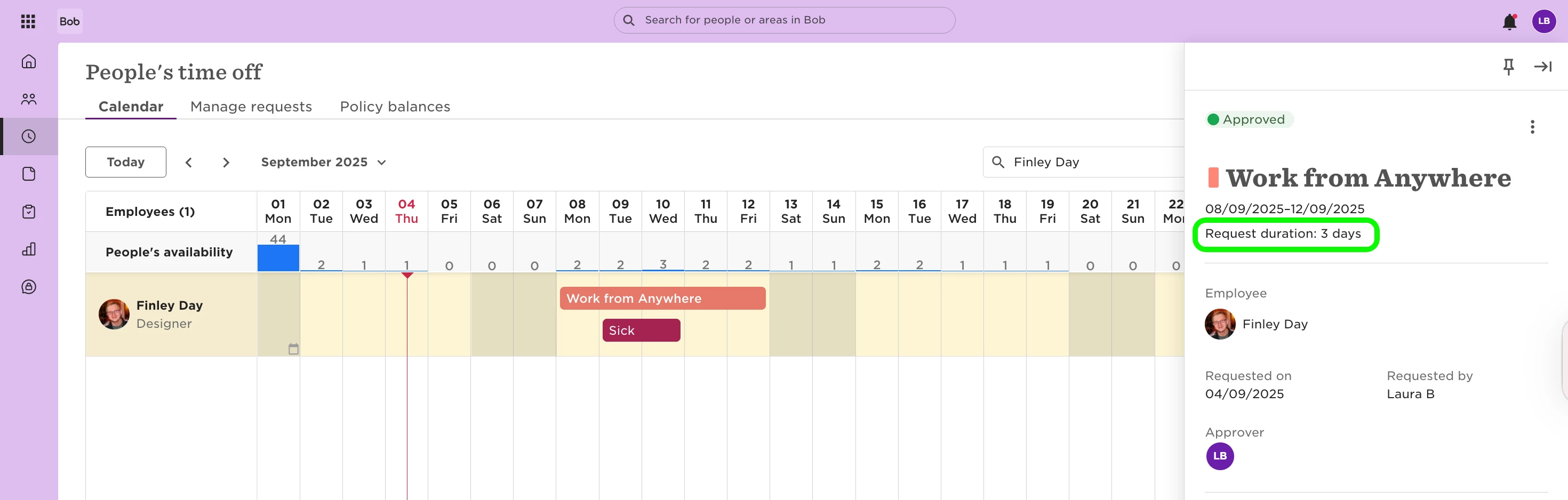
When a person has two different time off policies covering the same date, like a location-based policy and a leave policy. In that case you might see that no days are deducted, even though the request looks correct in the system.
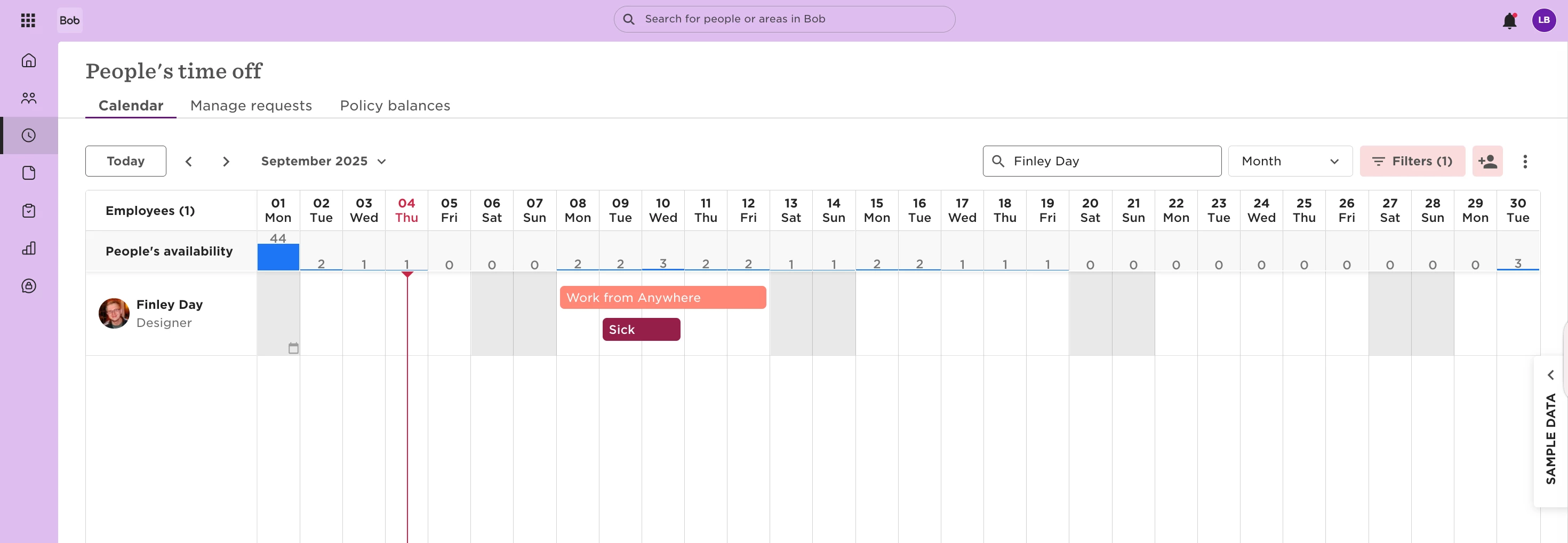
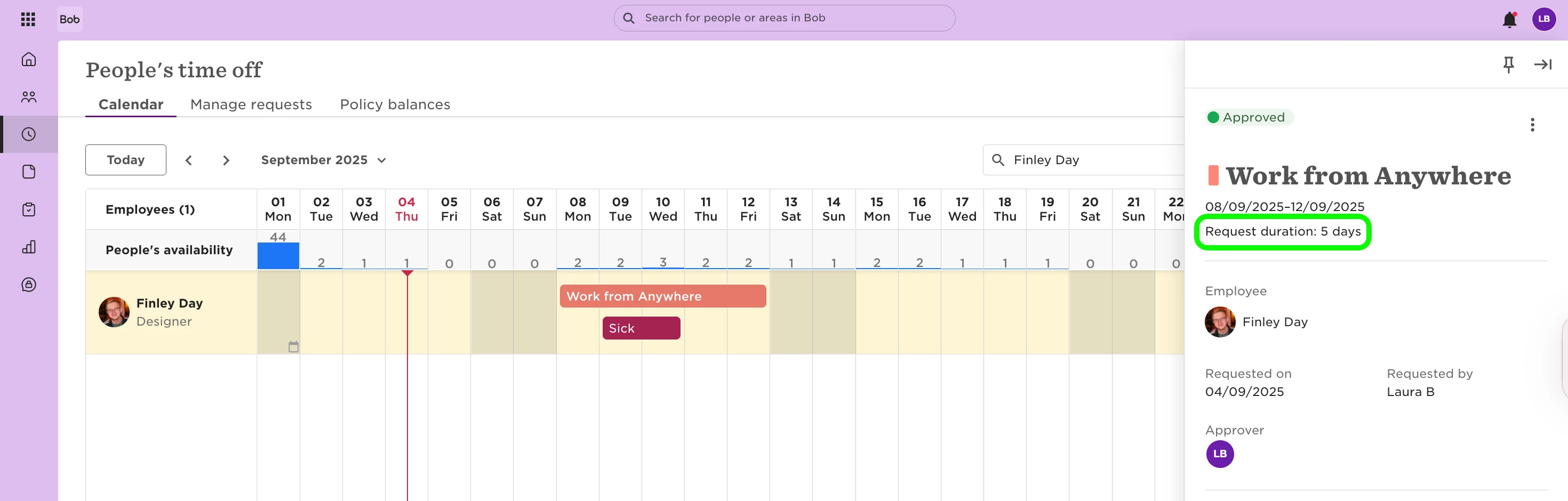
This is expected behavior in Bob. When two requests

overlap, Bob only deducts days from one policy to avoid double-counting. By default, the deduction applies to the most recently entered request.
 

If you want the deduction to apply to a specific policy:

  1. Delete both time off requests.

  2. Re-enter the policy that should not deduct days first.

  3. Then submit the policy that should deduct days.

This order ensures the deduction applies where you want it.
 

If you have any questions or still unsure let us know, we’re happy to help.

 

2 replies

Hello! 

I have cases where there is no overlap between 2 policies but the HiBob system still counts the entry as zero. Any idea why?


Omri Negbi
Bobber
  • Bobber
  • December 18, 2025

Hi ​@Stephanie Njerenga,

A time off request in HiBob may show as zero days for several reasons:

  1. Partial Days or Zero Hours: If your policy allows requesting different amounts of time off on consecutive days, employees can enter zero hours for specific days (for example, if they do not work on certain days during a vacation period). This is configured in the policy settings and can result in requests showing zero for those days.

  2. Cycle or Balance Issues: On the first day of a new cycle, there may be a delay in updating starting balances due to time zone differences. This can temporarily show zero or nearly zero balances until the system updates later in the day.

  3. Status of the Employee: If the employee is on Leave or Parental leave, it might show 0 days as well

If your scenario does not involve overlapping policies or partial-day requests, it may be a configuration or timing issue. If you continue to see unexpected zero-day requests, reviewing your policy settings or contacting support is recommended.