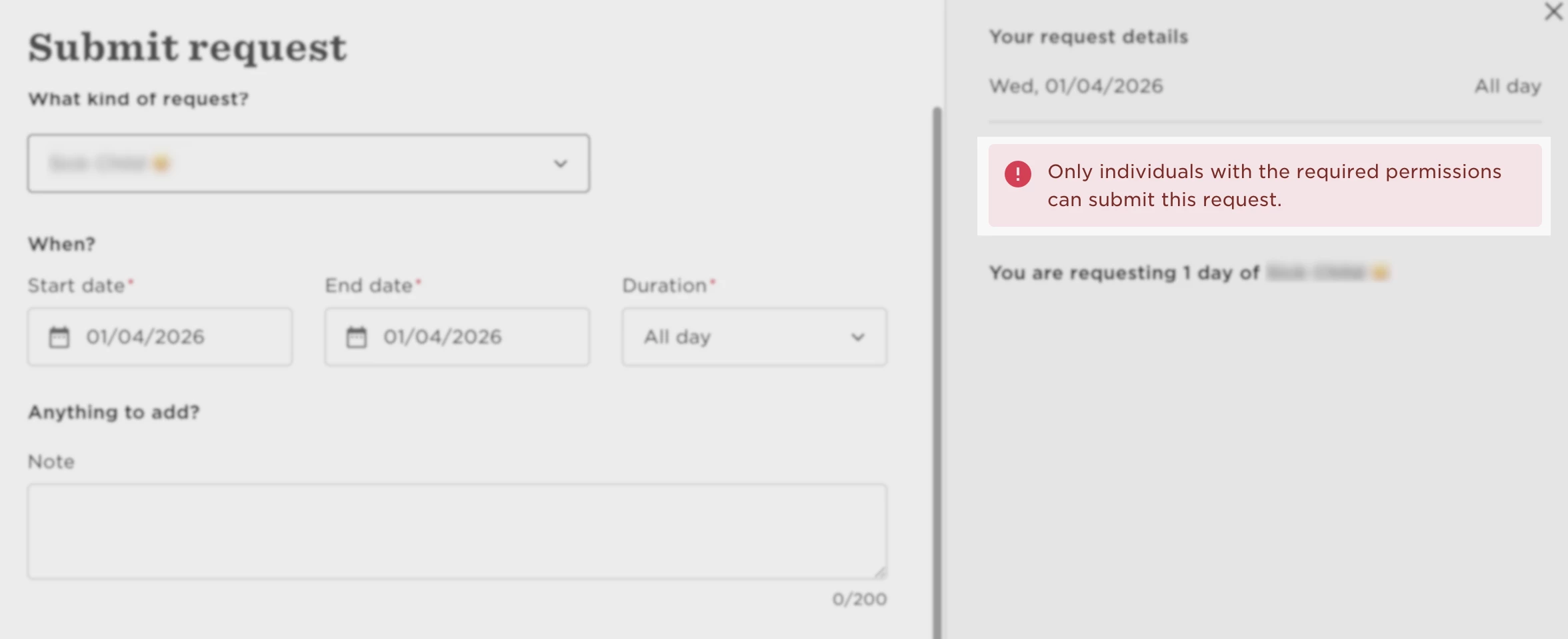
If employees see a permissions error when requesting time off, it usually means the policy is set to restrict self-service submissions.
When an employee tries to submit a request and gets the message “Only individuals with the required permissions can submit this request”, it typically means the time off policy is configured so employees can’t submit or modify requests themselves.
To allow employees to submit their own requests:
-
Go to Time > Time off settings > Policies
-
Select the relevant policy
-
Click Actions > Edit
-
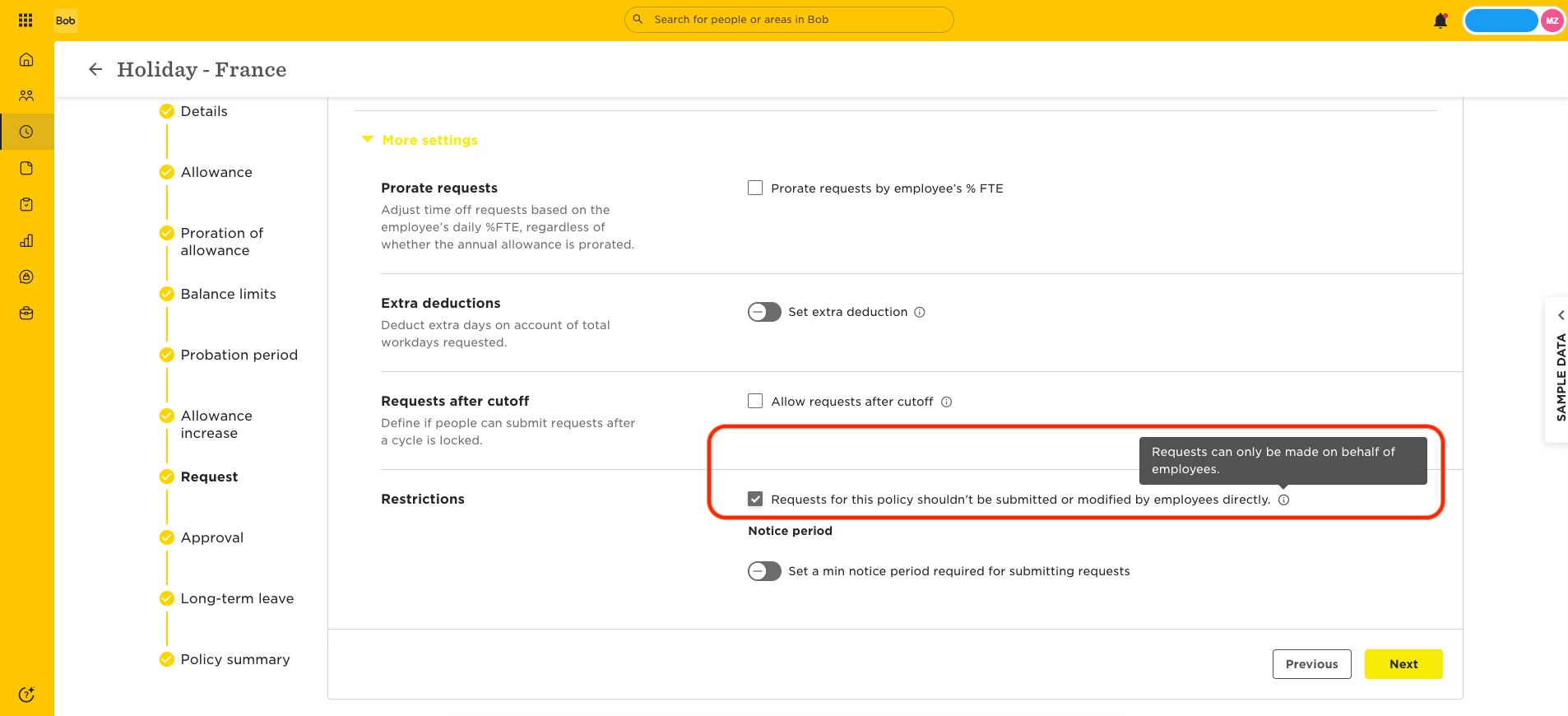
In the Request section, click More settings
-
Disable “Requests for this policy shouldn't be submitted or modified by employees directly”
Once this setting is turned off, employees will be able to submit their own time off requests.