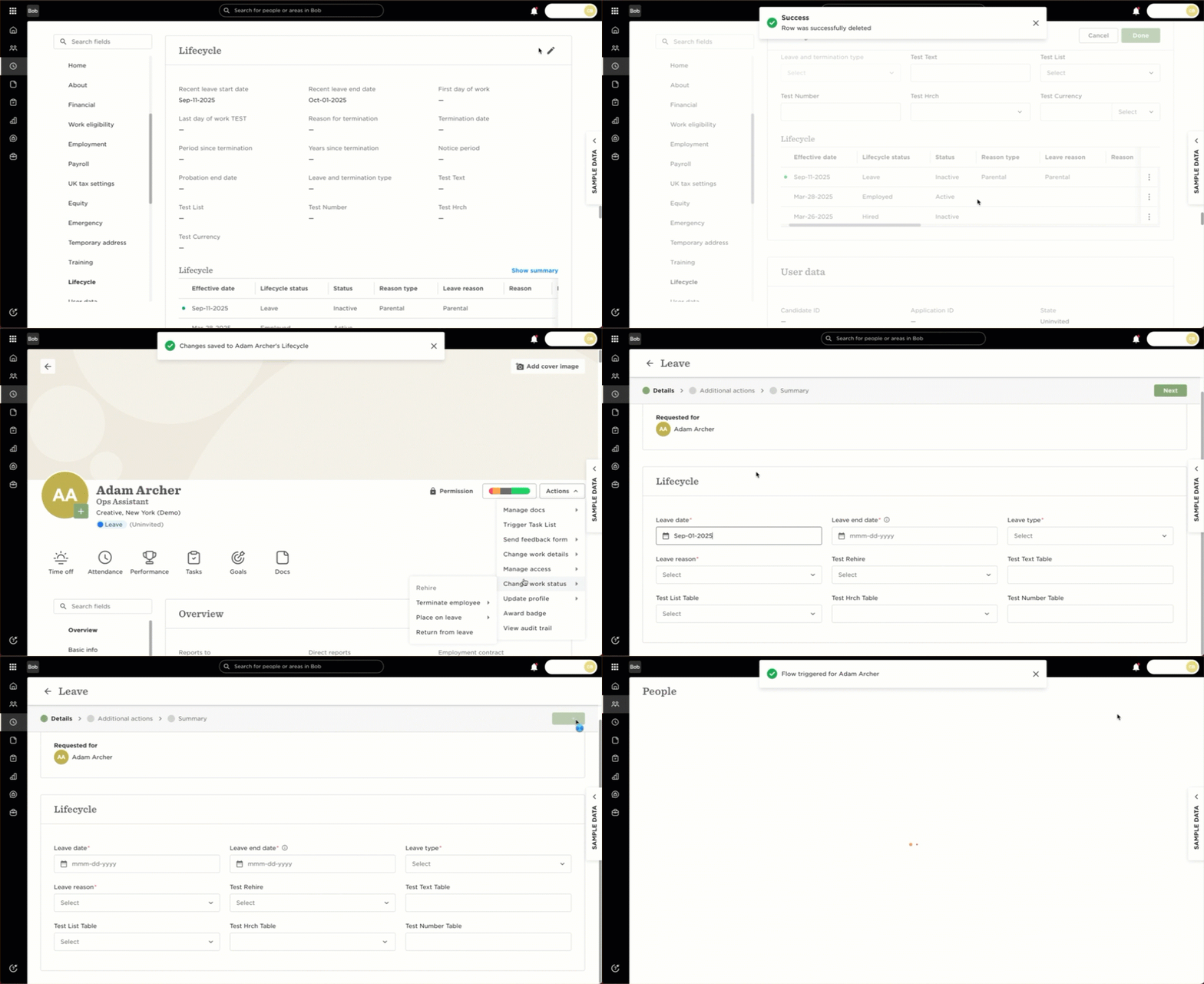
If time off can’t be submitted while an employee is on leave even though the policy settings indicate that this is allowed, it’s likely because the policy settings were updated after the leave was originally entered. Leave policy settings are applied at the moment the leave is submitted. They won’t retroactively update if the policy changes later.
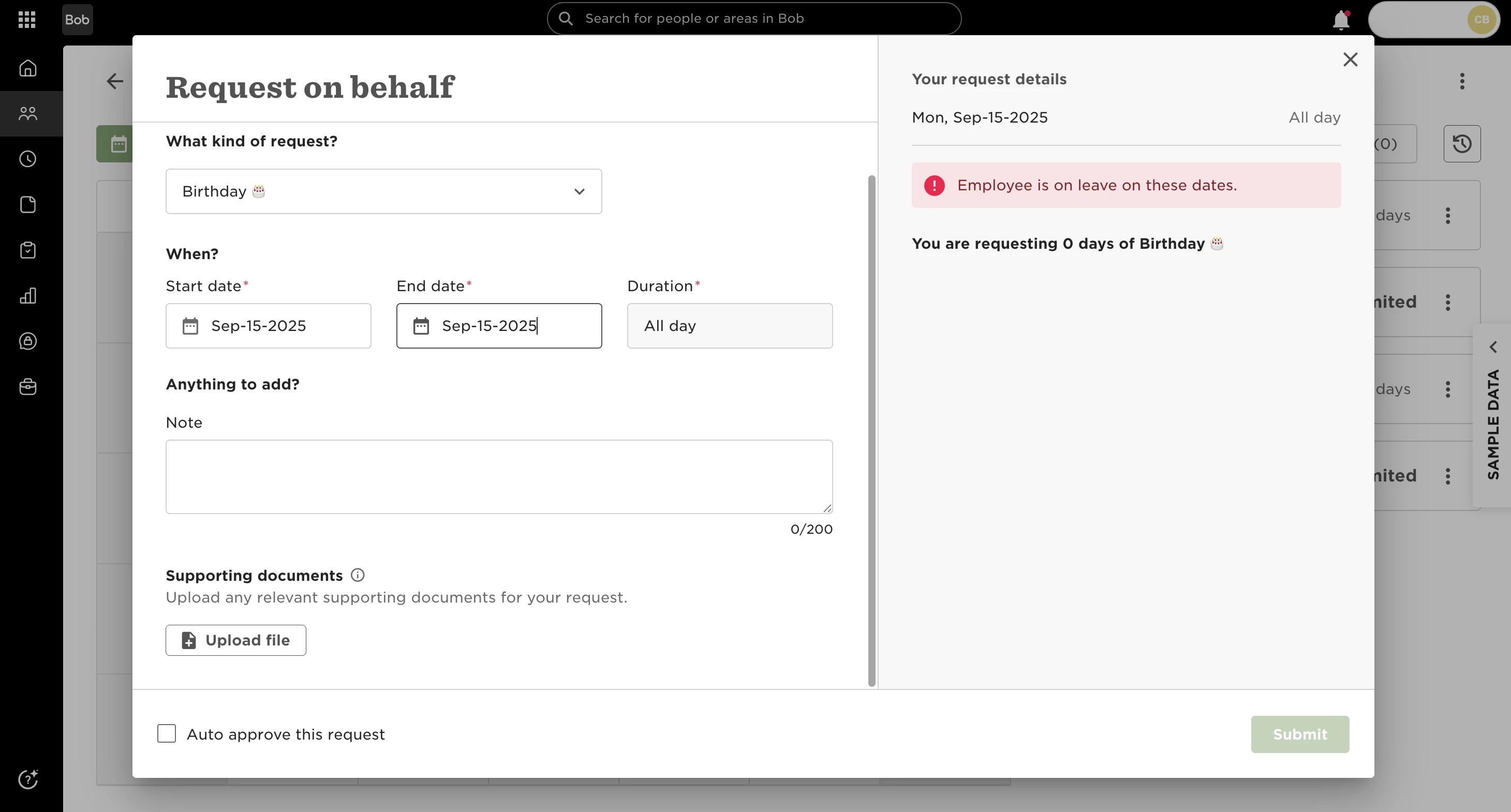
To align the employee’s leave with the latest policy configuration:
1. Go to the employee’s profile
2. In the Lifecycle table, remove the existing leave row
3. From the Actions menu, re-submit the leave using the Leave flow
This will reapply the updated policy settings and should allow time off requests to be submitted during the leave period.