

The difference between a "Policy" and a "Policy Type"

  • Feb 19, 2024 11:11 AM UTC
  • Oct 8, 2025 6:21 AM UTC
  • 3 replies
  • 319 views
  • Translate All

Policy Types act like umbrellas, grouping policies that serve the same purpose like holidays, sickness, or parental leave.

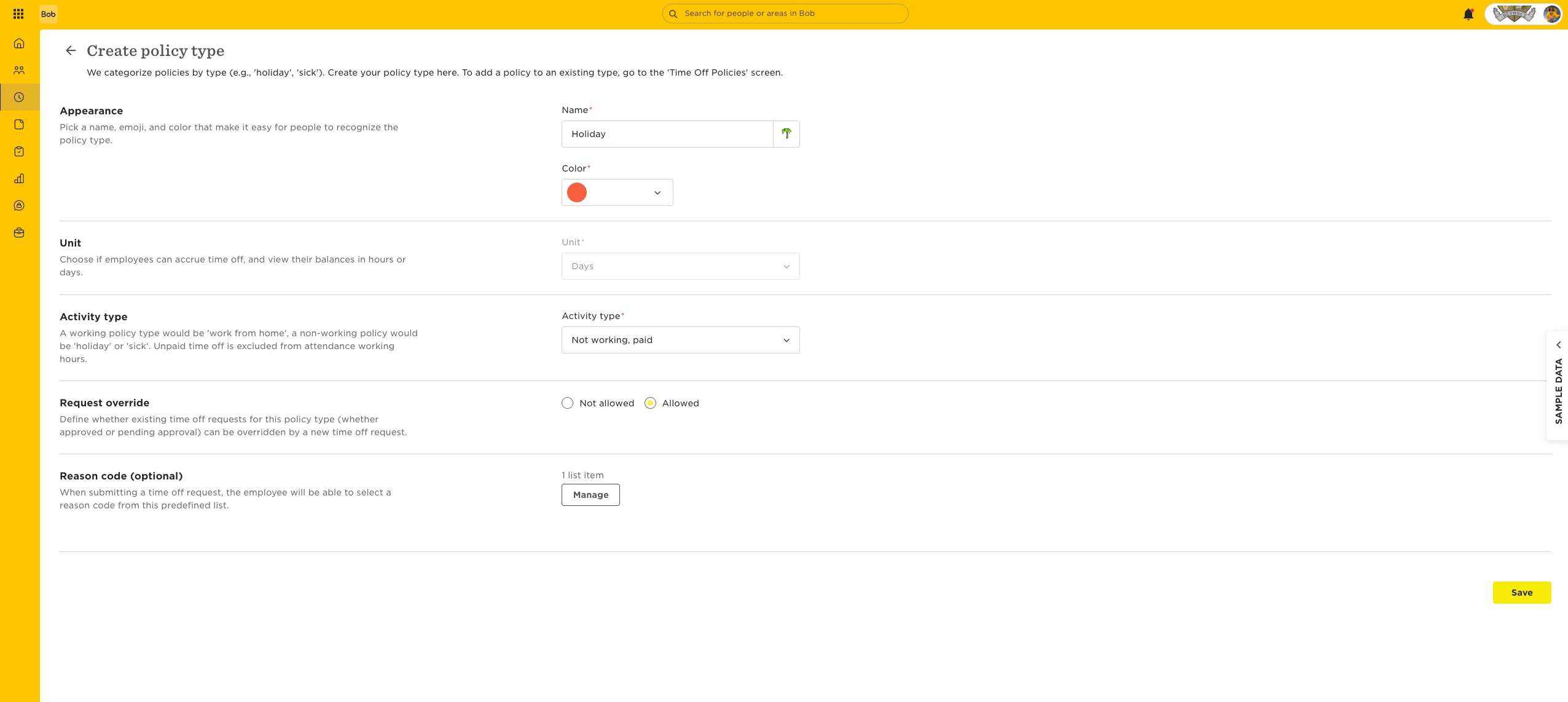
Each Policy Type has its own settings that apply to all policies under it:

  • Time unit: daily or hourly

  • Whether the time counts as working or non-working

  • Whether the time is paid or unpaid

Each individual policy then adds its own settings on top.

Employees can only be assigned to one policy per Policy Type at a time. This means:

  • Assigning a new policy under the same Policy Type will replace the previous one.

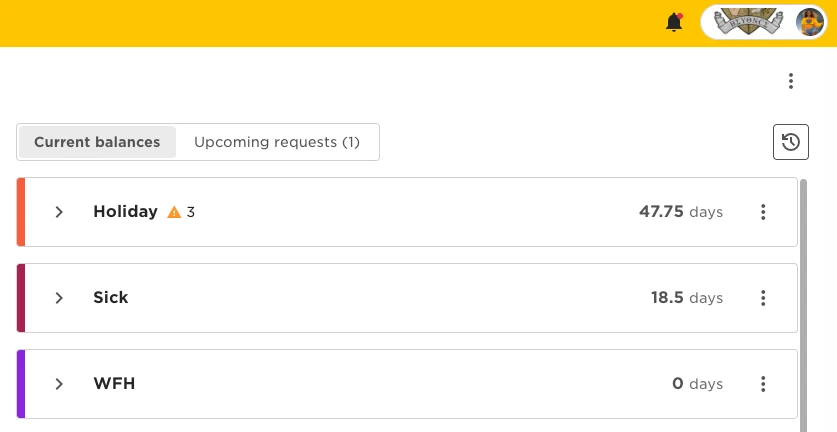
  • Policies from different Policy Types run in parallel.

You can create as many policies as you need under each Policy Type.

For example, a "Holiday" Policy Type might include different policies for the US, UK, part-time employees, and more.

In some cases, you may need separate Policy Types for similar purposes, like one for paid parental leave and another for unpaid parental leave, or one for holiday in hours and another for holiday in days.


Examples from the product:

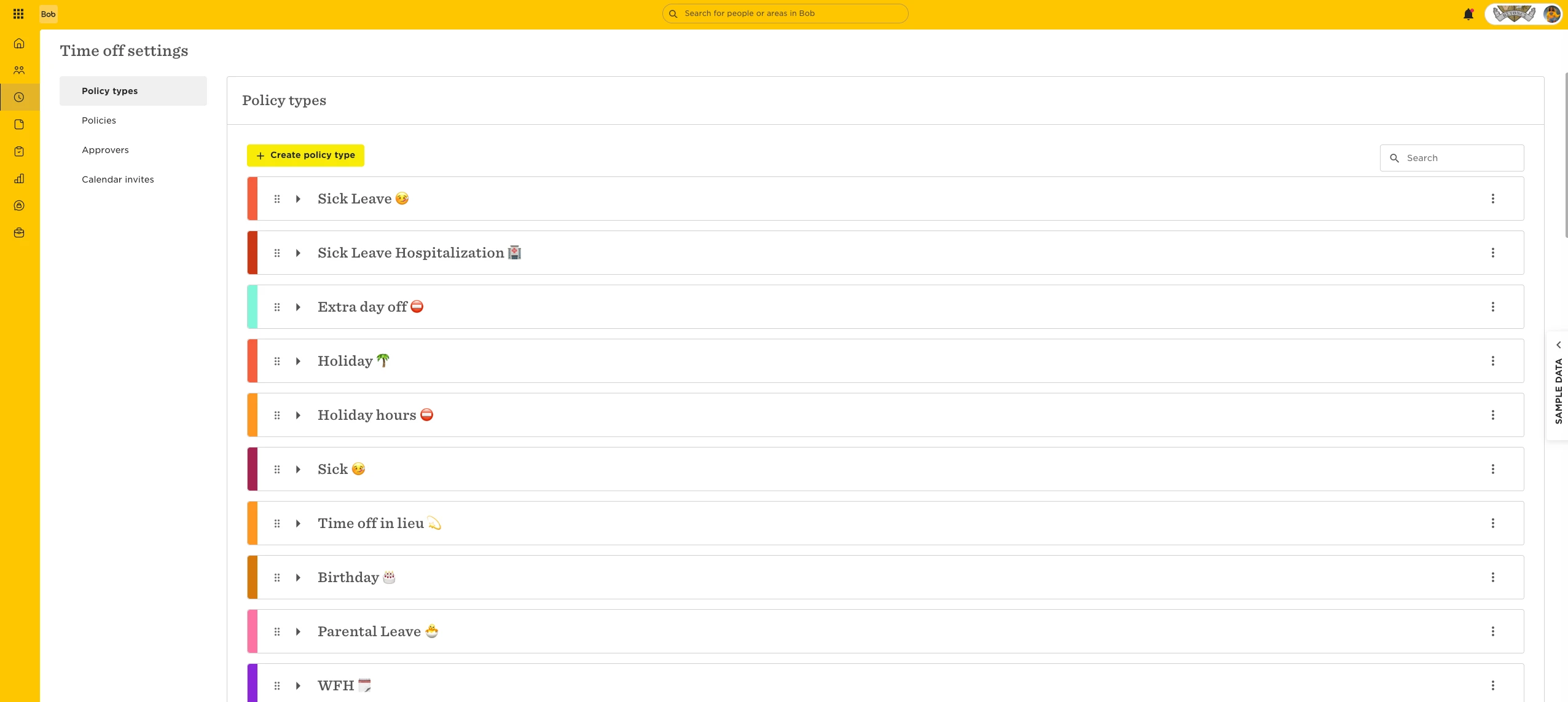
'Policy Types' page:
Policy Type's settings:


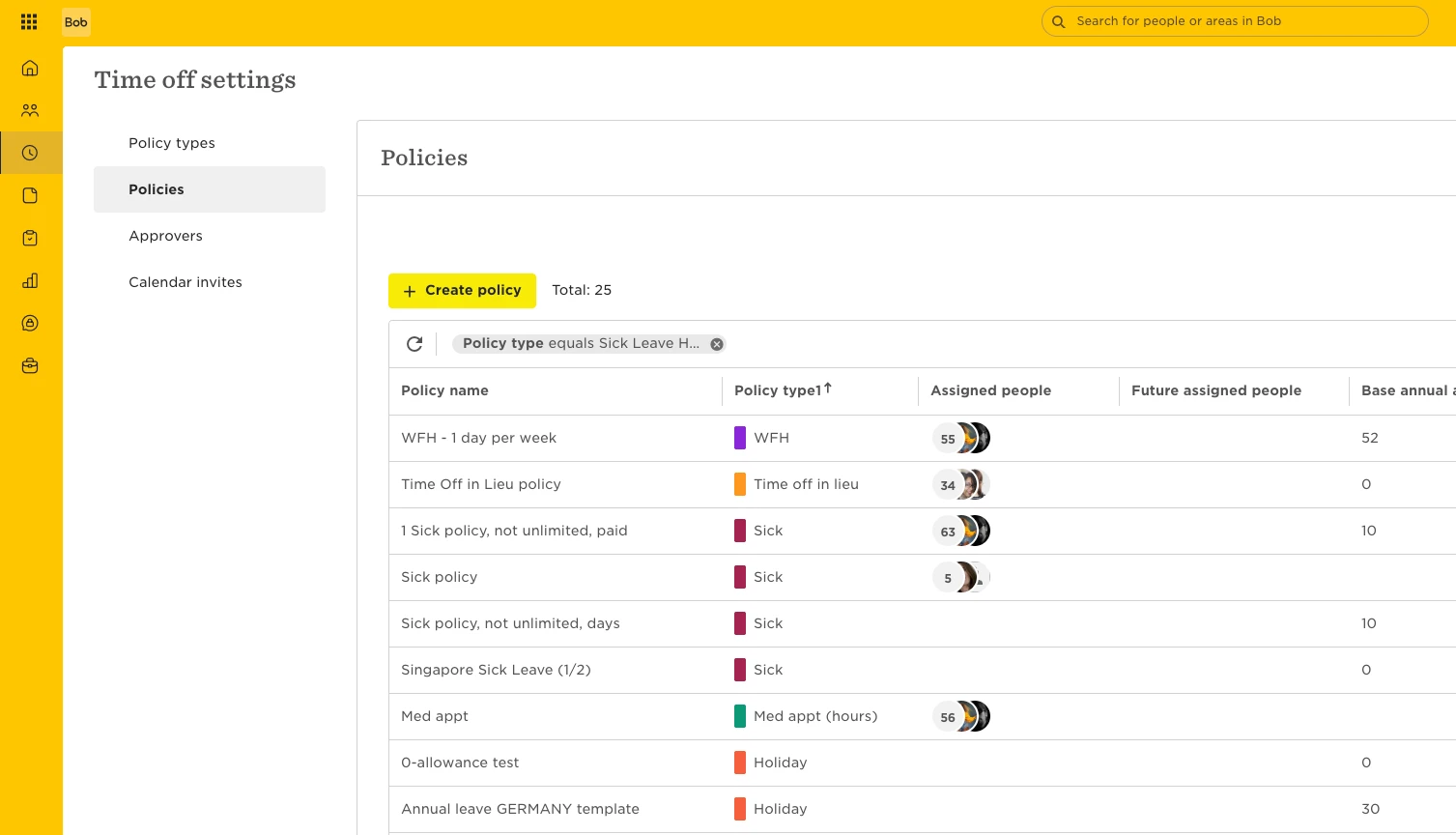
'Policies' page:


Policy Types' balances on 'My Time Off' page
 

3 replies

Irina Tarasiuc

Hi,

This is very confusing. I have Paid leave policy type, already have one Paid leave policy under it, that works. I need to create another slightly different Paid leave policy. So according to the guide, I should create it under the Paid leave policy type, since “Policy Types act like umbrellas, grouping policies that serve the same purpose like holidays, sickness, or parental leave” and “You can create as many policies as you need under each Policy Type.” 

But at the same time “Employees can only be assigned to one policy per Policy Type at a time. This means: Assigning a new policy under the same Policy Type will replace the previous one.”

I need both Paid leave policies to run in parallel, and replacing the policy I already have would be a huge mistake. So does it mean I have to create another Policy type for Paid leave in this case? And if so, do Paid leave policy types really work as umbrellas? Or I don’t understand the guide? 😞

Thank you

Translate

  • Author
  • Bobber
  • Dec 30, 2025 2:53 PM UTC

Hi,

This is very confusing. I have Paid leave policy type, already have one Paid leave policy under it, that works. I need to create another slightly different Paid leave policy. So according to the guide, I should create it under the Paid leave policy type, since “Policy Types act like umbrellas, grouping policies that serve the same purpose like holidays, sickness, or parental leave” and “You can create as many policies as you need under each Policy Type.” 

But at the same time “Employees can only be assigned to one policy per Policy Type at a time. This means: Assigning a new policy under the same Policy Type will replace the previous one.”

I need both Paid leave policies to run in parallel, and replacing the policy I already have would be a huge mistake. So does it mean I have to create another Policy type for Paid leave in this case? And if so, do Paid leave policy types really work as umbrellas? Or I don’t understand the guide? 😞

Thank you


Hi Irina,

If both ‘Paid leave’ policies will need be assigned simultaneously to an employee, then they need to be under different Policy Types. You can, for example, create a ‘Paid leave 2’ policy type, then create the other slightly different ‘Paid leave’ policy under that, and assign it to the employee. The employee will see both ‘Paid leave’ and ‘Paid leave 2’ Policy Types to use on their My Time Off page. 

Translate

  • Apr 2, 2026 10:04 PM UTC

This is such a clunky design. It makes the set up so unnecessarily confusing and complex. 

Translate