

You may see the error “Balance adjustments are not supported for policies without balance tracking” when trying to manually adjust an employee’s time off balance.
This happens when the employee is assigned to an unlimited time off policy where the balance isn't tracked. Since there is no closing balance for this kind of policy, manual balance adjustments are not supported.
Instead, you can ‘Adjust the time used’.
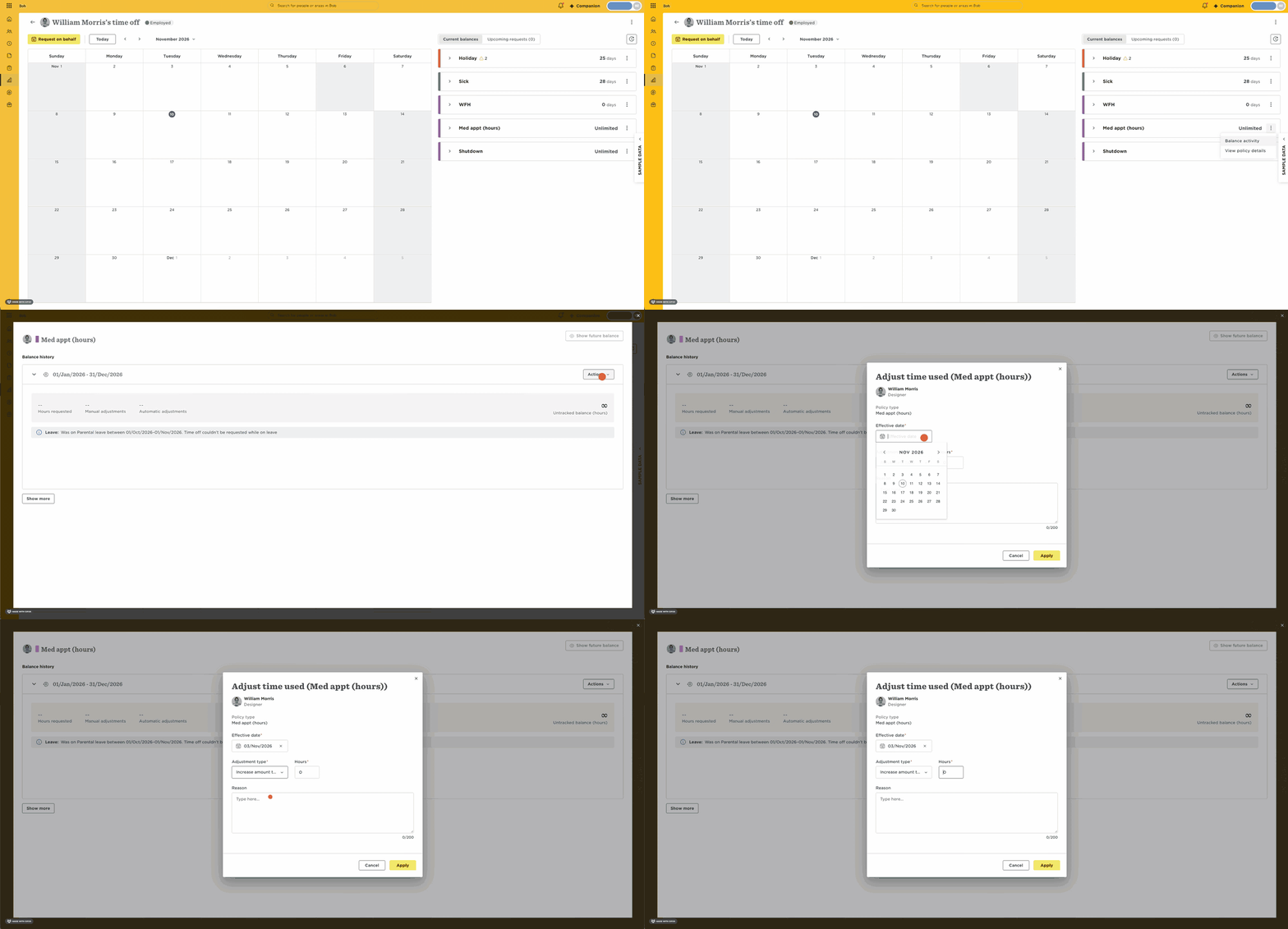
- Go to the employee’s profile > Time Off
- Next to the unlimited policy, click on the three-dot menu > Balance activity
- On the relevant cycle, click on Actions > Adjust time used
You can also do it in bulk:
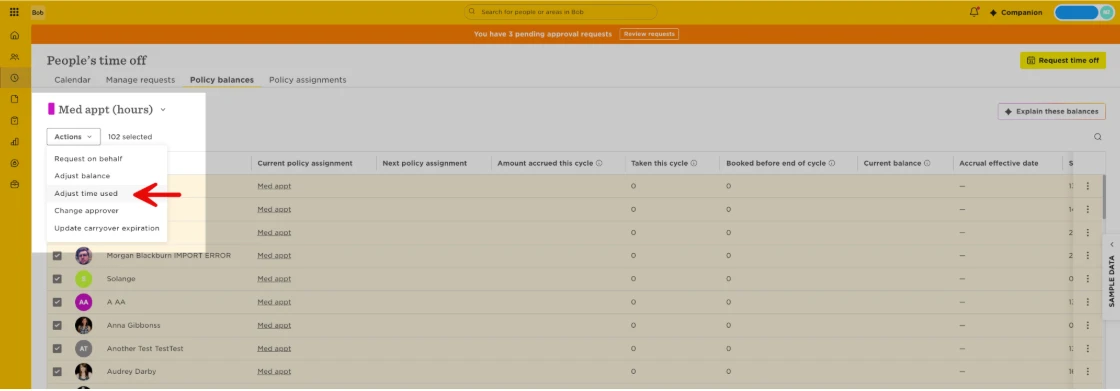
- Go to Time >‘People’s Time Off’ > ‘Policy balances’
- Select the policy type from the dropdown
- Select all relevant employees > Actions > Adjust time used
Pro-tips:
- If the employee isn't currently assigned to an unlimited policy, you can check their previous policy assignments using the Policy assignments summary report.
- You can change the manual adjusment’s effective date to fall within the period when the employee is assigned to a policy that is not unlimited.