


If your company follows a 9-day fortnight work schedule, you can set this up in Bob by creating two bi-weekly working patterns: one at 100% (full-time) and one at 90% (the 9-day pattern).
Start by creating your working patterns:
1. Go to Settings > Company > Working Patterns.
2. Create a bi-weekly pattern that reflects a full-time schedule (this will represent 100% FTE).
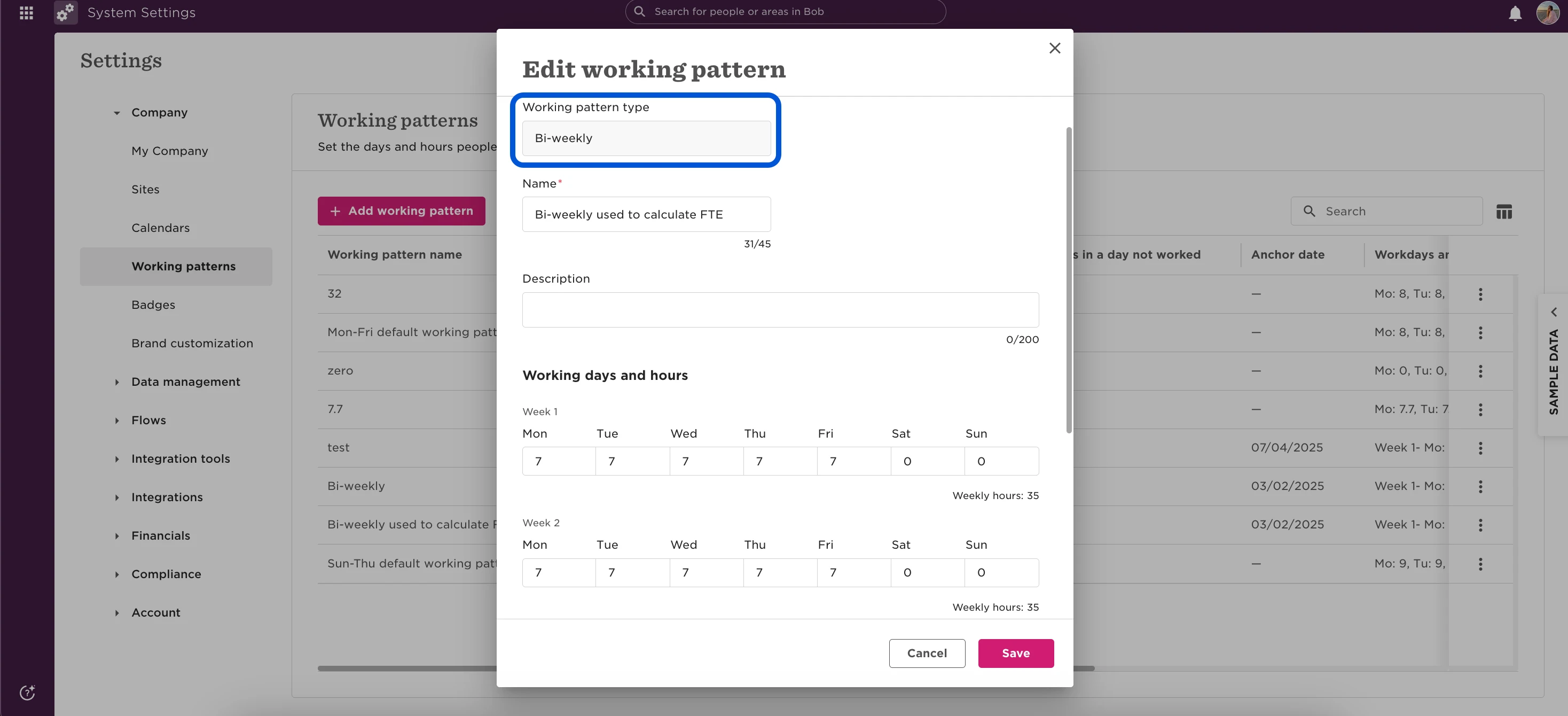
3. Create a second bi-weekly pattern that reflects the 9-day fortnight (for example, one Friday off every two weeks)
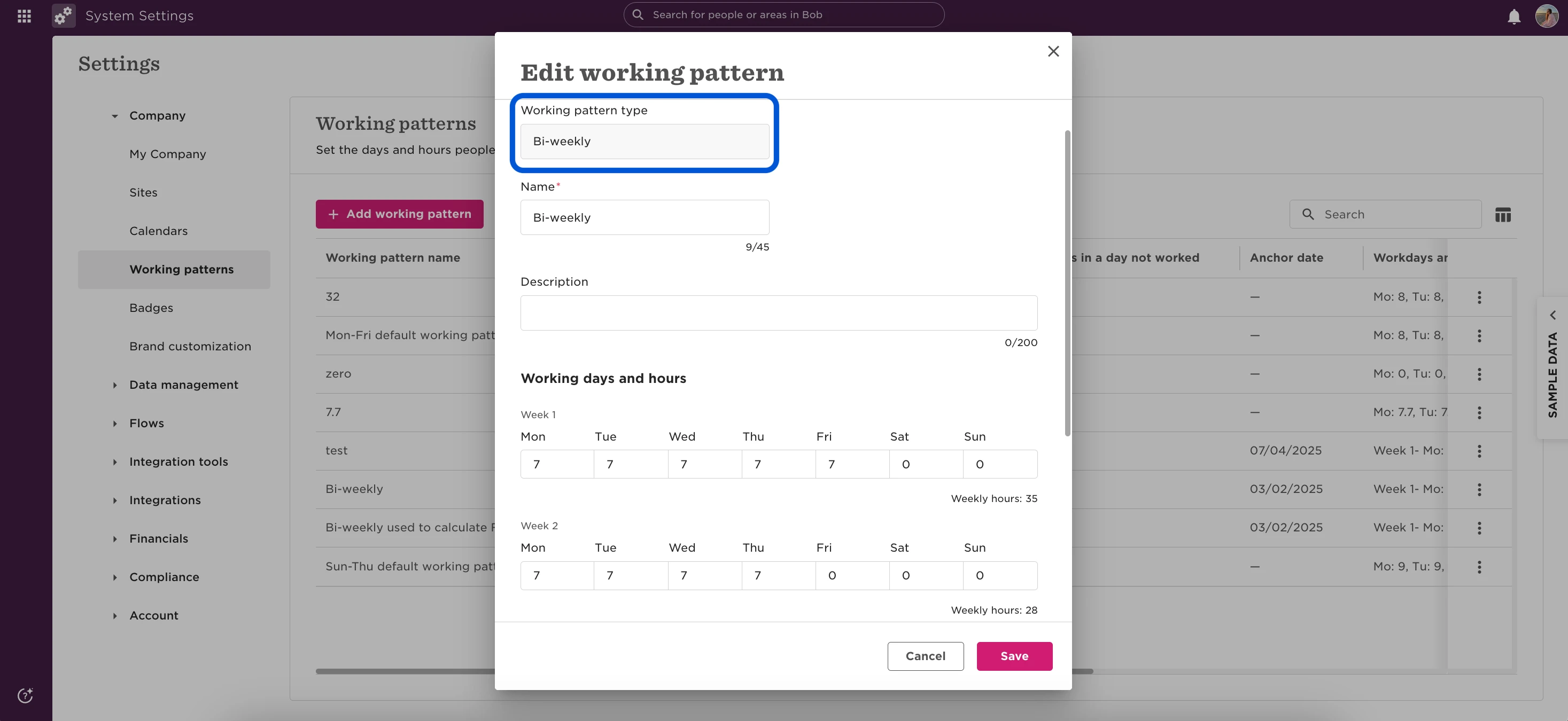
Once both patterns exist, assign them to employees:
1. Go to the employee’s Employment table.
2. Click Edit current row.
- Select Adjust for part-time or different hours.
-Under Full-time working pattern, choose the 100% FTE pattern.
-Under Personal working pattern, select From library > 9 day fortnight.
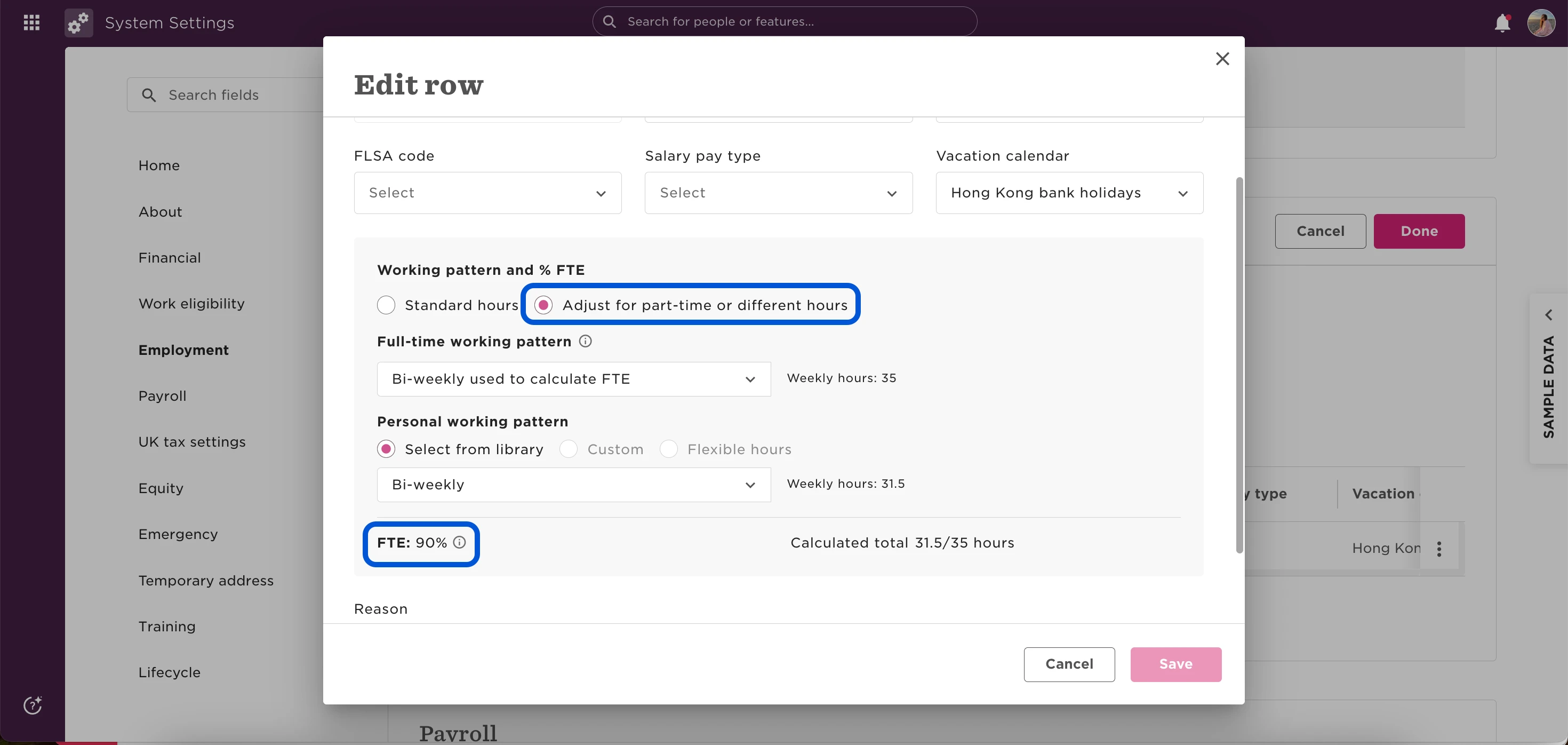
That’s it! Bob will now calculate the correct FTE based on the employee’s 9-day fortnight schedule.