
With monthly time off policies, each month is treated as a separate cycle. Once a cycle reaches its cutoff date, it locks and its balance can no longer be updated.
If a time off request is approved after the cycle it belongs to has locked, the request is still recorded, but the balance for that locked cycle isn't updated automatically. To keep balances accurate, you may need to adjust the employee's starting balance in an open cycle.
You can use the Approved requests summary report to identify these retroactive approvals.
- Go to Analytics > Reports.
- Create or open an Approved requests summary report.
- Select Advanced filters.
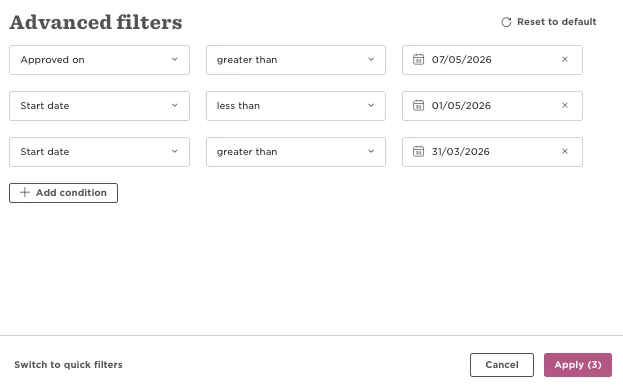
- Configure the filters using the previous monthly cycle:
- Approved on greater than the previous cycle's cutoff date.
- Start date greater than the day before the previous cycle starts.
- Start date less than the day after the previous cycle ends.
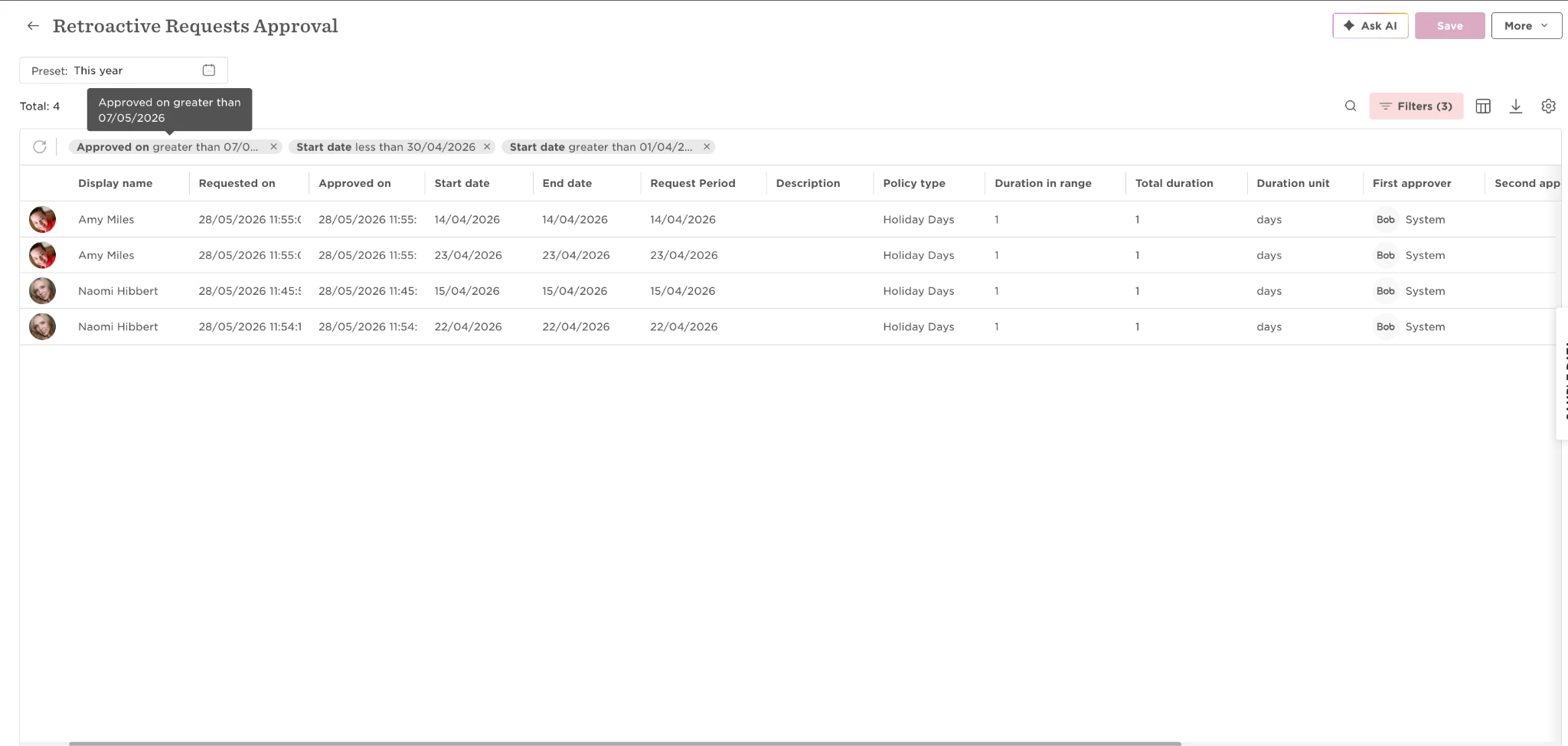
- Run the report and review any requests that may require a manual balance adjustment.
Example
If your cycle:
- Runs from April 1–30
- Has a 7-day cutoff period
The April cycle locks on May 7.
Because the report only supports greater than and less than operators, use these filters to include the entire April cycle:
- Approved on > 07/05/2026
- Start date > 31/03/2026
- Start date < 01/05/2026
The report returns requests for leave taken during April that were approved after the April cycle locked.
Note: Don't filter by Status = Active. Doing so may exclude terminated employees whose retroactive approvals may also require a manual balance adjustment.