
Learn how to safely unassign a half-day time off policy from employees while preventing negative balances and removing the policy from attendance reporting.
When a time off policy is unassigned during an active cycle, Bob recalculates the employee's entitlement based on the shortened assignment period. If employees have existing approved or pending requests linked to that policy, those requests remain in place and can cause balances to become negative after the policy is unassigned.
To fully remove a policy and avoid balance discrepancies, follow the process below.
Review existing time off requests associated with the policy.
Go to Time > People's time off > Manage requests.
Filter requests by:
Policy
Employee (optional)
Date range (optional)
Identify any approved or pending requests related to the policy that will be unassigned.
Delete future requests linked to the policy.
Select the relevant requests.
Click Actions > Delete.
Enter a reason if required.
Confirm the deletion.
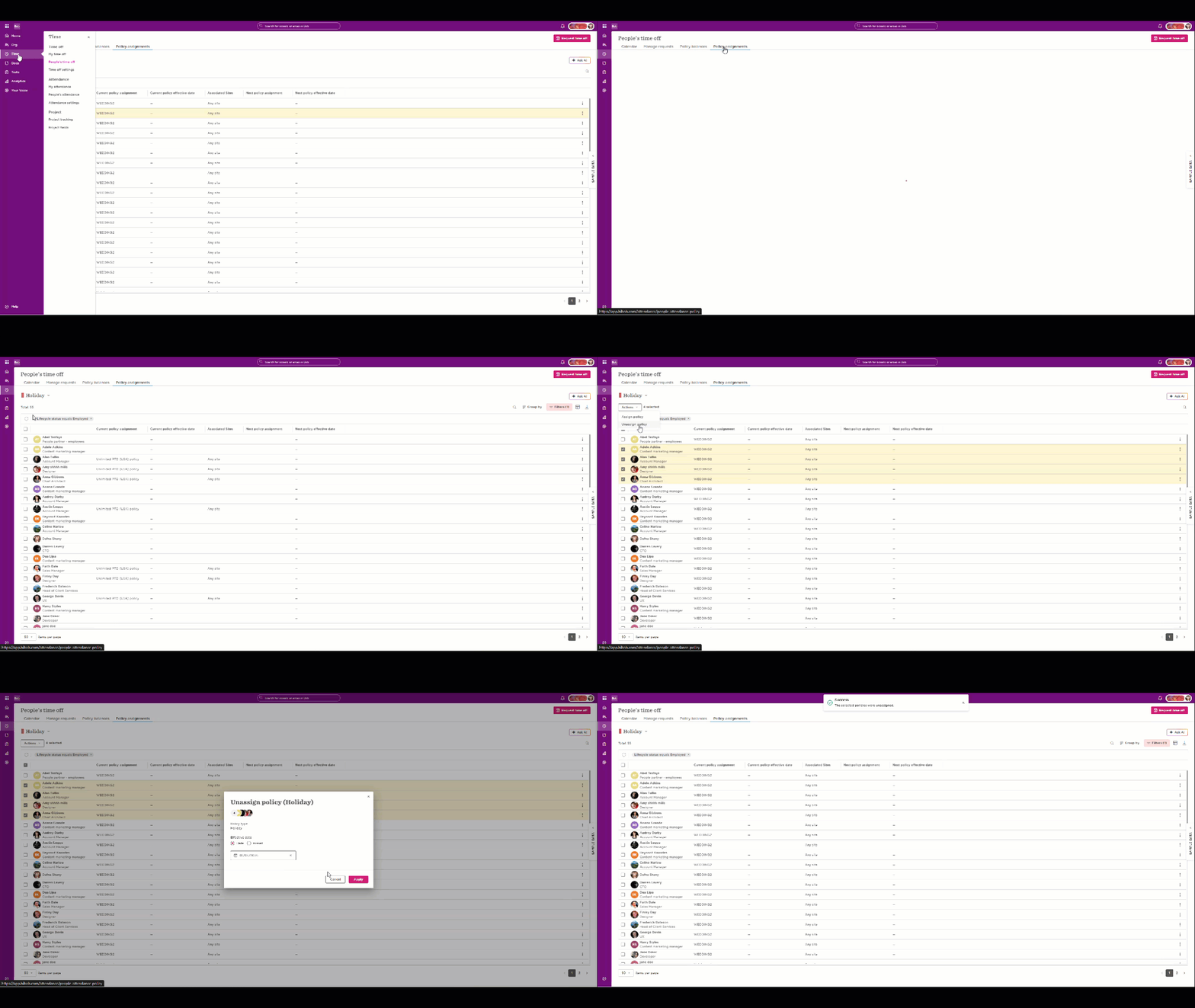
Unassign the policy from employees.
Go to Time off > Policy assignment.
Select the relevant policy.
Select the employees.
Click Actions > Unassign policy.
Set the effective date to the desired date (for example, 01/06/2026).
Click Apply.
This action can be completed in bulk for multiple employees.
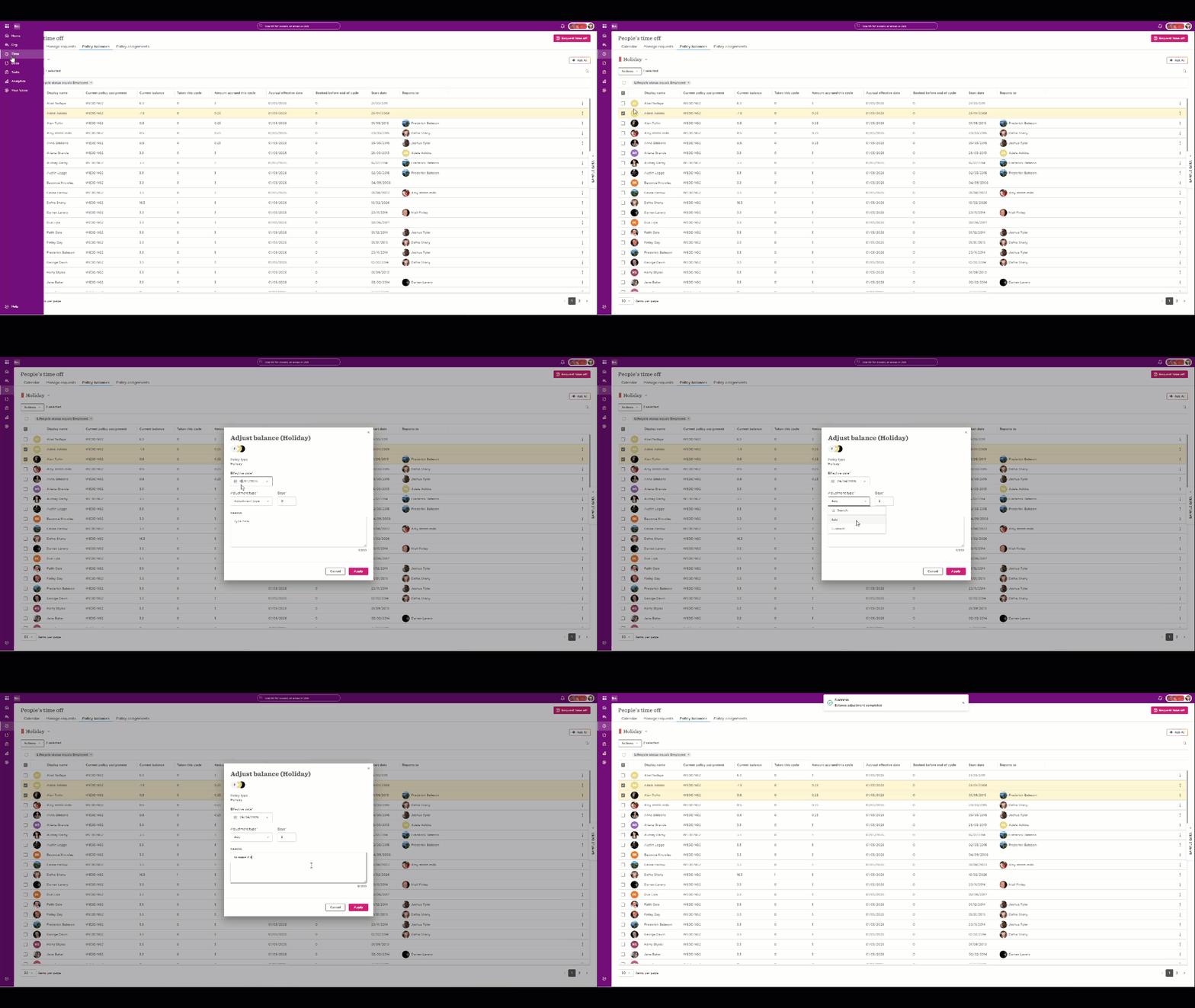
Review employee balances.
Go to Time off > Policy balances.
Select the relevant policy and employees.
Verify that balances are correct after the unassignment.
Adjust balances if required.
Select the affected employees.
Click Actions > Adjust balance.
Set the effective date to match the unassignment date.
Enter the required adjustment to bring balances to the desired value.
Click Apply.
*This action can also be completed in bulk.
Why balances may become negative
When an employee is unassigned from a policy before the end of the policy cycle:
The entitlement is recalculated based on the assignment period up to the unassignment date.
Existing approved or pending requests are not automatically removed.
Future requests linked to the policy continue to affect the balance unless they are deleted.
As a result, the remaining balance may appear negative after recalculation.
Attendance reporting
Once employees are unassigned from the policy and any required balance adjustments are completed, the policy will no longer appear as an active policy for those employees from the effective unassignment date onward.