In some cases, previous time off cycles will be shown as having reconstructed balances.
These cycles, shown in the screenshot below with the ⓘ symbol, were not calculated in Bob and only present a hypothetical balance—because starting to work with a new system will not actually calculate history that was never calculated in Bob.
As in the implementation phase, you can decide to assign employees from their start date (which in common cases may be back 5–7–10 years ago), this will not be an actual cycle.
The same logic happens even if you assign employees to a monthly policy retroactively, so you see reconstructed balances of a few months back.
What to do
The action required to close the gap is to update the balance on the current cycle.
You can do that in one of two ways:
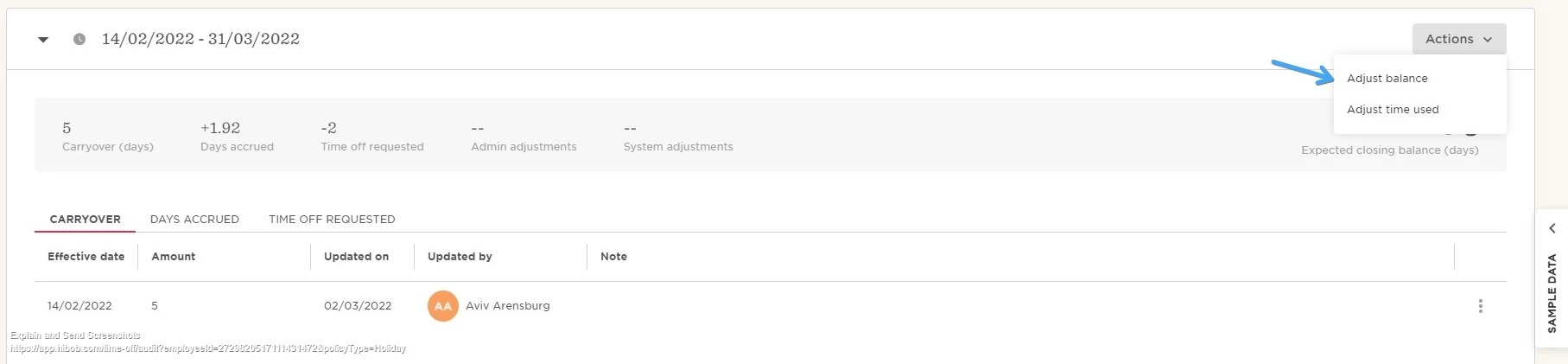
1. Perform an admin adjustment
On the current cycle, perform an admin adjustment (adding or subtracting balance) until you get the balance to reflect the real balance.
2. Use the "Update current balances" import
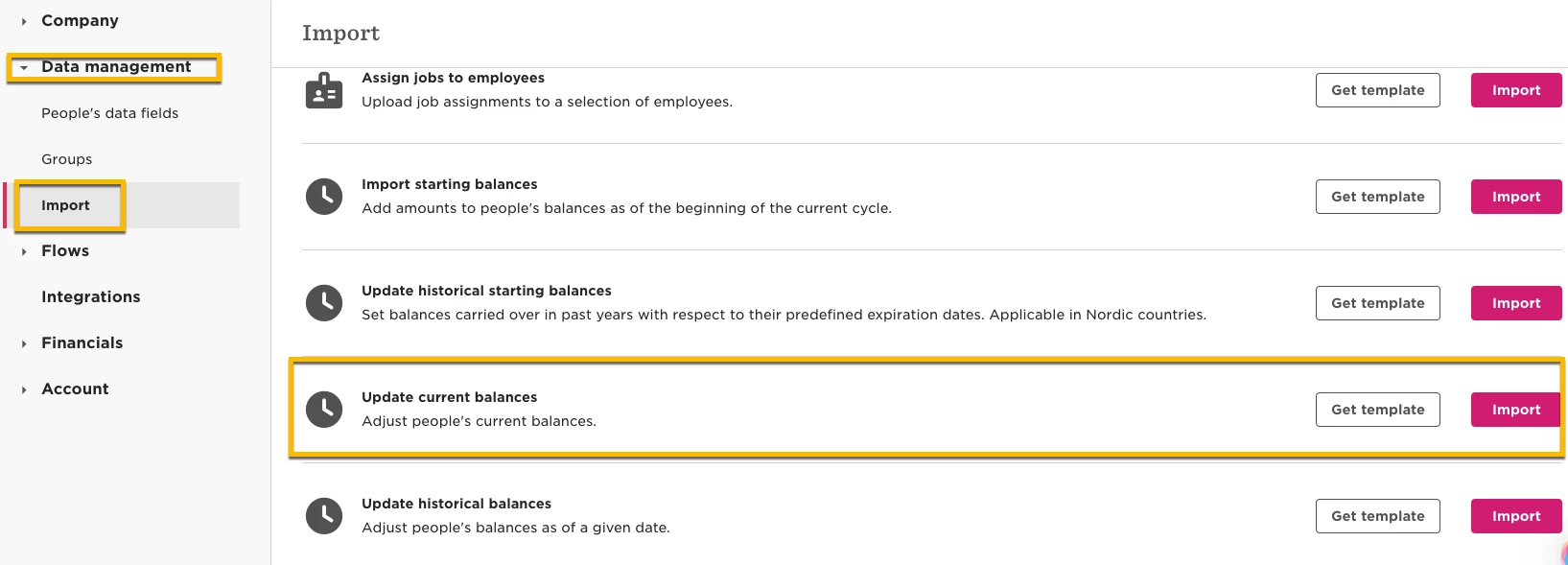
Perform an Update current balance via the import portal:
Go to Settings > Data Management > Import > Update current balances.
This reflects the starting balance as it should be, considering the days added or subtracted.