

Prorate Holiday Allowance for Fixed-Term Contracts

  • Aug 2, 2025 2:03 PM UTC
  • 2 replies
  • 199 views
  • Translate All

When managing holiday entitlement for employees on fixed-term contracts, if their termination date isn’t yet listed in their profile (e.g., pending renewal) - you can still ensure their time off allowance is correctly prorated.

How holiday proration works

In your Time Off policy setup, you can configure the system to:

  • Prorate allowance from the hire or assignment date

  • Prorate allowance up to the termination or unassignment date

However, if no end date is listed in the employee profile, the system won’t automatically trim their allowance. That’s where this workaround comes in.

Workaround: Manually unassign with a contract end date

To ensure the allowance reflects the actual contract duration:

  1. Go to Time > People’s Time Off > Policy balances

  2. Select the relevant Holiday policy

  3. Choose the Fixed-Term employee(s)

  4. Click Actions > Unassign Policy

  5. Set the effective date to match the contract end date
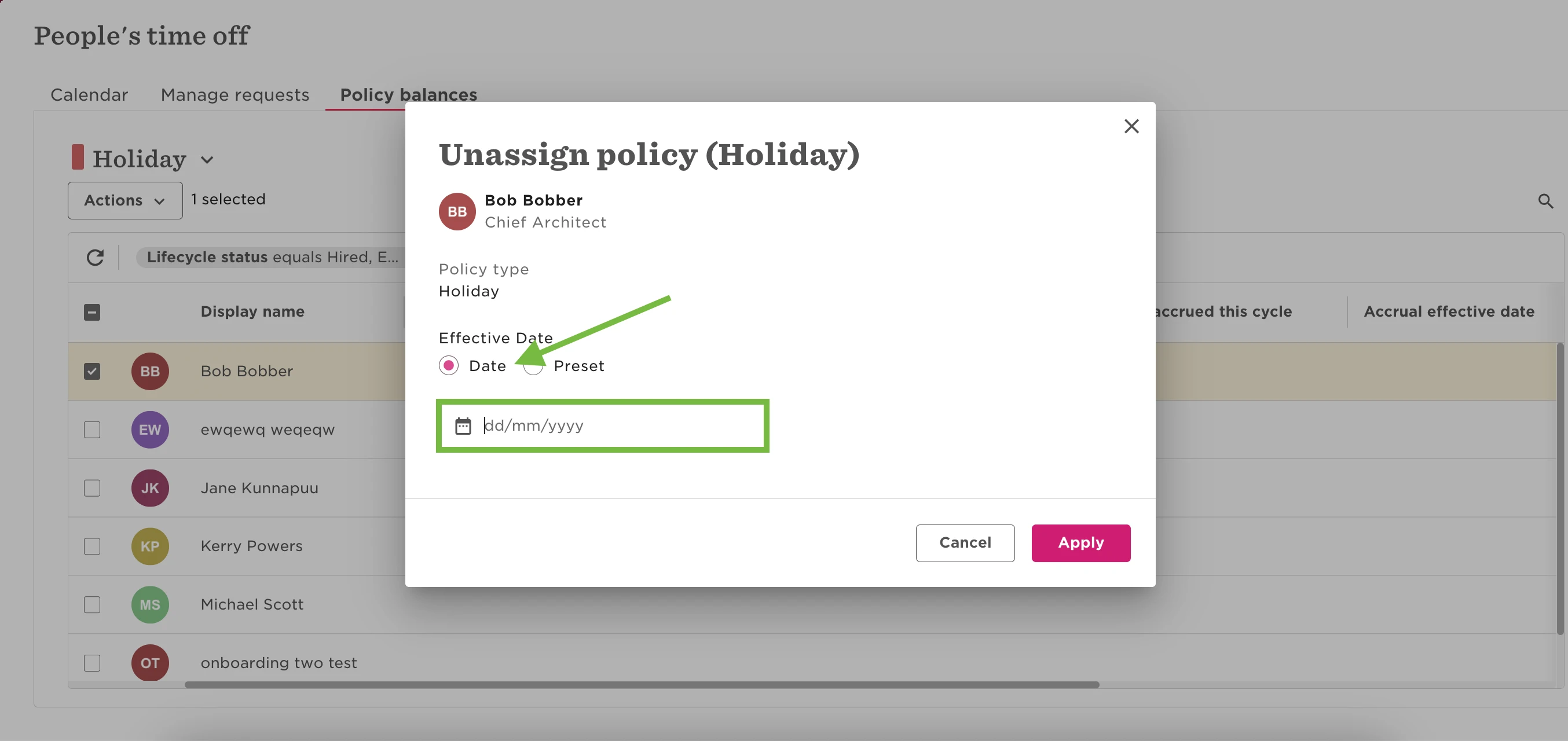
     

This will automatically prorate the balance based on the unassignment date.

Important setup tip

For this to work, make sure the following setting is enabled in your time off policy:

What happens on termination or when a policy is unassigned? → Prorate up to the termination or unassignment date
(Configured in Step 3: Proration of allowance during policy setup)
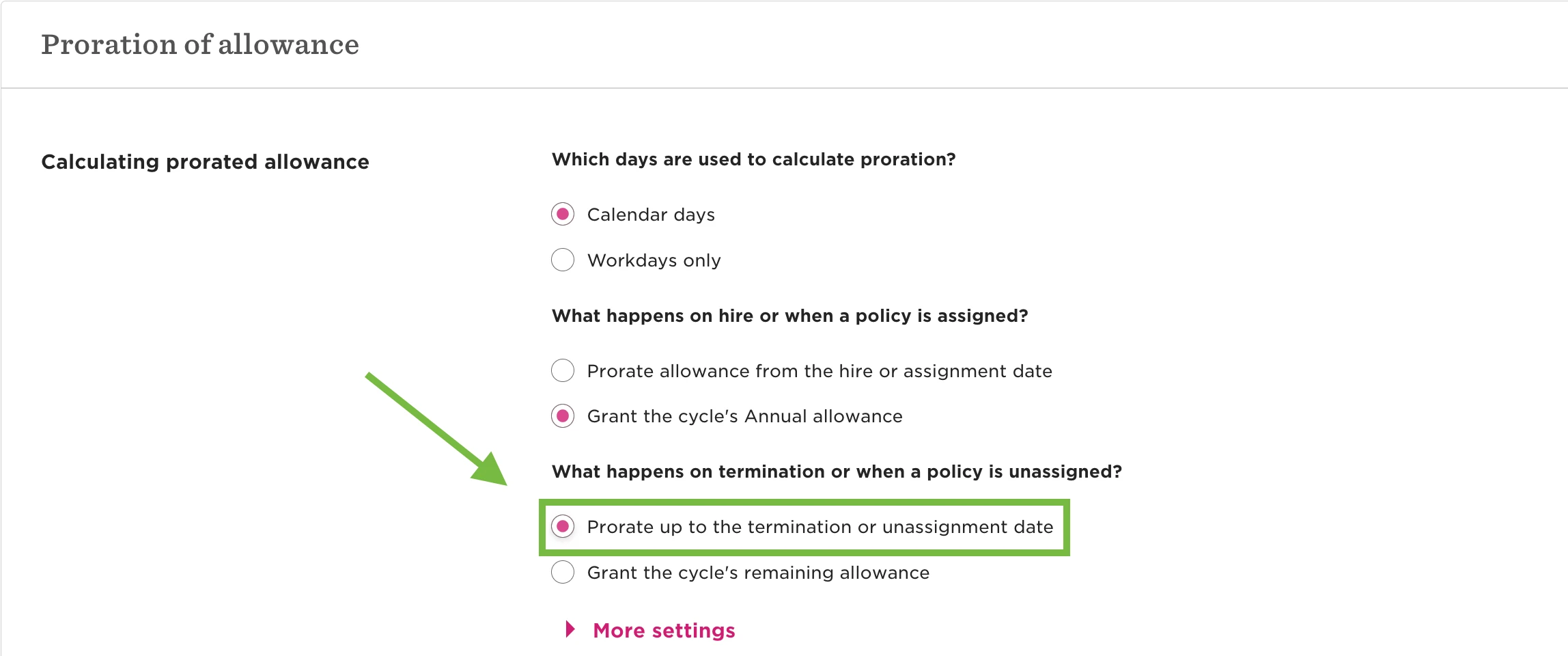
Without this, unassigning the policy won’t trigger the proration.

2 replies

This is great - thank you Jane. 


We often have individuals on FTCs who have their contract extended. At that point, I would want to change the date of unassignment for the policy. 

Currently, the only way I can work out how to do this is to :

  • unassign the whole policy as of the first date of the policy year I am currently in
  • reassign the policy as of the first date of the policy year I am currently in 
  • unassign the policy as of the updated end date of the FTC 

Is this the only way around this at the moment? I can’t seem to figure out a way to adjust the date that I originally picked to unassign the policy. I tried to ‘unassign’ again, but this just marked two ‘unassign’ dates in settings and holidays were still pro-rated until the first unassign date. 

If above workaround is the only way to do it then that is fine, but just wondered if anyone had found a less fiddly way? 

Translate

Jessica Lane
Bobber

Hi ​@Eilidh Bett 👋🏻

Yes, the steps you described is the best way to update the un-assignment date in this scenario. 


A separate workaround could be to trigger the termination flow for employees with fixed term contracts to ensure their termination date is in their profile.

The time off policy will then prorate the balance up to this date. 

(with this setting in the time off policy)


Should their termination date change due to an extension, the termination row can be easily deleted from the employees lifecycle table, and the termination flow can be triggered again to add the new end date.


This workaround would be using the termination date for proration, rather than making use of the un-assign step and date.

Translate