In order to allow employees (mostly HR dept, employees) to assign Time Off policies in the New Hire flow, make sure the employee is in a custom permission group with the following permissions turned on:
1. Permissions to the Directory + access to the New Hire wizard:
Settings > Account > Permission groups > Custom group > Features > People
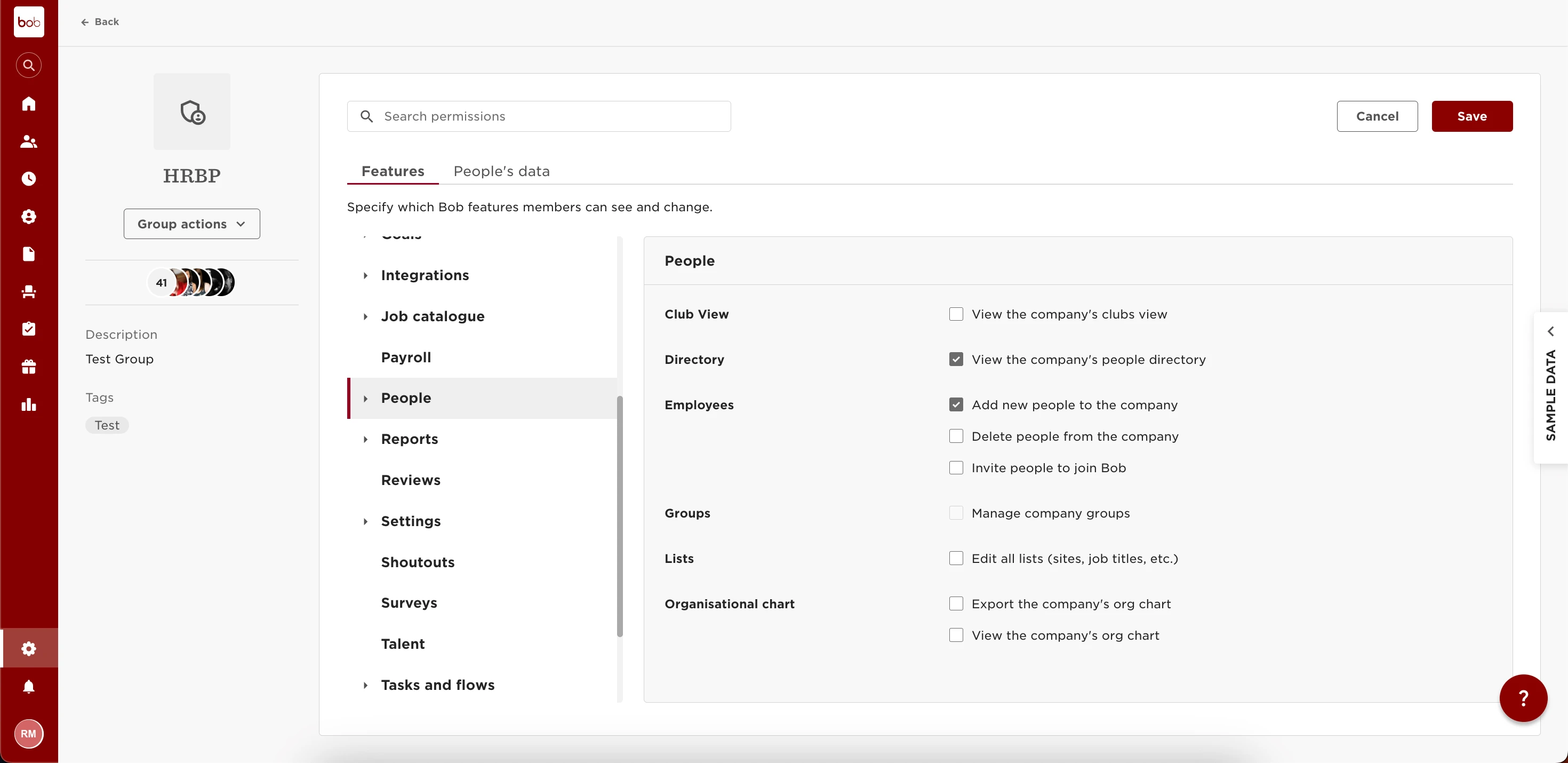
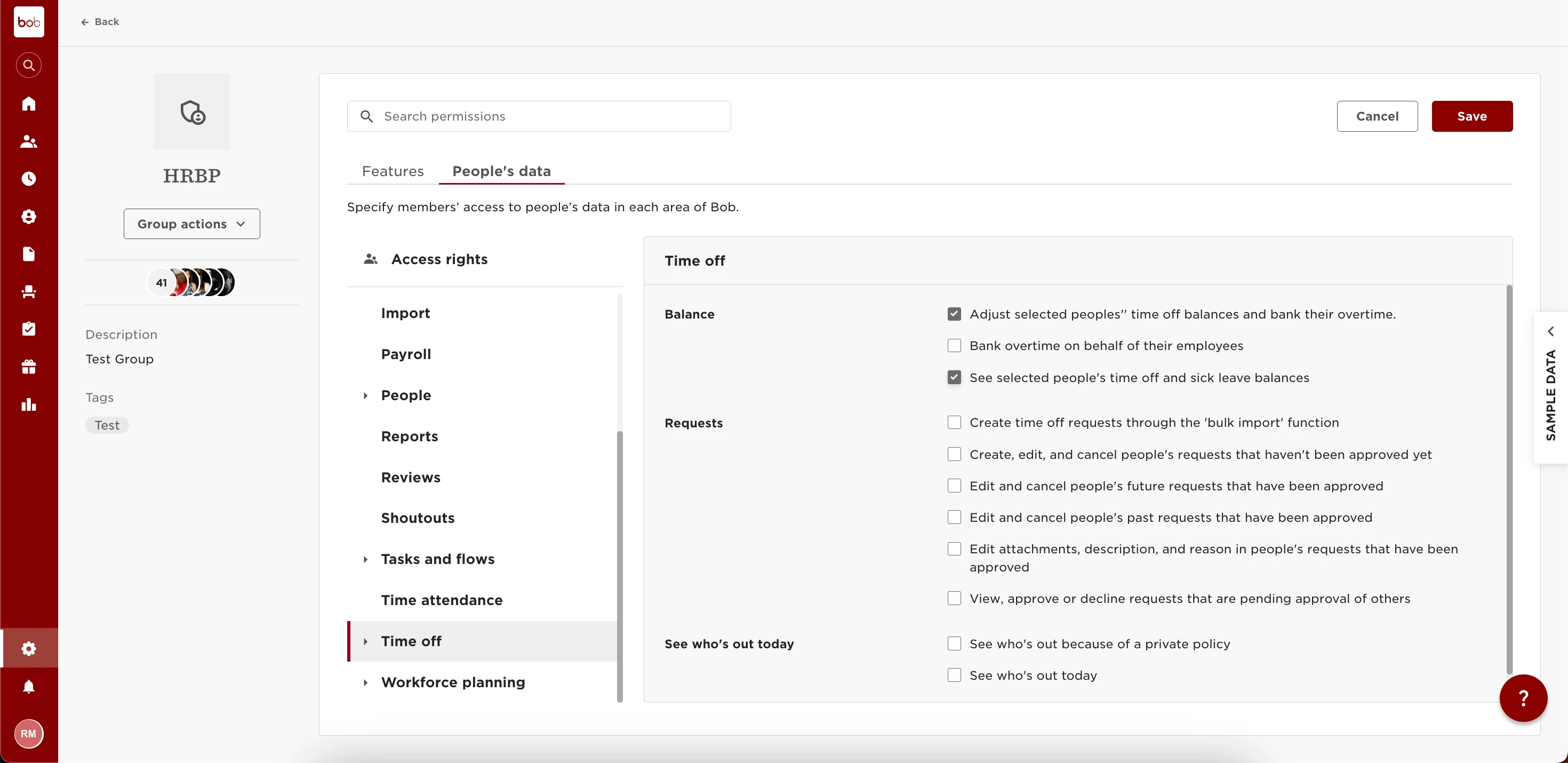
2. Permission to view and edit people's time off:
Settings > Account > Permission groups > Custom group > People’s data > Time off
3. Apply:
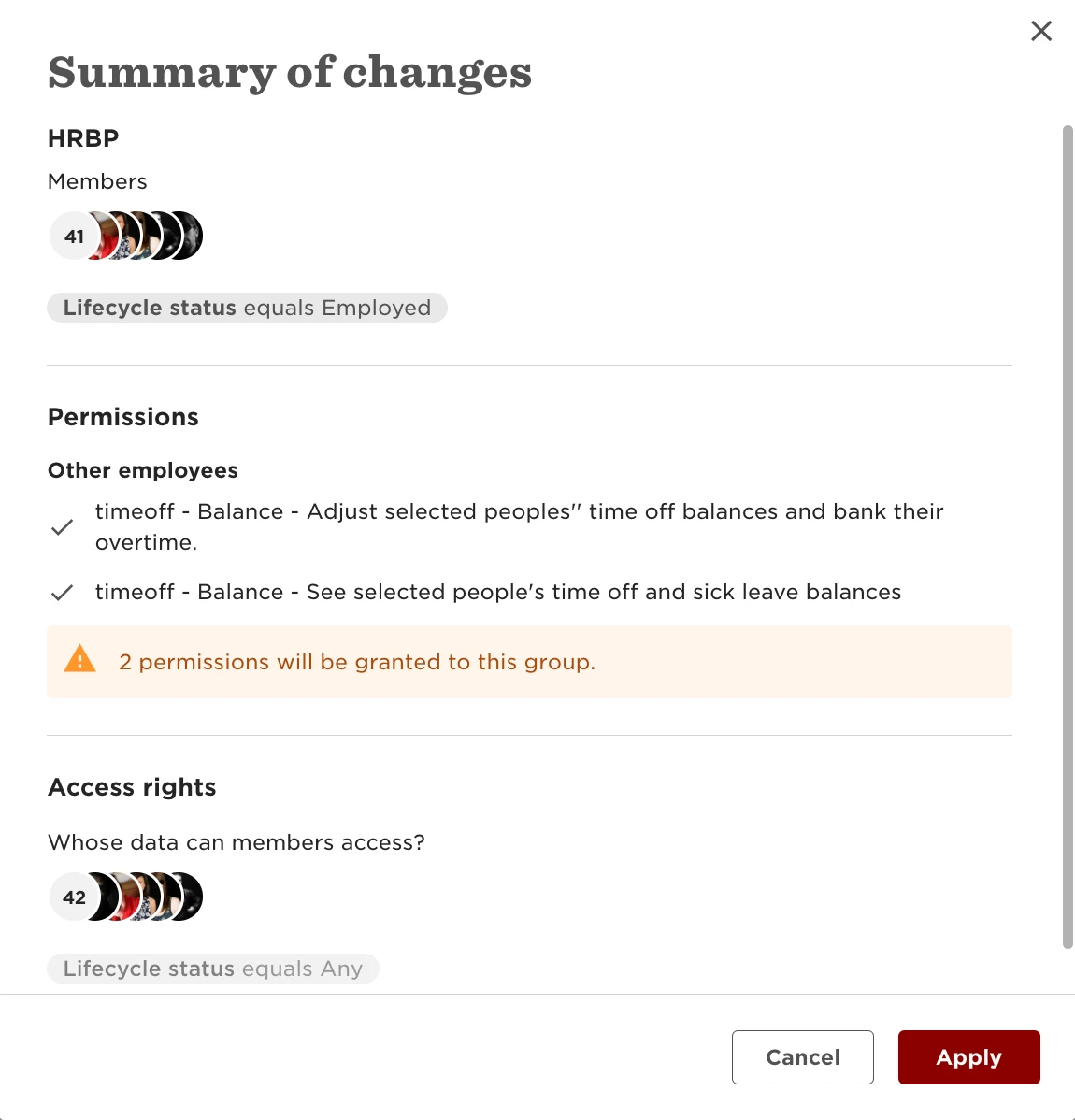
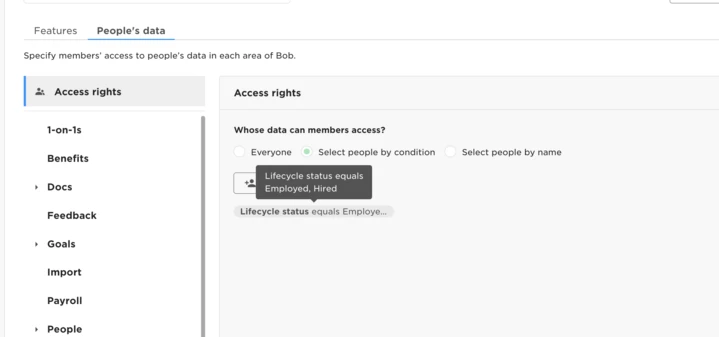
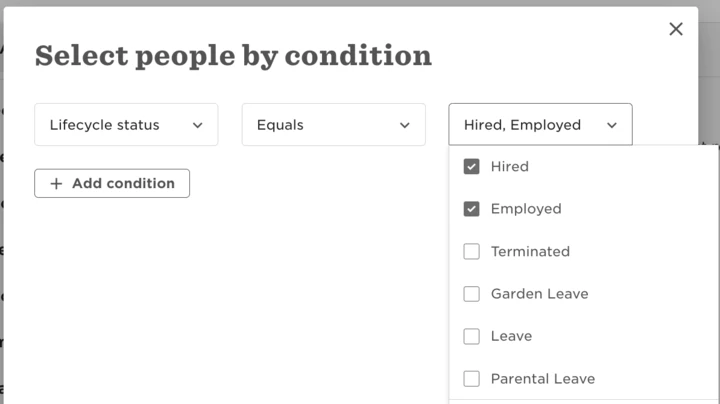
4. Access rights, choose ‘select by condition’ and add hired + employed status’:
Settings > Account > Permission groups > Custom group > People’s data > Access Rights