


When the employer feature is enabled, team members need an additional permission to access and view policies in Time off settings.
Give Access to Time-off Policies
If a team member has the relevant Time-off permissions but still can’t see the policies, check that their permission group also includes:
View details for employers and work locations
This permission is required when the employer feature is enabled. Without it, the team member may not be able to see the time-off policies even when their other Time off permissions are set correctly.
Enable View details for employers and work locations in the team member’s permission group, then ask them to check Time off settings > Policies again.
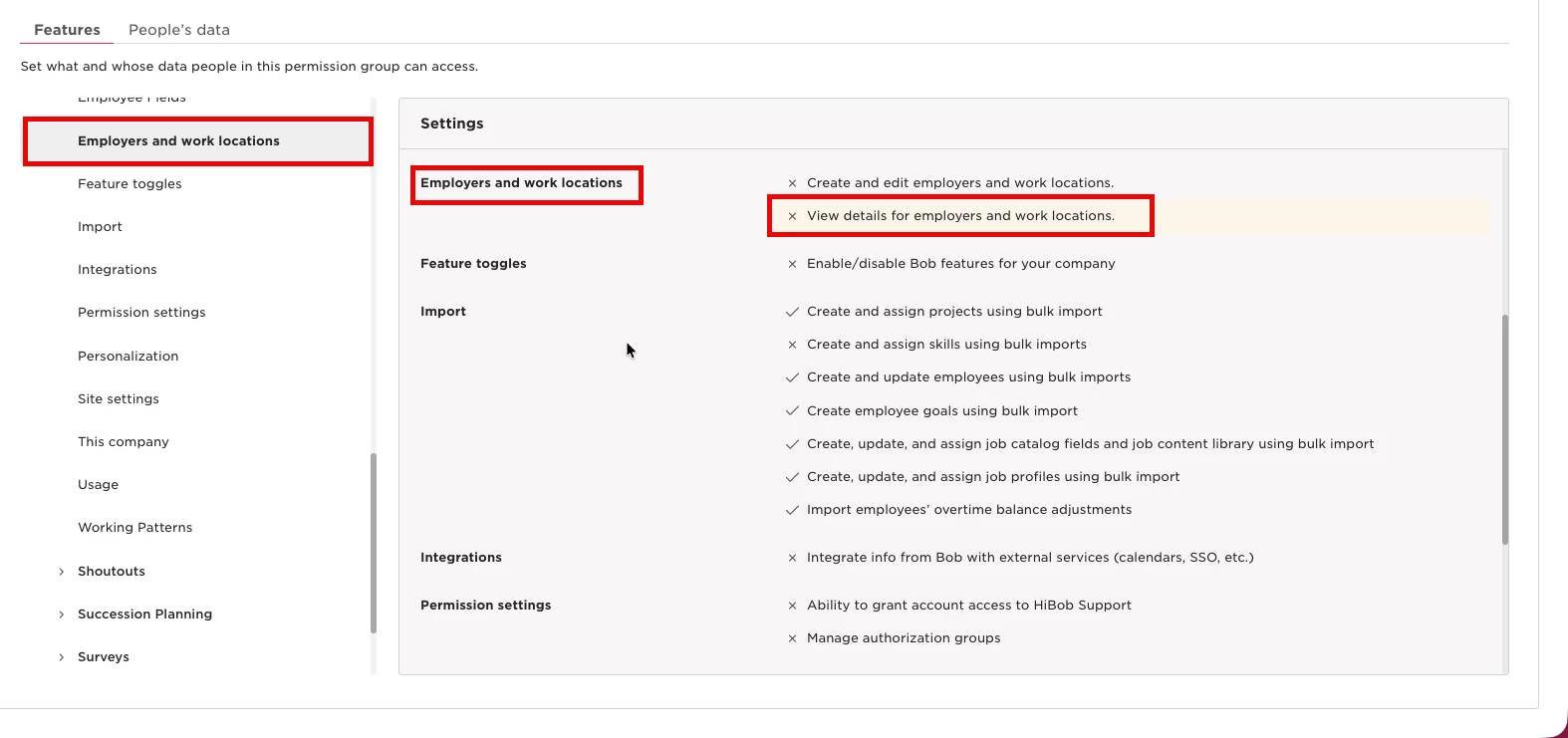
Once this permission is enabled alongside the relevant Time off permissions, the team member should be able to access the policies available to them.