Notification for approved time off request

  • March 7, 2023
  • 32 replies
  • 987 views

Show first post

32 replies

Hello! Adding to this thread as I have a similar issue.

Ideally, I would like to be able to add multiple approvers, but without the chain of command (either one of the named approvers can approve, rather than both). I would also like it to be possible to notify someone of time off - if that can be possible to select require approval AND notify employees (ideally multiple employees) within the time off settings, that would be amazing.

As a work around, I have followed the steps above to make a task list to notify and would like to be added to the FR for more details in this task, if the above is not possible. Thanks!


  • December 18, 2025

hi


  • December 18, 2025

Hi ​@Amelia Coats and ​@Nehlusha Weeratunge, echoing Jenny from above. Where did you locate the event start date & end date? Im not seeing it as option for tokens even though I chose the trigger by an event. Thank you your help!


Hi ​@Amelia Coats, ​@Nehlusha Weeratunge,
I’m really interested in your workaround here! Where are you adding in the event start & end date in the email?  Is it a particular field name you are adding in?
Thanks for any guidance!

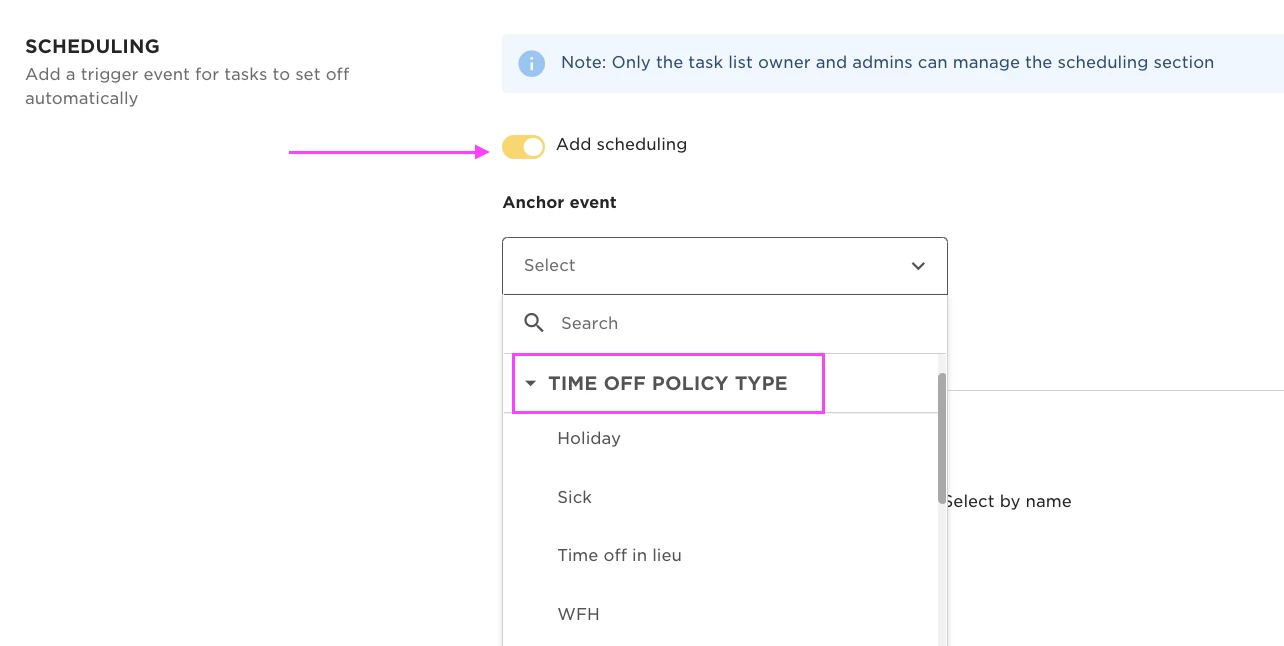
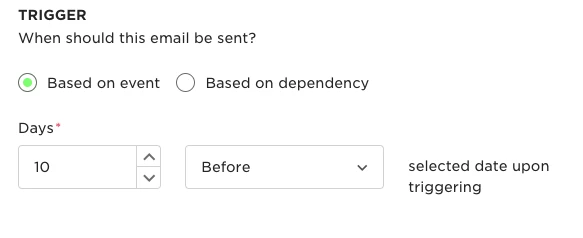
Within tasks, I have created a task based on the time off request (holiday, sick etc) and the task type is email and the trigger type for that is ‘based on an event’. Within that you can schedule an email to be sent to whoever needs the notification about the absence and you can add in the employees name and then event start date and event end date. The event being the absence type. Hope that helps!


Kris Van Acker

@Jessica Lane : could you also add us to this request?


@Amelia Coats , ​@Nehlusha Weeratunge : also interested in how you managed this. 


Harshil Boparai
Bobber

Hi ​@Kris Van Acker We appreciate your insights! The best next step would be to share this directly with your CSM. They’ll ensure the full context is captured and keep you informed as things develop.


@Amelia Coats , ​@Nehlusha Weeratunge : I also can’t find the ‘event start/end date’ field to add to the email body. The rest of the setup is similar to yours so wondering what you did differently.