


While you can define expectations for consecutive vacation days, there isn’t currently a policy setting that automatically blocks a request when it exceeds a specific number of consecutive days.
For example, if your company allows a maximum of 20 consecutive vacation days, an employee can still submit a request for 24 days. You’ll need to manage requests that exceed the limit through the approval process.
To help enforce your company’s rule:
- Add the maximum number of consecutive days to the policy description so employees can see the requirement when requesting time off.
- Ask approvers to review vacation requests and decline any request that exceeds your company’s limit.
As an additional control, you can require an attachment for longer requests. Go to Time > Time off settings > Policies, edit the relevant vacation policy, and set Attachments to Mandatory. You can then define the minimum request length that requires an attachment.
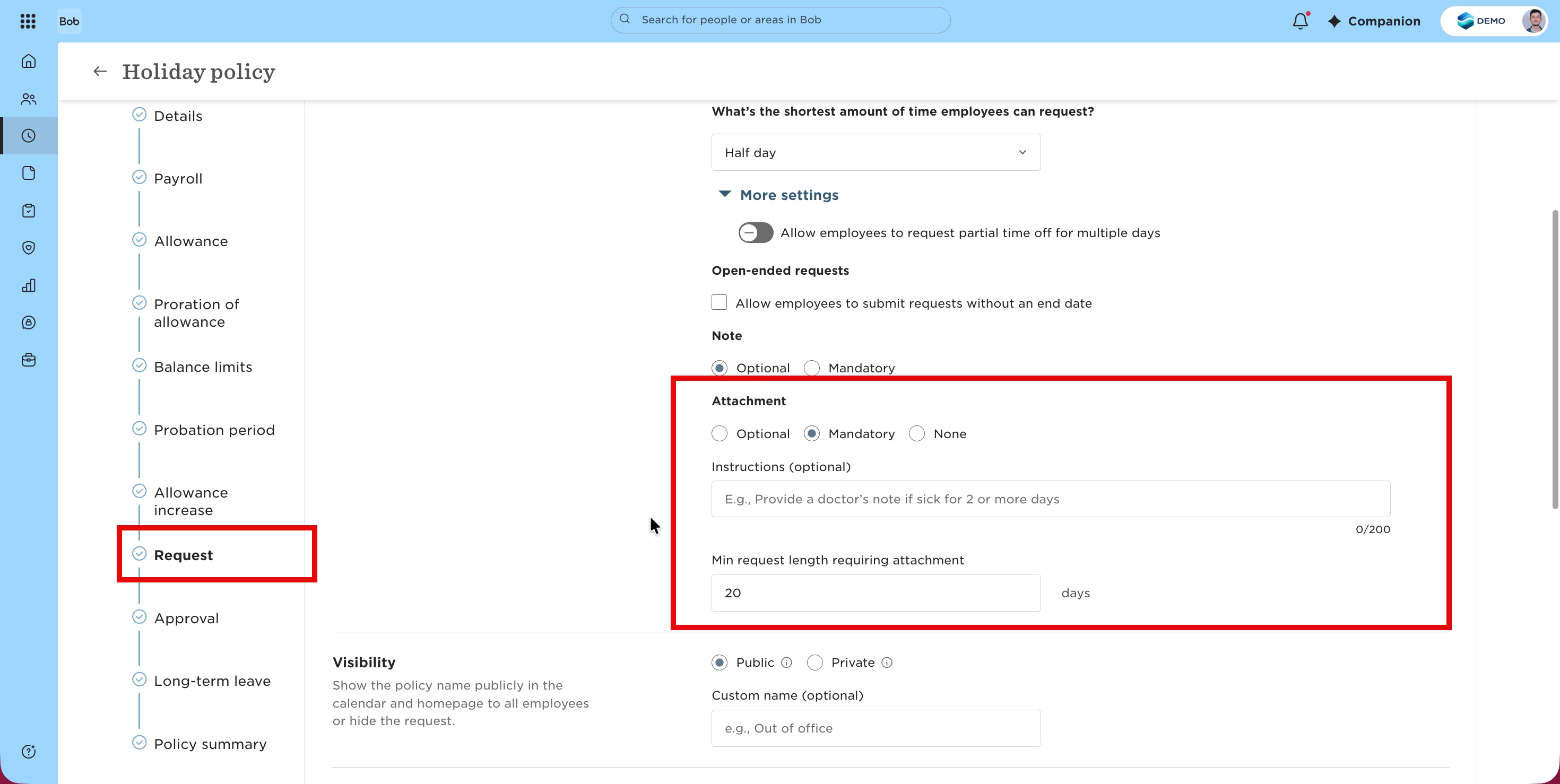
The attachment requirement doesn’t block longer requests, but it can help flag requests that need additional review.
For example, if your maximum is 20 consecutive days, you can require an attachment for requests over 20 days and use the approval process to decline requests that don’t meet your policy.