

When managing employee assignments in policy balances, it’s important to filter by the specific policy—not just the policy type—to avoid assigning employees incorrectly.
In Bob, the policy balances page displays employees grouped by policy type. This can be confusing when multiple policies exist under the same policy type, as all employees assigned to any policy within that type will appear together.
If you assign or unassign employees directly from this view, you may accidentally select employees who belong to a different policy under the same type.
To safely manage assignments and bulk actions, use the advanced filter for the exact policy instead:
- Go to Policy balances
- Open Advanced filters
- Select Current policy assignment equals
- Choose the specific policy you want to manage
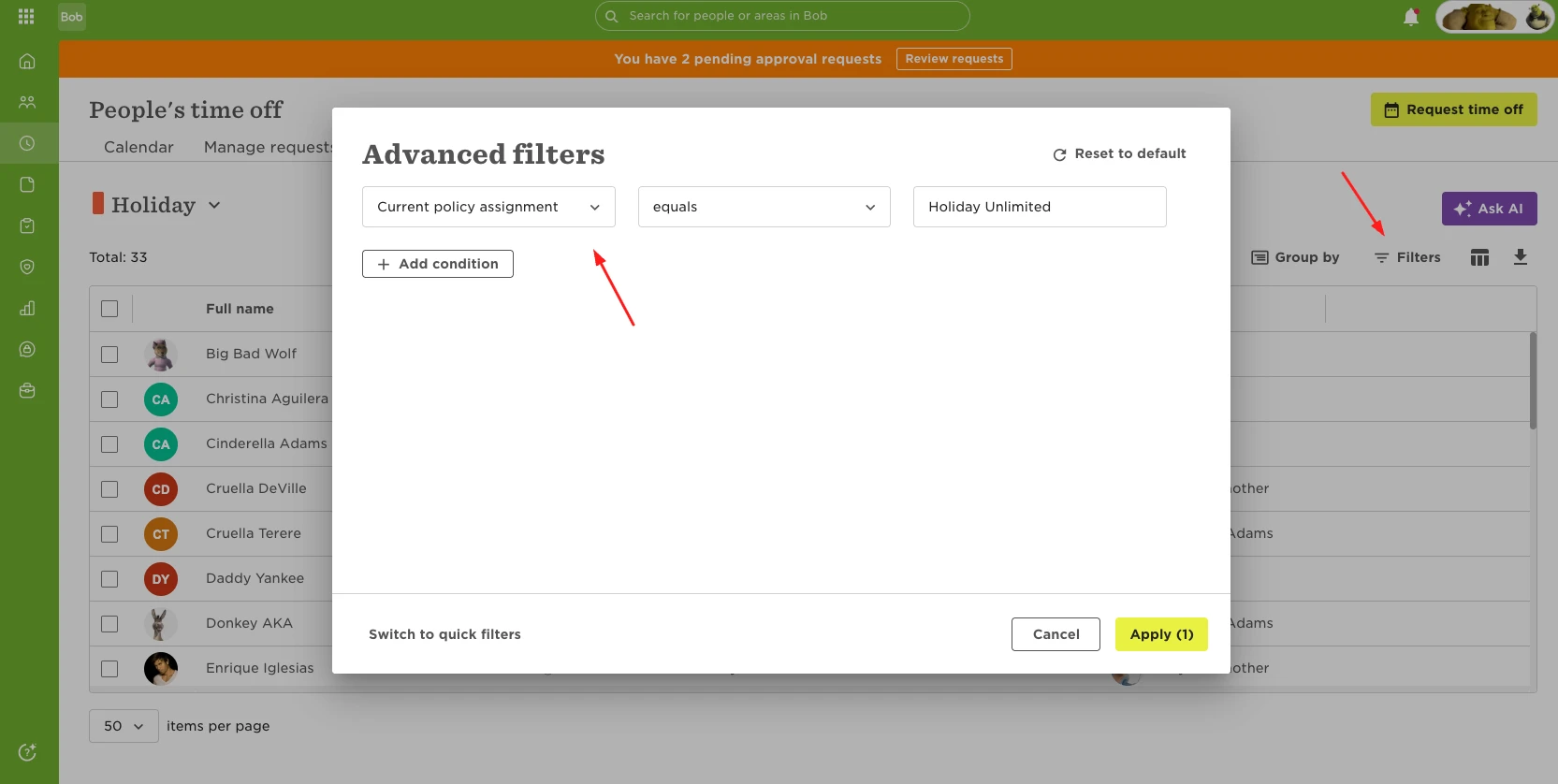
This filter displays only the employees assigned to that exact policy, helping you avoid unintended changes and reducing the risk of incorrect assignments during bulk updates.
Using this approach ensures you’re working with the right group of employees before making any changes.