

If the Long-term leave step isn’t loading during Time Off policy setup, it’s likely due to a missing permission.
To access this step, the user must have permission to “Manage company flows”.
How to resolve it
-
Go to System settings > Account > Permission groups
-
Open the relevant group and go to the Features tab
-
Under Flows, make sure Manage the company’s flows is enabled
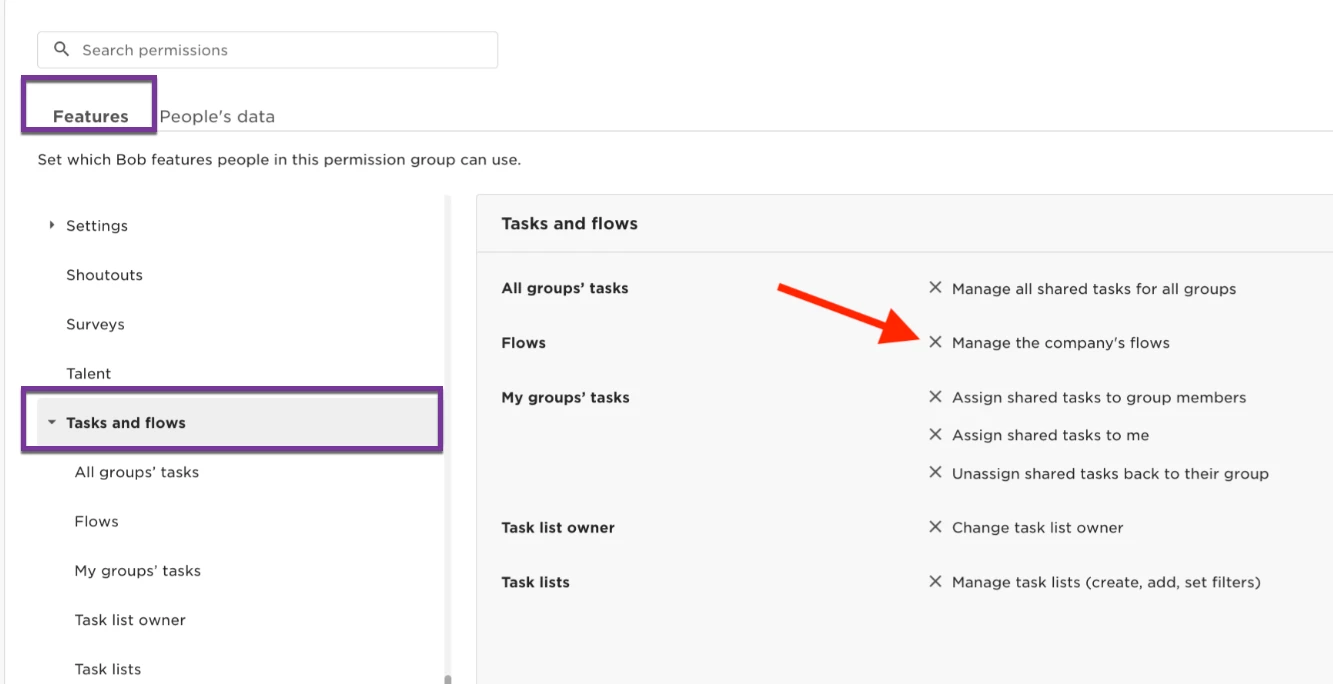
Once this permission is granted, the Long-term leave step will appear as expected in Step 9 of the Time Off policy setup wizard.
Why this matters
The Long-term leave step is where Admins configure whether employees on long-term leave can accrue or request time off, based on selected Leave flow templates.
This replaces the older method, where those constraints were configured directly within the Leave flow. Now, constraints are applied automatically based on the Time Off policy settings, giving Admins more control and visibility.
🔐 If the step isn’t loading, users won’t be able to configure or review time off constraints related to long-term leave.