
This behaviour is caused because the carry over days are impacted by the settings which were in place when the actual carry over event occurred. In order to bring the expiry inline with the current time off policy settings you can reimport the days.
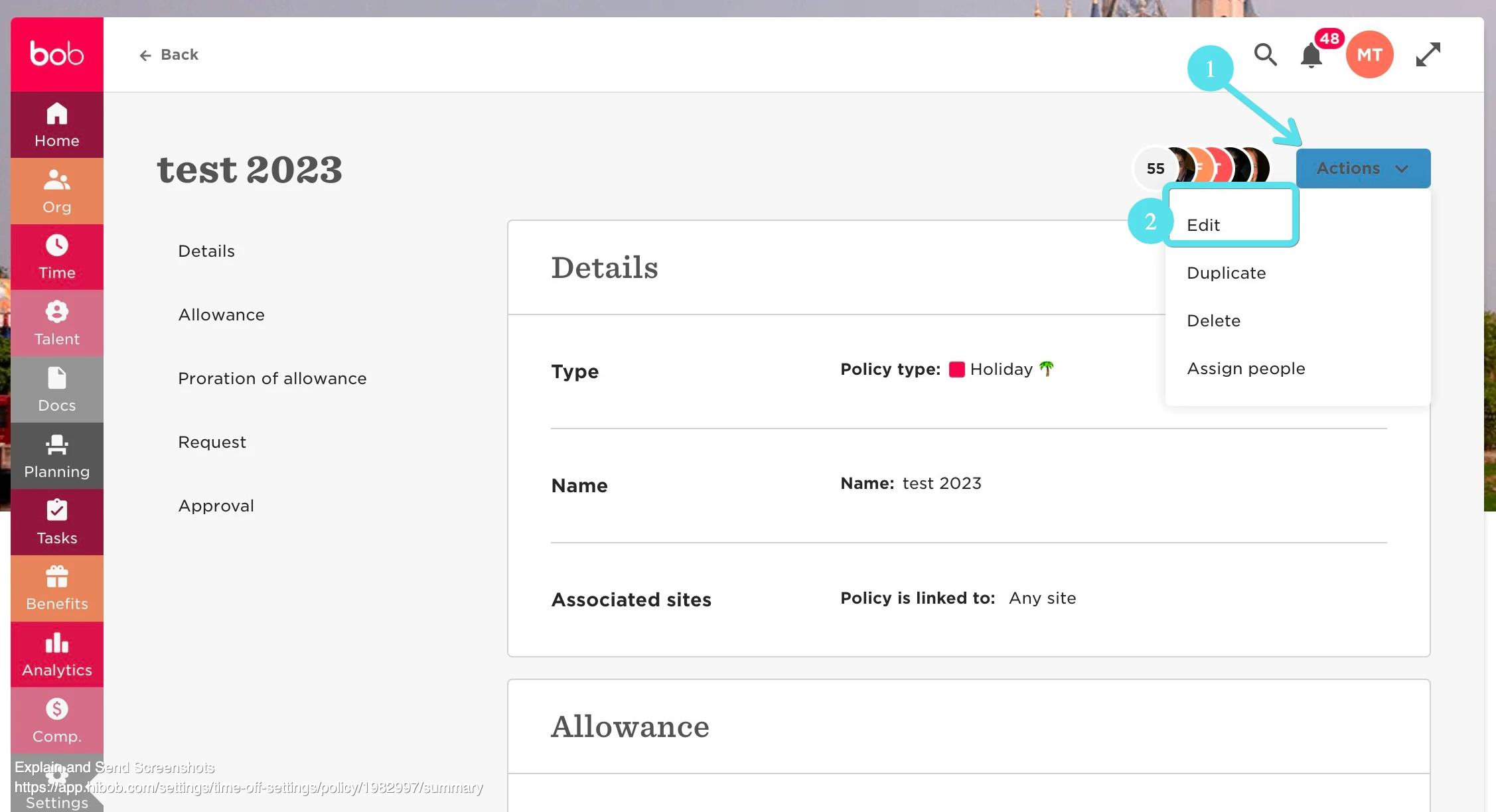
- Navigate to Time --> Time off settings --> Select the relevant policy --> Actions (1) --> Edit (2):
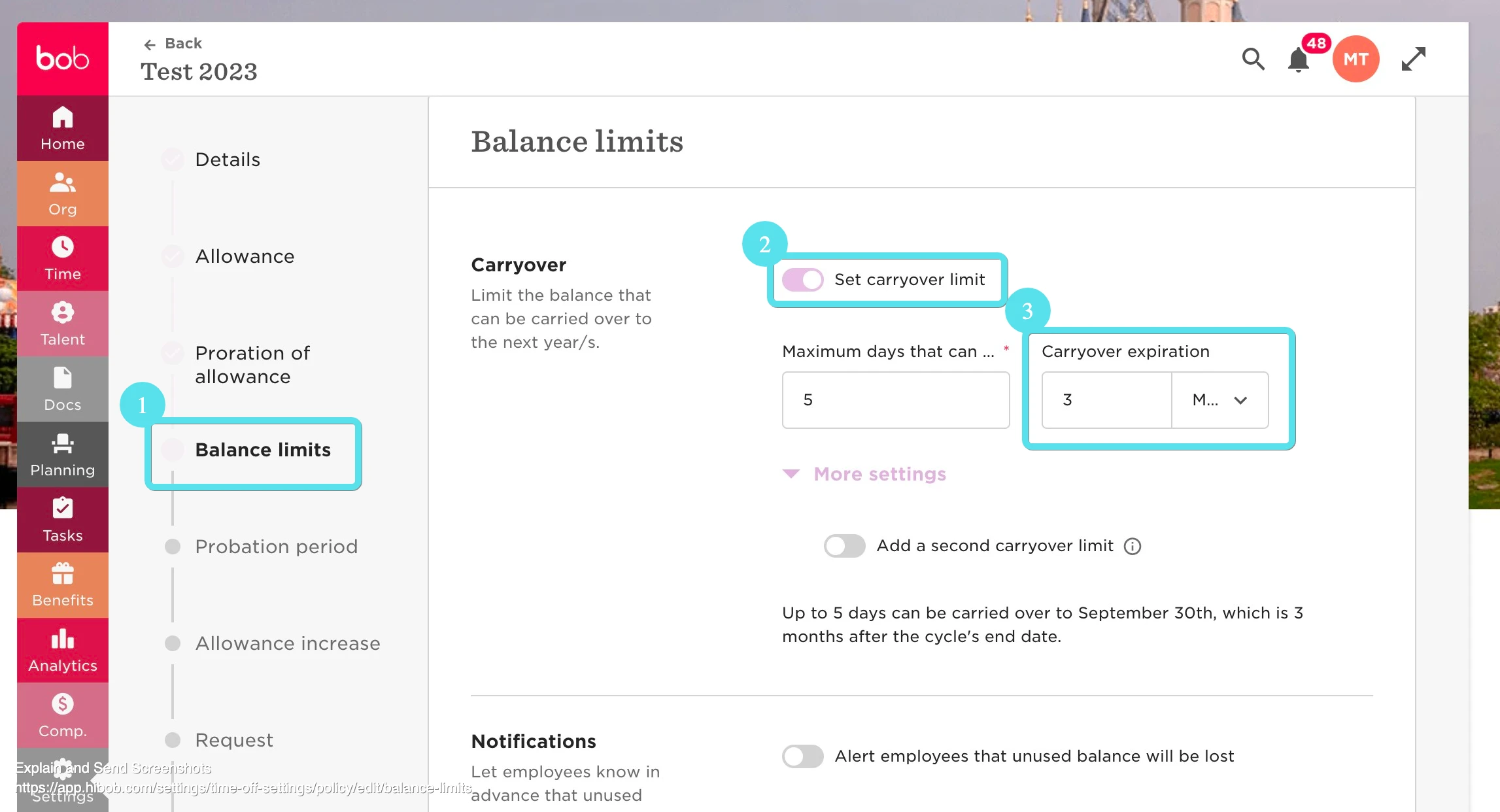
Navigate to Balance limits (1) --> Carryover --> Set carryover limit (2)--> Select according to your preferences (3):
Ensure that you save the changes.
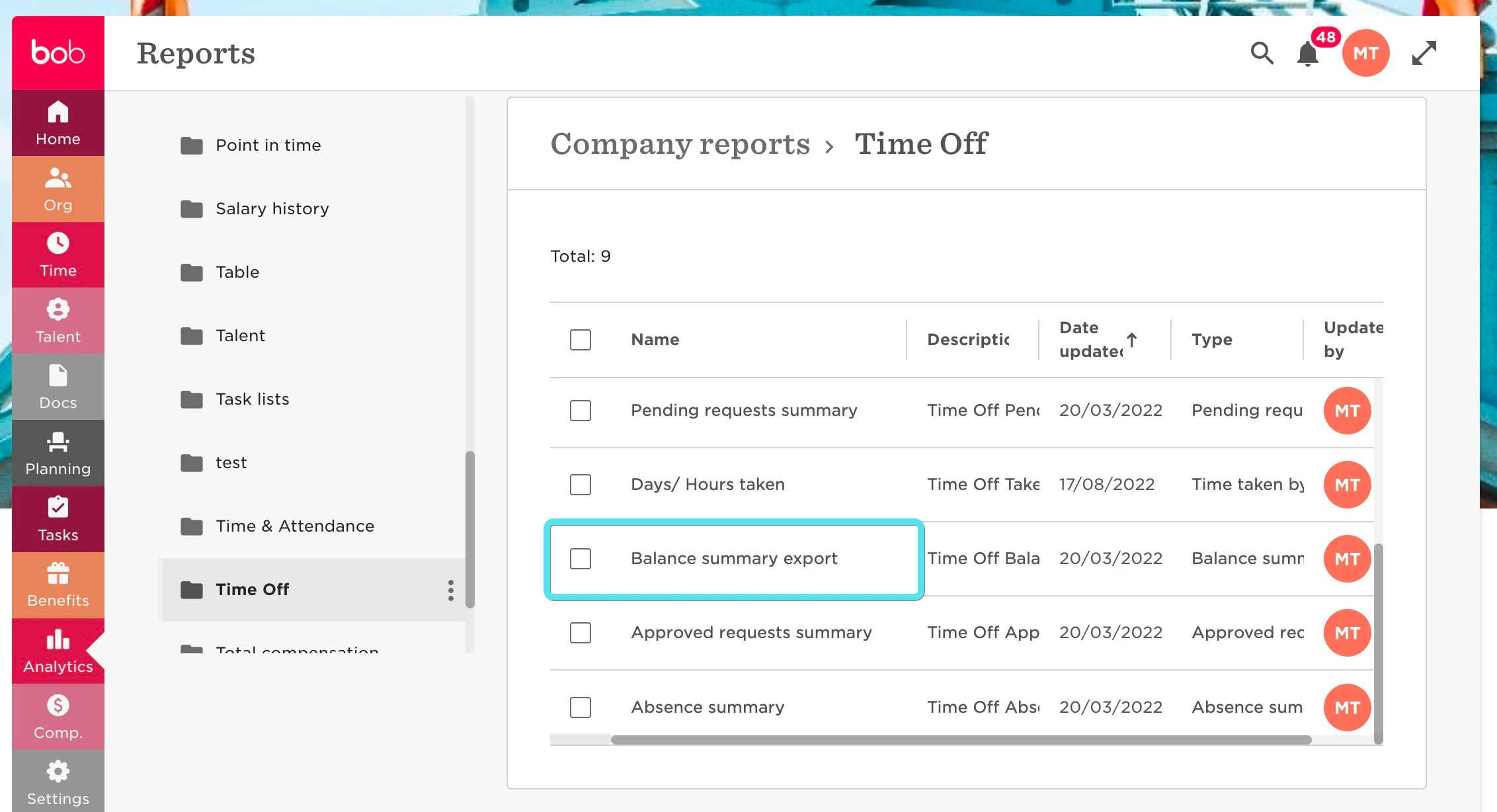
Navigate to Analytics --> Company reports --> locate the Balance summary export:
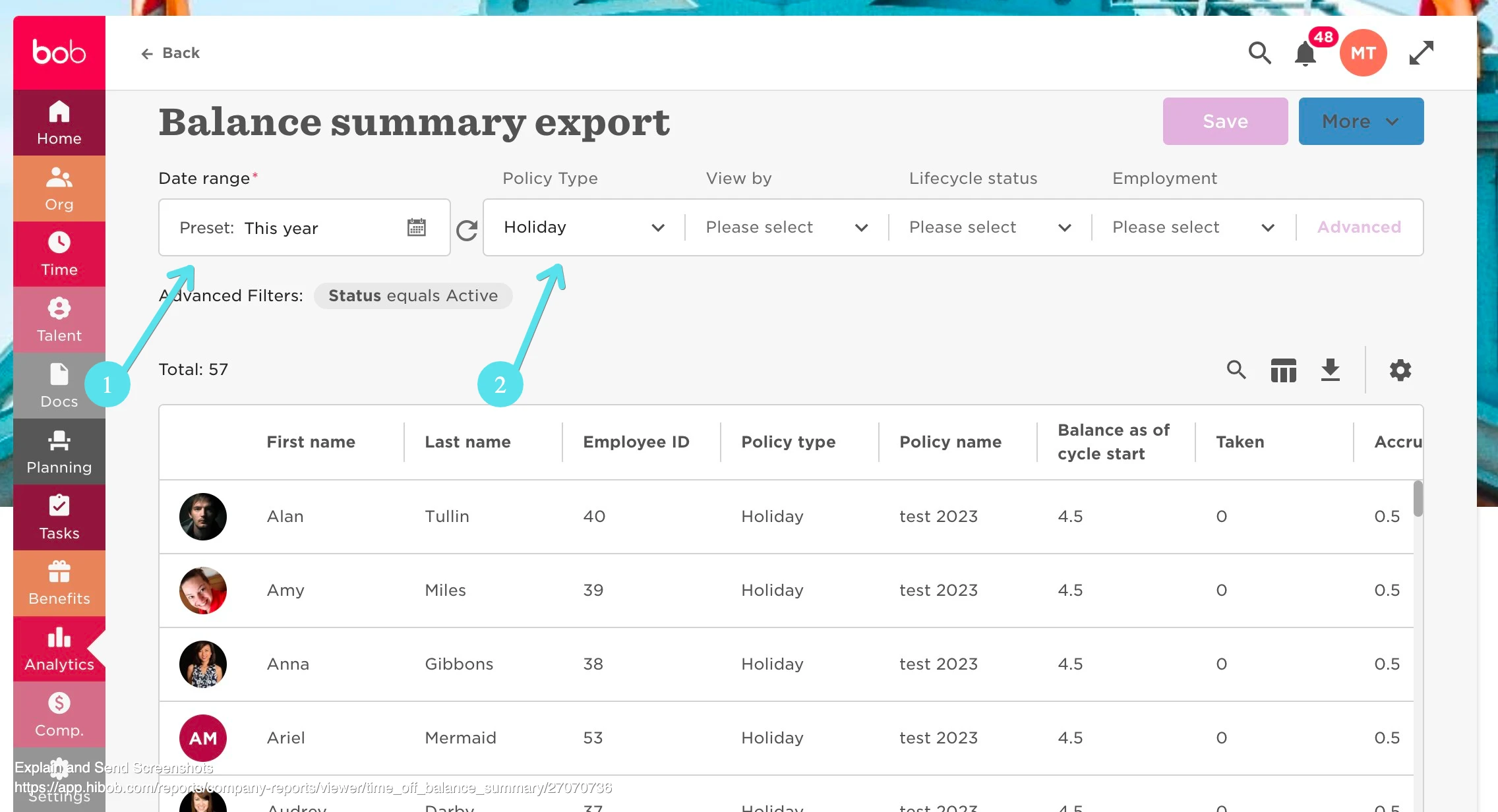
Set the time frame (1) for the current cycle and select the needed policy type (2) in the filter:
You will need the employee's emails in the spreadsheet as a unique identifier, use the column picker to add emails to the report, and ensure that they are the first column in the report:
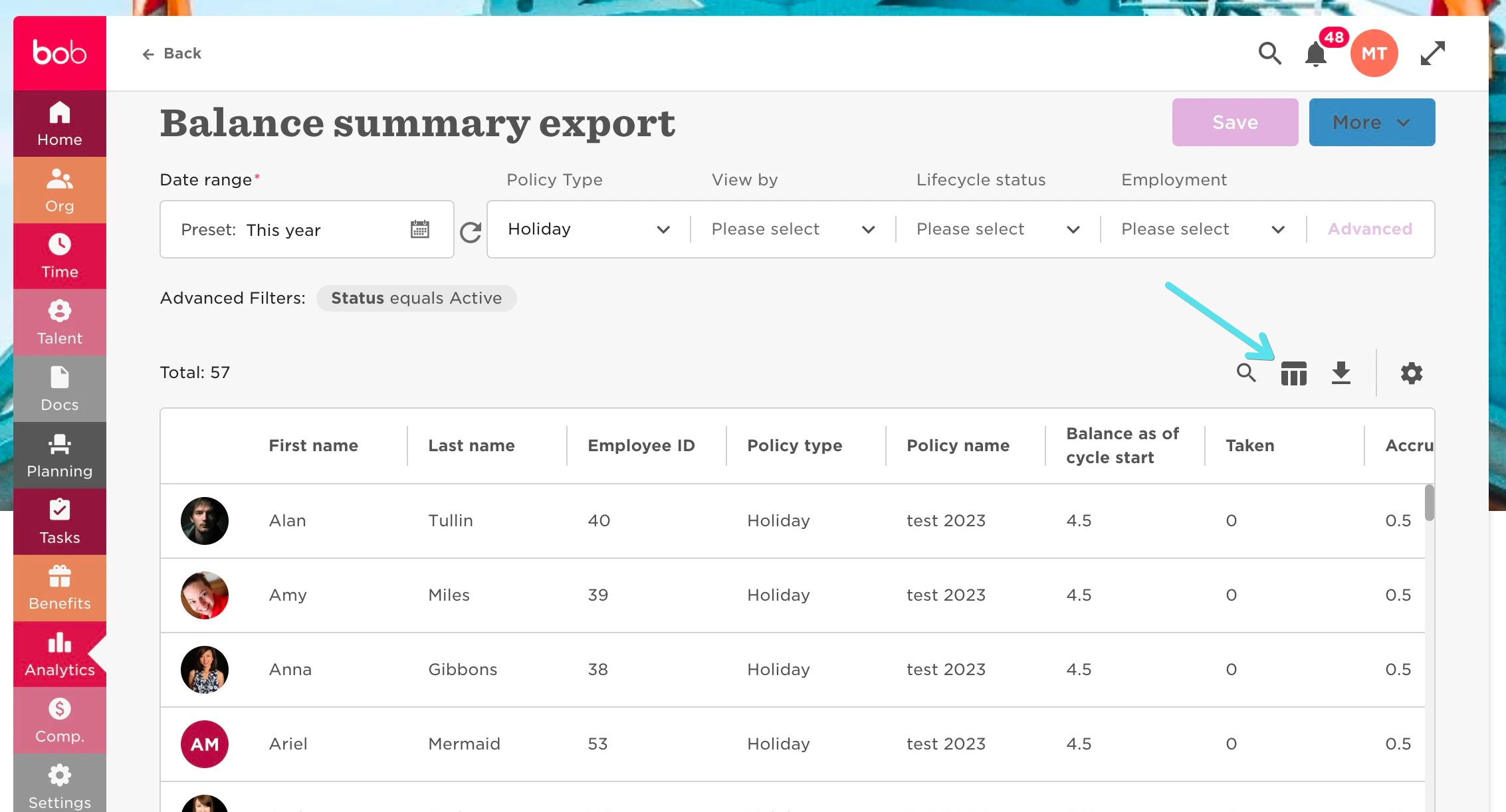
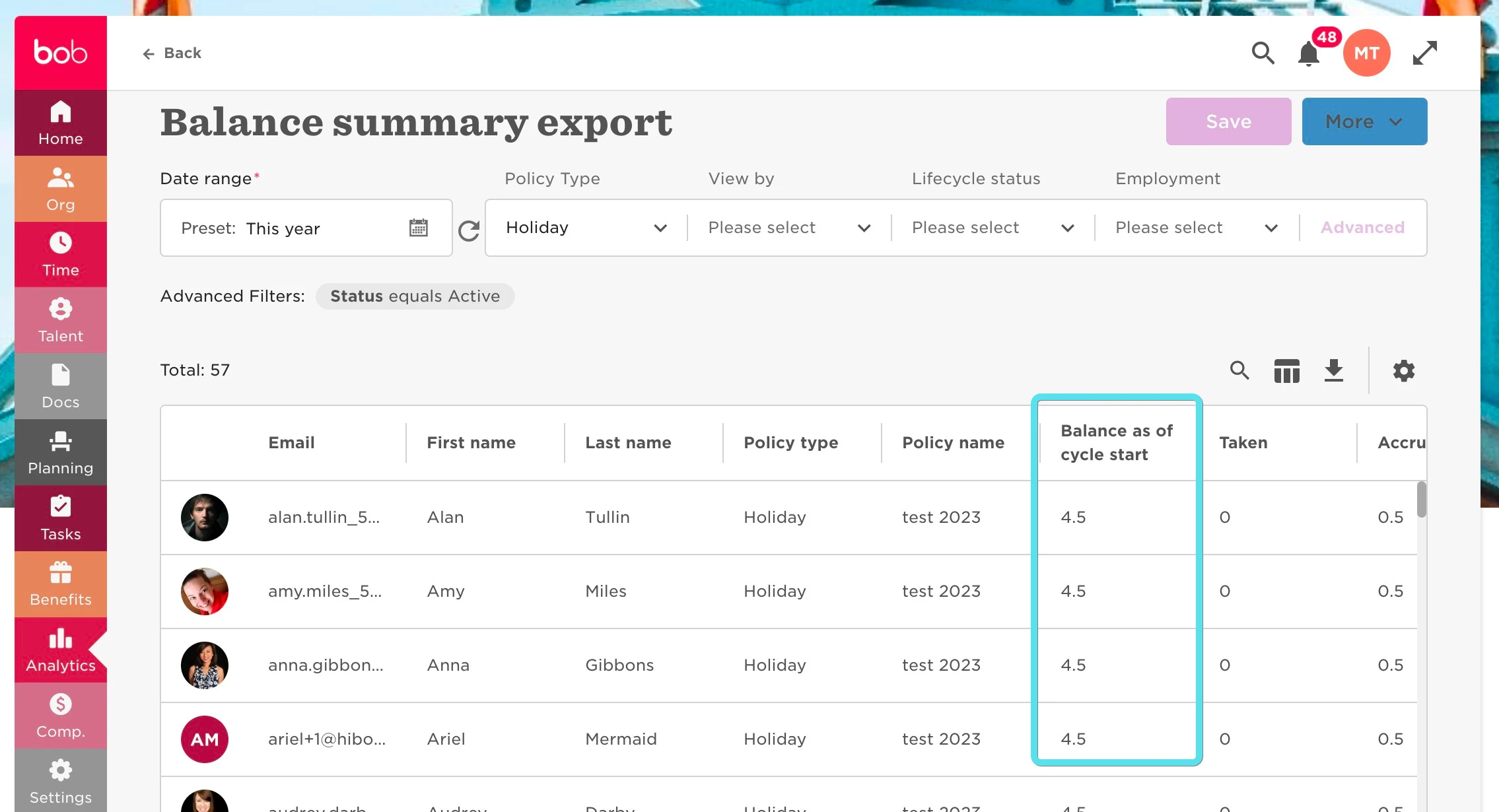
Please ensure that you have the "Balance as of cycle start" column (this column tells you what was carried over from the past cycle to the current cycle):
Lastly, use the icon --> Export to Excel:
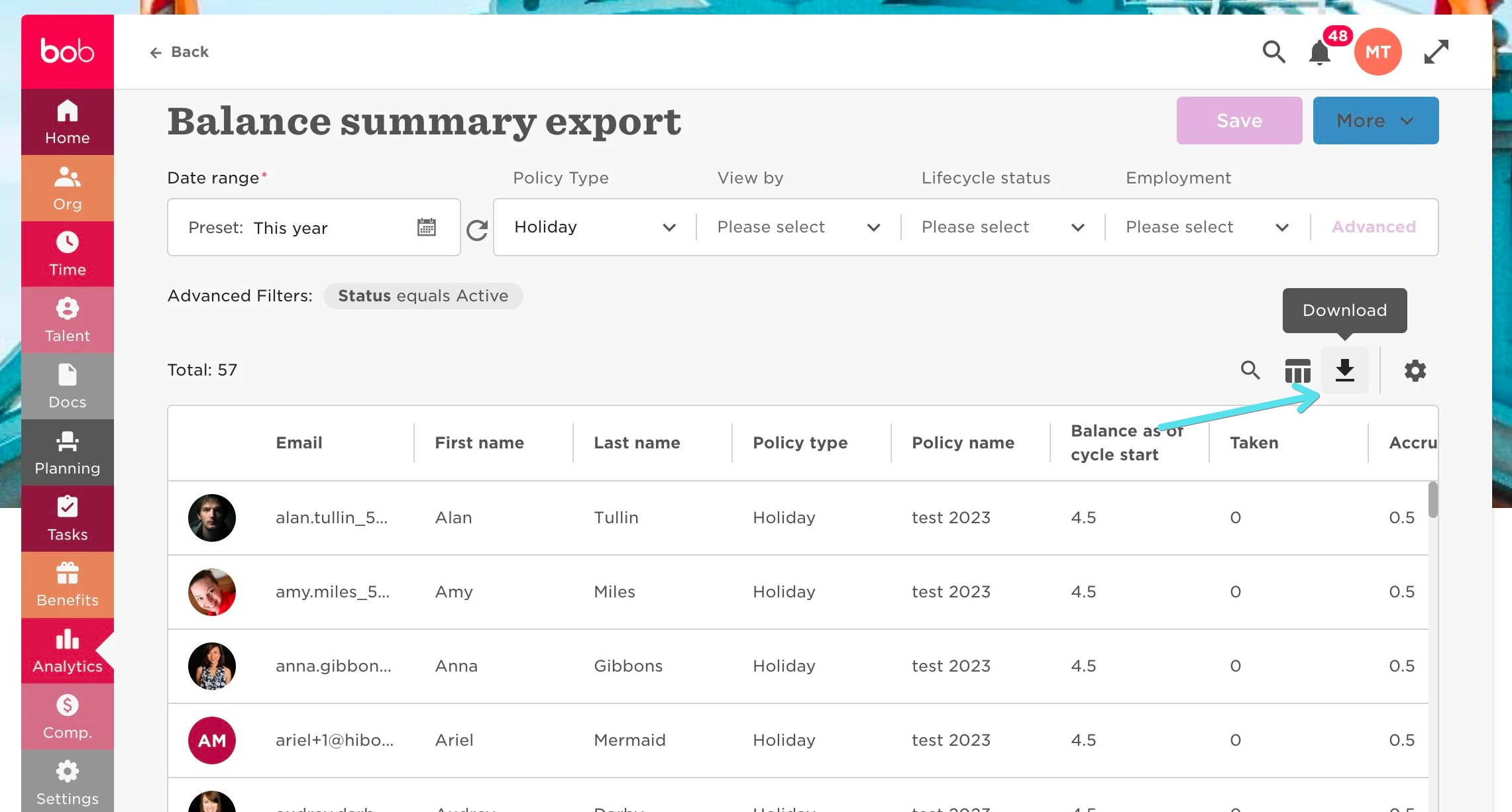
Once downloaded to Excel - ensure that you delete the first two rows defining the dates so that the column title is Row 1 --> Save
Navigate to Settings --> Account --> Import --> Import starting balances --> Import:
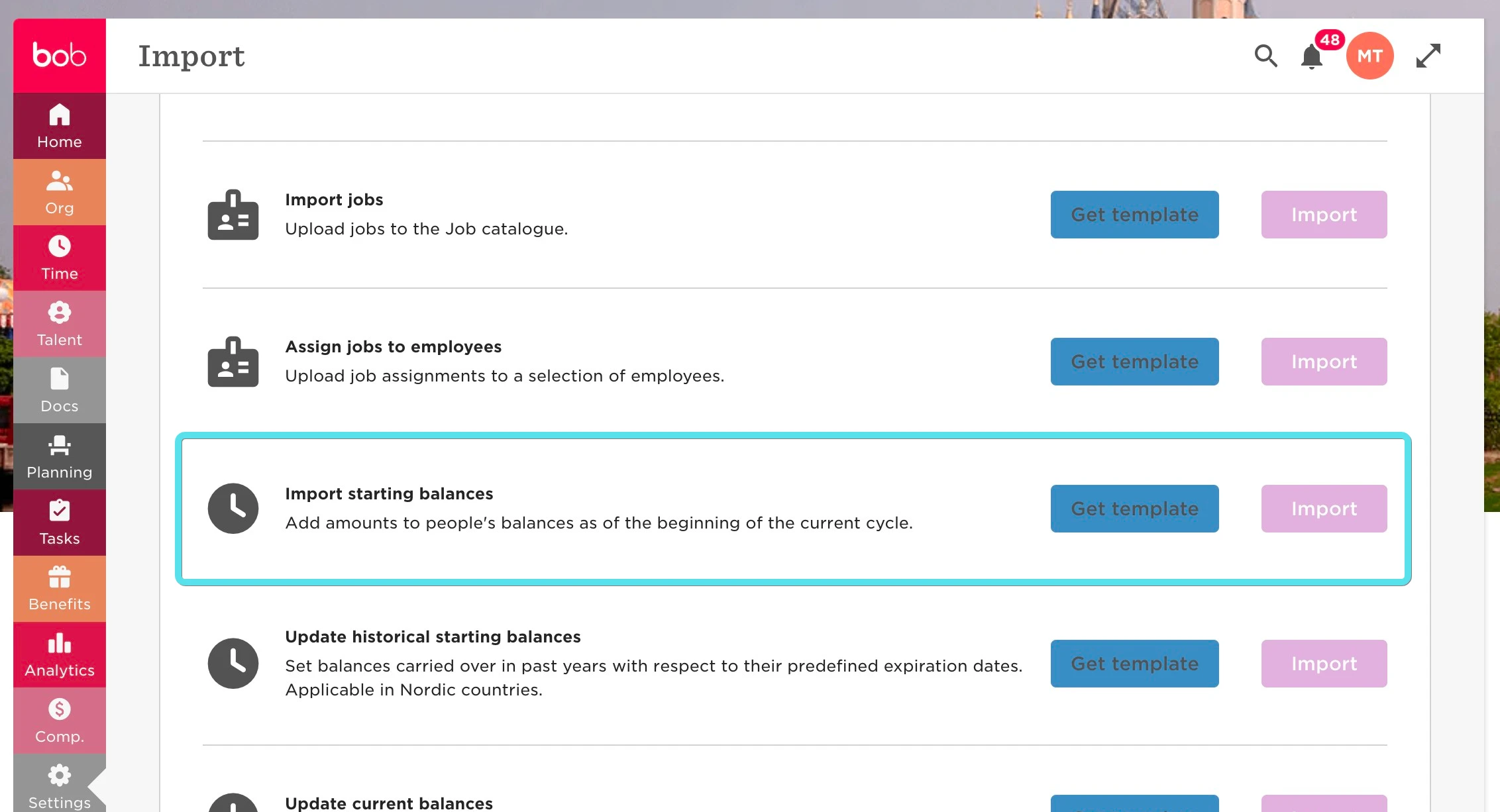
You can either use the earlier exported report, or you can download the template attached --> Fill in the Excel according to the relevant data.
Please also see the below article for further information: