


Years of service (YOS) grants use the employee’s Start Date (in green) to calculate both tenure and the anniversary date for additional time off. The Original start date (in red) is not used for this calculation.
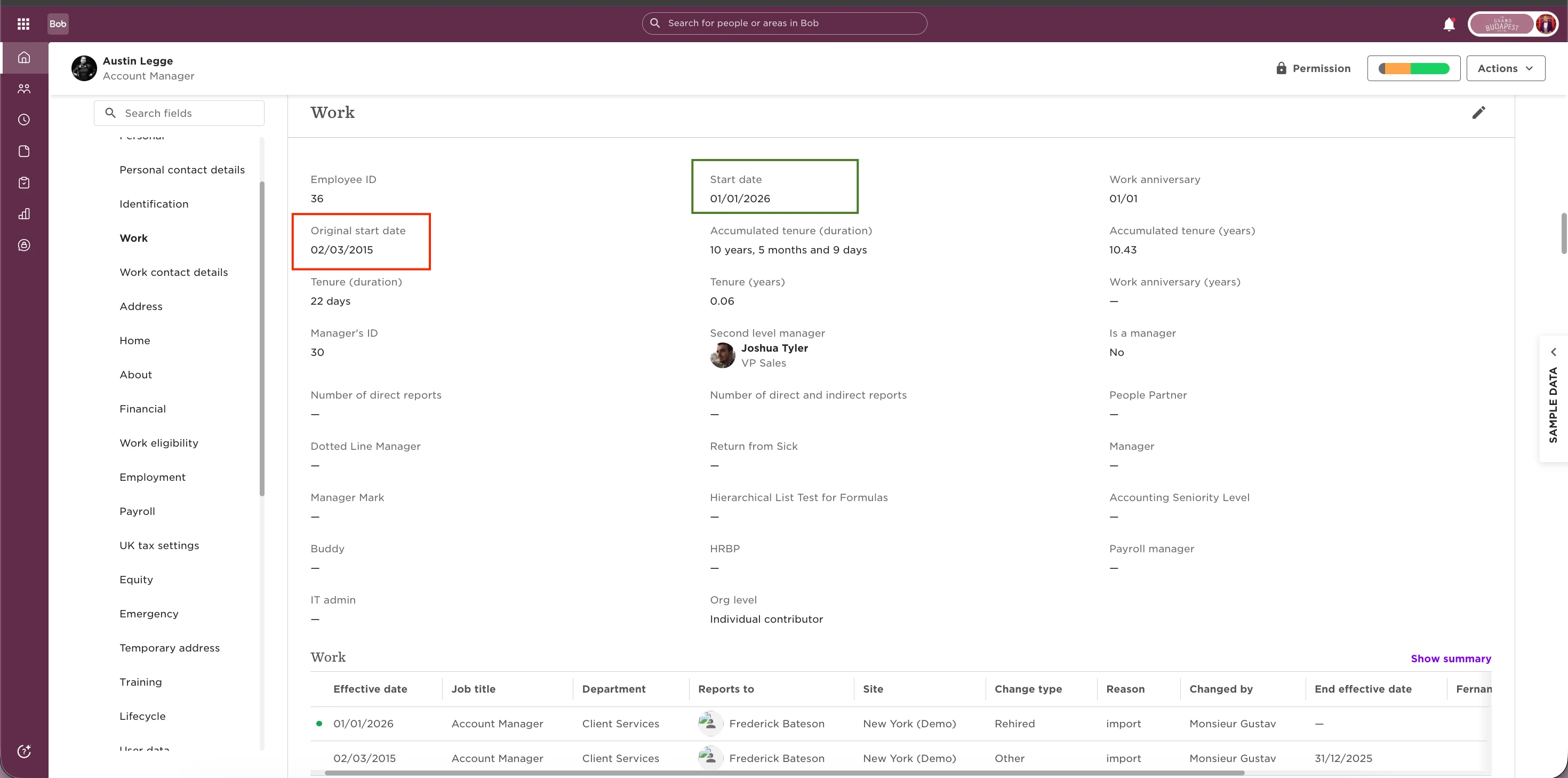
This means that when the Years of service grant runs, Bob looks at the employee’s most recent start date. This is especially important for rehires, since their tenure for the grant is calculated from the latest start date, not from their original hire date.
For example, if an employee leaves the company and is later rehired, the Years of service grant will reset and begin counting from the new start date. Any previous tenure linked to the original start date is not considered for this grant.
To find this setting:
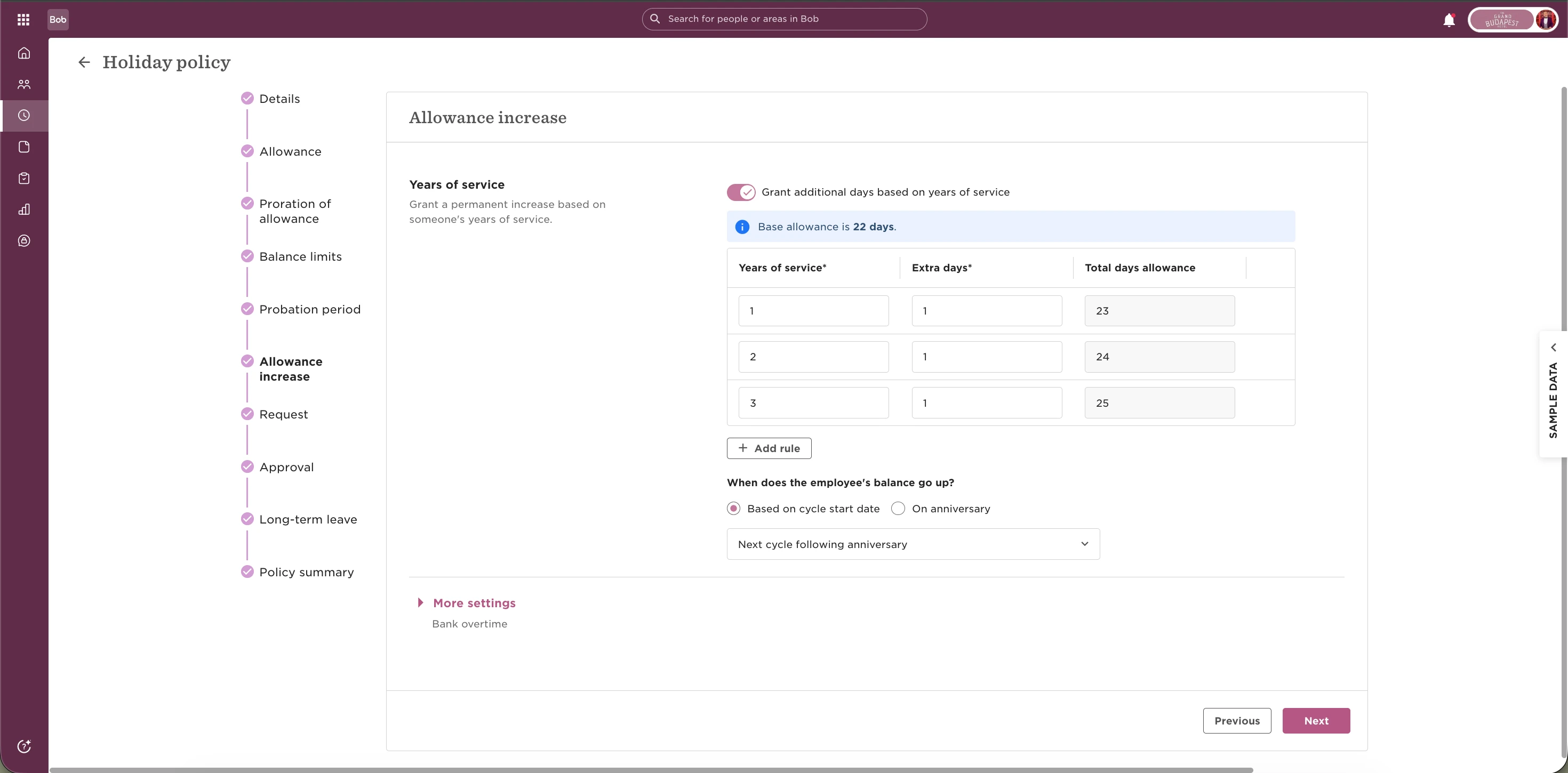
Go to Time off settings > Open Policies > Select the relevant time off policy > Go to the Balance increase step >Turn on "Grant additional days based on years of service"
Years of service grants work by adding extra balance after an employee completes a defined number of years at the company. When Grant additional days based on years of service is enabled, employees receive X extra days after every Y years based on their calculated tenure.
If the time off policy is set to prorate balances for part-time employees, the Years of service grant is also prorated automatically. You can find more details about proration behaviour here: