

The time off approval settings can be manually changed in the time off feature.
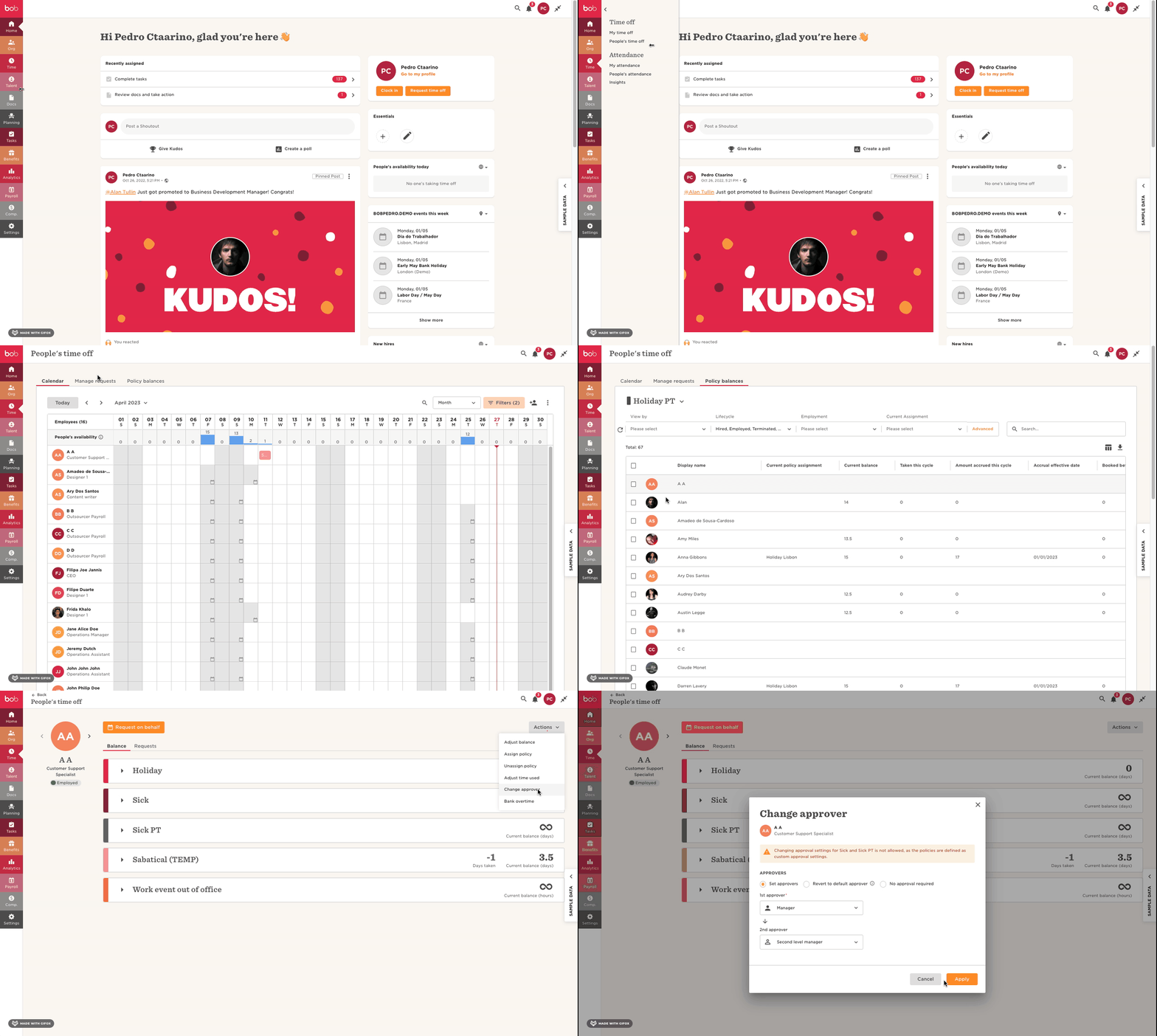
To do this, we can head to Time > People's Time off > Policy Balances > select the specific employee > Actions > Change approver > Set the new approver settings for this specific employee:
We also have more information about changing approvers in this Help Center article.