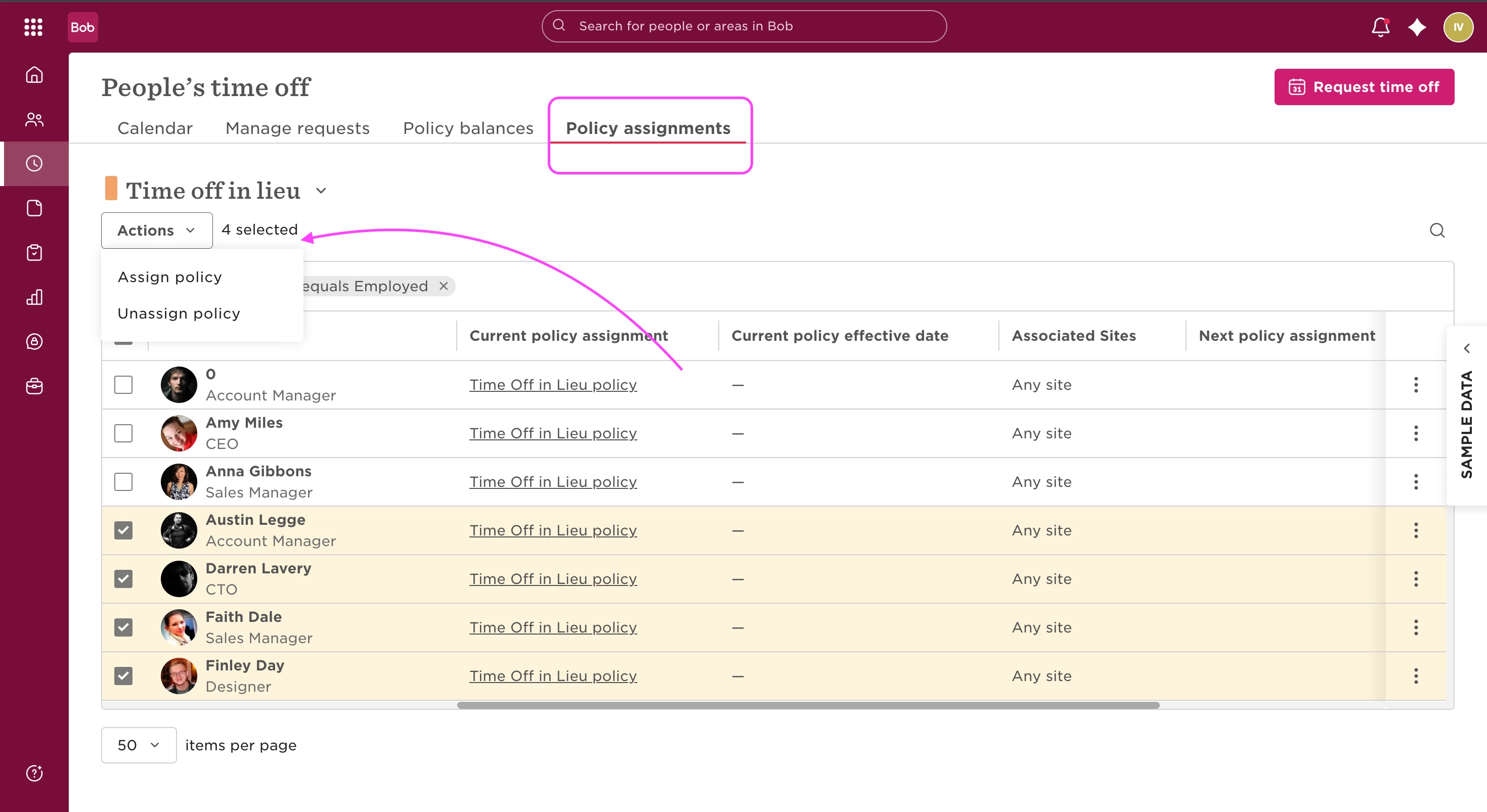
Need to assign a time off policy to multiple employees at once? Here’s how to do it quickly and easily:
1. Go to Time > People's time off from the left menu.
2. Click the Policy Assignments tab.
3. Select employees using the checkboxes, or choose the entire list.
4. Click the Actions dropdown and select Assign policy.
5. Choose the relevant policy from the Policy dropdown.
6. Set the Effective Date:
- You can choose a specific calendar date
- Or select a Preset option based on an event (like Start Date)
7. Click Apply to complete the assignment.