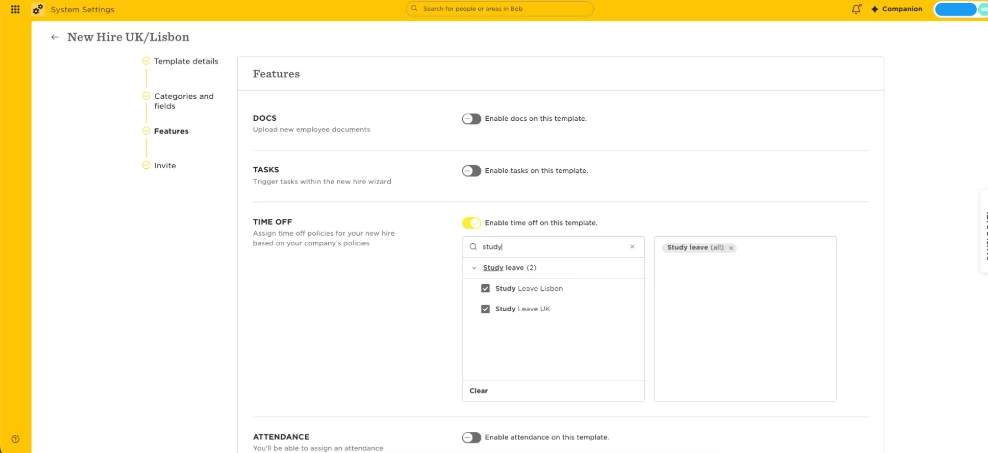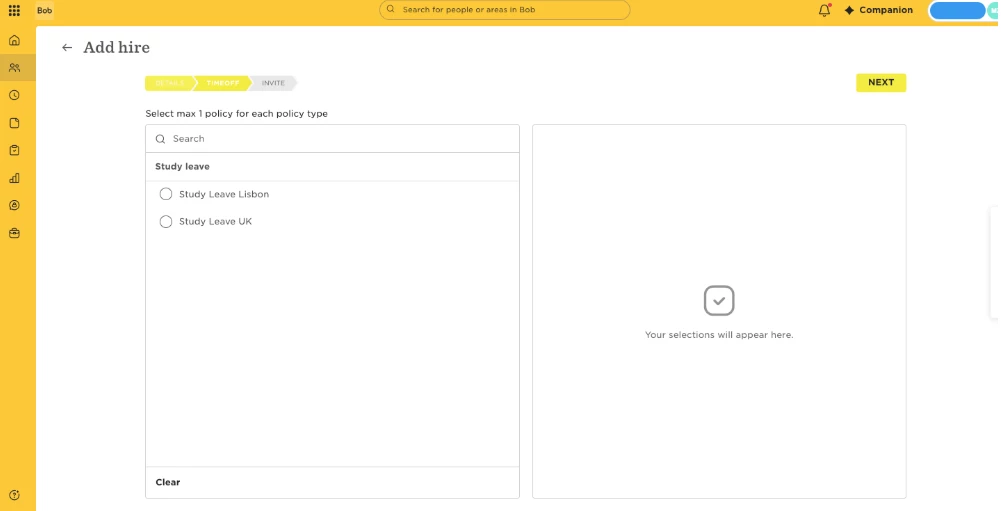

Automatic Time Off assignment works if only one policy per policy type is selected in the New Hire flow setup.
You can have separate New Hire flows according to different scenarios (e.g., different Sites, employee VS contractor, etc.), and select only one policy per policy type in each of them. (Read more on How to Set Up a New Hire Flow)
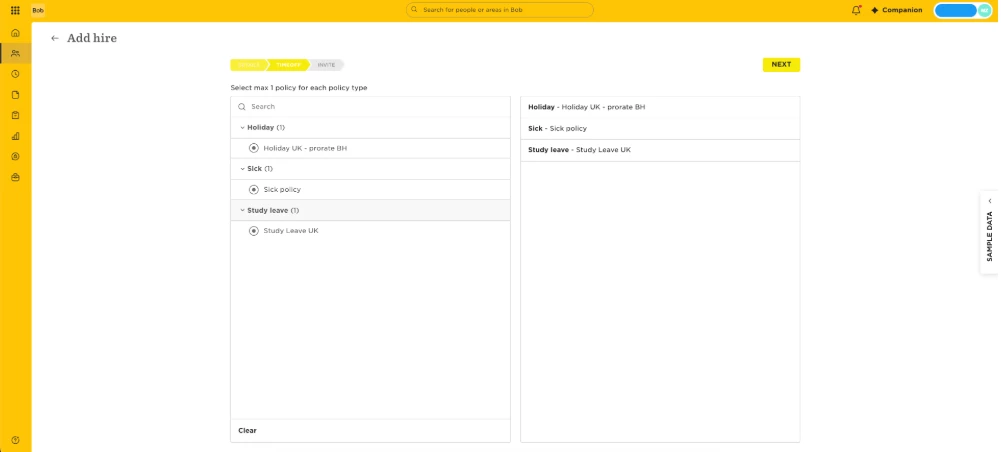
Then when going through the Flow, that one policy will be pre-selected. Advancing through the ‘time off’ step will assign that policy automatically.
Please note that you can still uncheck any box next to a policy if you don’t wish to assign it.
Below is a demonstration:
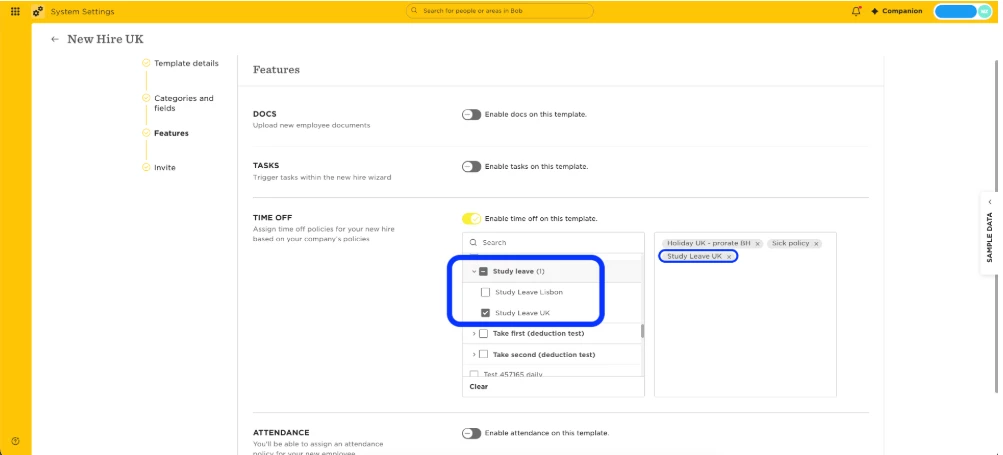
- A New Hire Flow was created for the UK specifically
- In this Flow, a policy for Study Leave for the UK was selected among the ‘Study Leave’ policy type; the same for a sick leave policy and a holiday one.
- When going through the Flow to add a new hire, each of these policies are pre-selected and will be automatically assigned to the employee.
If you select more than one policy per policy type in a New Hire flow, no policies will be pre-selected. You can still select one and assign it right from the Flow. Below is a demonstration of this scenario: